
Unlisted Property Search is where you find off-market homes that are not listed on the MLS. It searches nationwide property and ownership records so you can build targeted lead lists by location, owner profile, and distress signals.
Where to find it
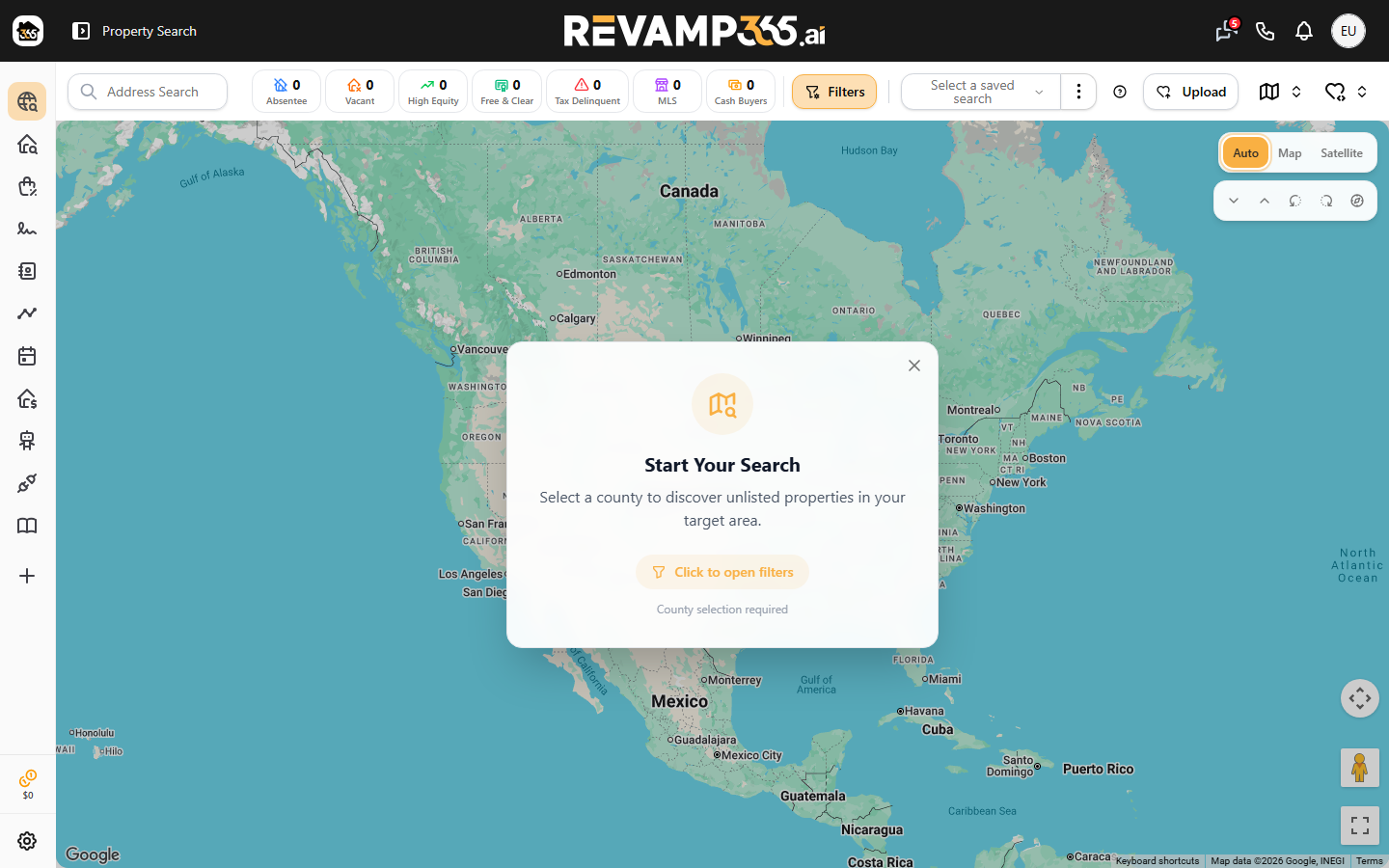
Unlisted Property Search is the default screen after you log in. From anywhere in the app, open it at the Unlisted Properties area, where you land on the Search page with a map and a results panel side by side. New to the platform? Start with What Is Revamp365 and the dashboard overview.
The data behind it
Every result is drawn from public property and county records, not from active listings. For each property you can see:
| Data group | Examples |
|---|---|
| Property specs | Beds, baths, building area, lot size, year built |
| Ownership | Owner names, mailing address, ownership type |
| Valuation | Assessed value, market value, AVM, and Revamp ARV |
| Sale history | Last sale price, recording date, buyer and seller |
| Mortgage & equity | Loan type, lender, open liens, equity position |
What you can filter for
A county is required to start a search. From there you narrow results with city, ZIP, and detailed criteria grouped into Location, Specs, Ownership, and tag filters:
- Ownership — absentee, out-of-state, trust-owned, corporate, and elderly owners
- Distress — foreclosure / REO, pre-foreclosure, probate, pre-probate, tax delinquent, vacant, and long-term ownership
- Condition — fixer-upper, value-add, aging property, large lot, multi-unit
- Market — failed listings, below-market sales, recent sales, and flip potential
What you can do with results
Once a search returns properties, you can:
- Browse results on the map or as a grid/list.
- Save the criteria as a reusable saved search so you can re-run it later.
- Add properties to a My List to organize a campaign.
- Skip trace a list to append owner phone numbers and add those owners as contacts in your CRM.
- Export a list to CSV with valuation and skip-trace columns for a mail house or dialer.
Where to go next
These deep-dive guides walk through each step:
- Run your first unlisted search
- Filter by motivation signals
- Filter for tax-delinquent and probate properties
- Save a search as a reusable list
- Skip trace a saved property list
- Push a property list into the Contacts CRM
Looking for active listings instead? See What MLS Listing Search Is.