
Once a list has been skip traced, Revamp365 can promote the owners with real phone or email data into your Contacts CRM as records you can text, call, tag, and work. The promotion happens from the Buyer Skip Tracing page, not from the property search grid.
Where this lives
Open Buyer Skip Tracing from the left navigation (URL /skip-tracing). The page header reads "Buyer Skip Tracing" and shows a Skip Trace Stats row (Total Buyers, Successful Returns, Emails Found, Phones Found, and more). This page is gated: Free-tier accounts are redirected away, and you need buyer-search access for the sections to load.
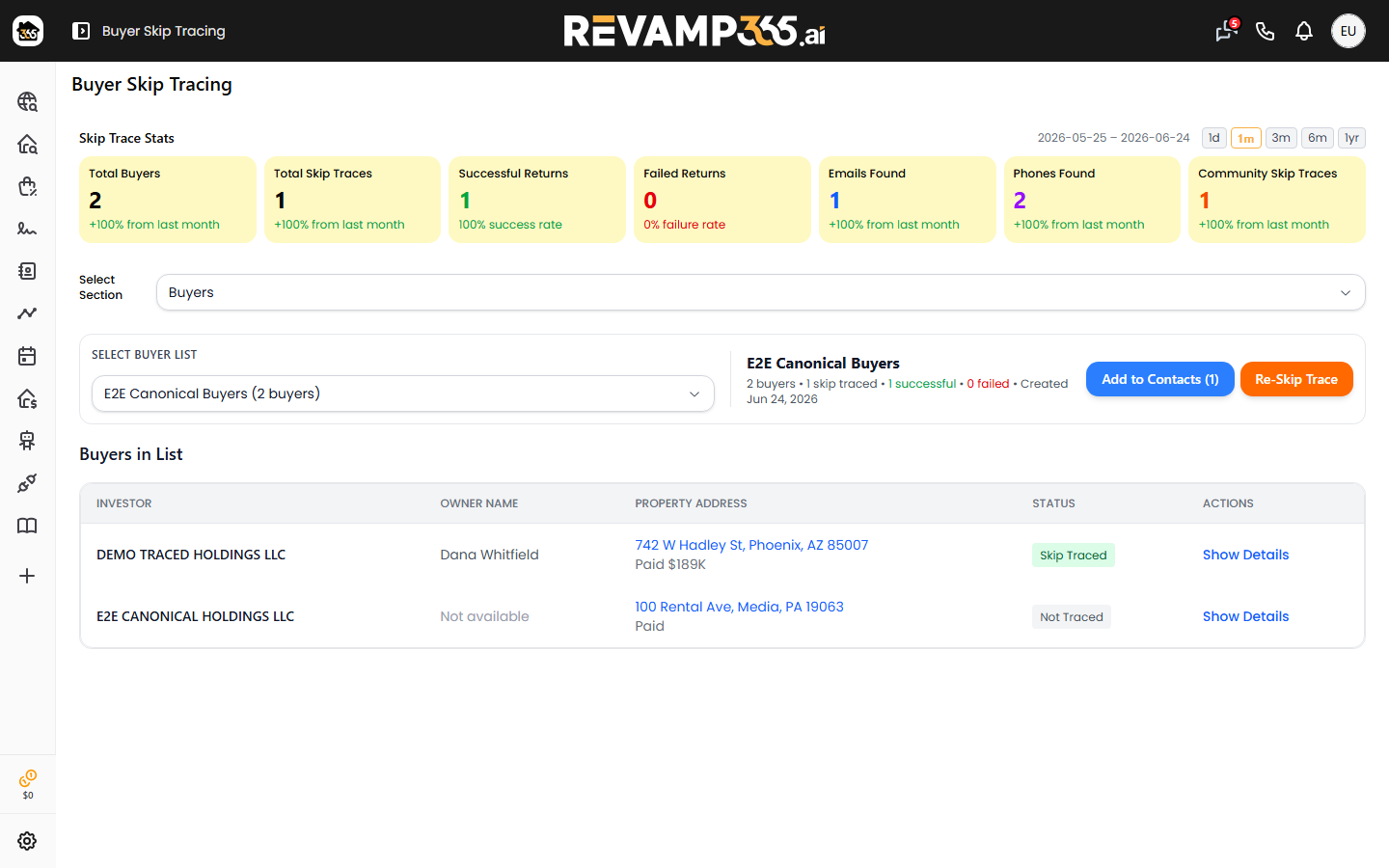
Under the stats, use the Select Section dropdown to choose Buyers, Unlisted Properties, or Uploaded Buyers. The fully working push-to-contacts flow is the Buyers section.
Skip trace the list first
The Add to Contacts button stays disabled until the list has at least one successful skip trace, because contacts are built from the returned phone and email data.
- In the Buyers section, pick a list from Select Buyer List. The dropdown shows each list name and its buyer count.
- Read the detail line: buyers, skip traced, green successful, red failed.
- If nothing has been traced, click Start Skip Tracing (it reads Re-Skip Trace once results exist).
For the full tracing walkthrough, see skip trace a saved property list.
Push the list into Contacts
Click Add to Contacts (N), where N is the successful count. The button spins to "Adding..." and posts the whole selected list. On success you see "Successfully added to contact page."
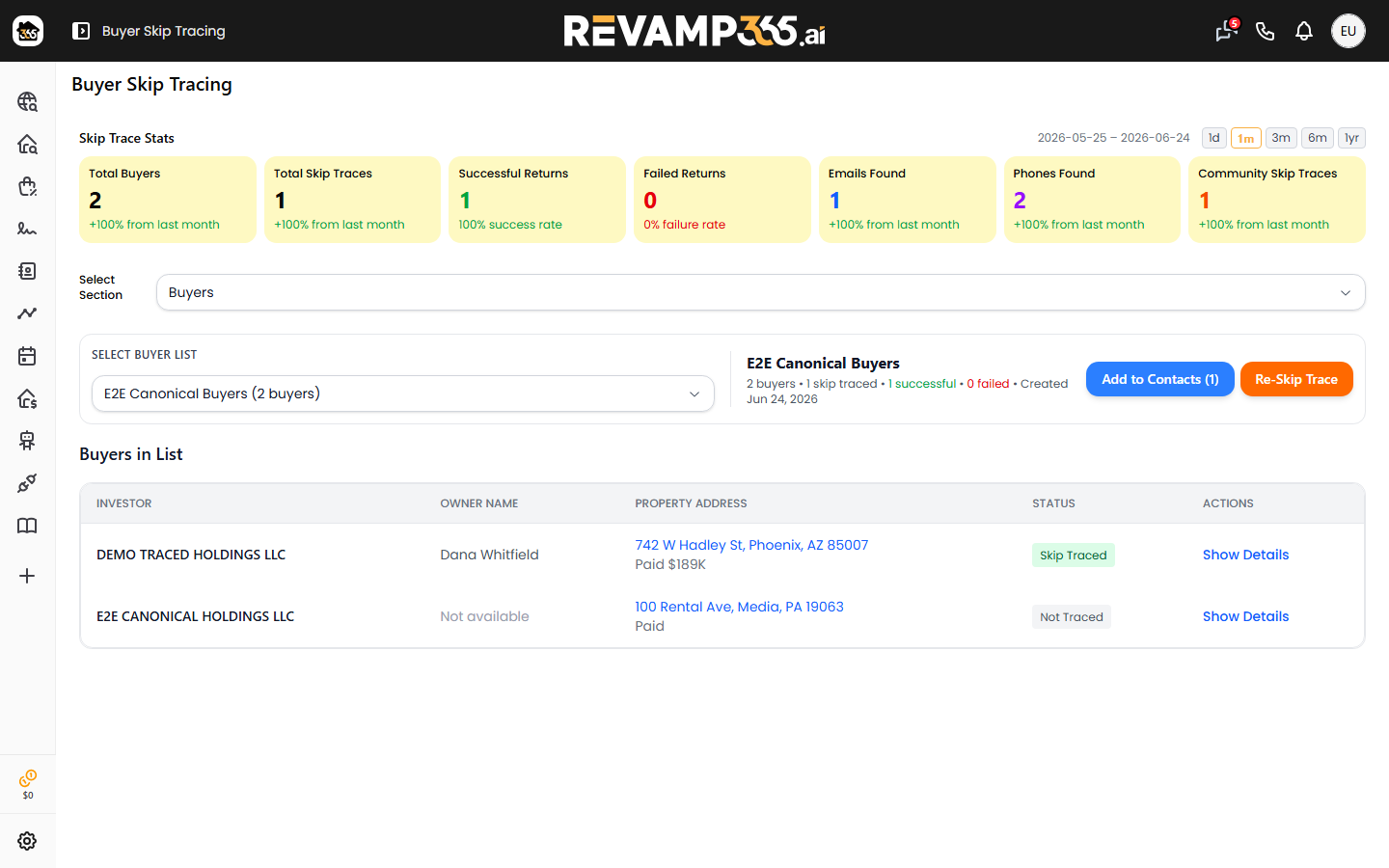
What Revamp365 does for each buyer:
- Only buyers whose skip trace returned a phone number or an email become contacts. Buyers with neither, and buyers with no name and no email, are skipped.
- Each contact is matched by email or name. An existing match is updated (phones, emails, names, last-known property merged in); no match creates a new contact.
- Every record is tagged
Skip-Tracedplus the list name, so the list becomes a tag you can filter on. - Owned and sold properties and any company names found for that owner are attached to the contact record.
| Result | Meaning |
|---|---|
| Added | New contact created |
| Updated | Existing contact matched and enriched |
| Skipped | No phone/email, or no usable name/email |
After the push
Open Contacts to confirm the records landed, then filter by the list-name tag or the Skip-Traced tag to isolate everything you just pushed. From there you can save that filter as a reusable view. To work the tags and views, see use tags, saved views, filters, and lists, and to interpret the underlying phone/email data, see read skip trace results.
Gotchas
- Unlisted Properties section: its Add to Contacts button currently shows an "under development" notice and does not create contacts yet. Use the Buyers section for the working flow.
- Re-running is safe. Because matching is by email or name, pushing the same list twice updates existing contacts and merges tags instead of creating duplicates.
- Zero successful traces means the button stays greyed out — trace (or re-trace) the list until the green successful count is above zero.