
When your unlisted property search shows the 🏠 "No unlisted properties found" empty state, it is almost always a filter or location problem, not missing data. Work through the checks below in order on the Unlisted Properties search page (your dashboard opens here at /unlisted-properties/search).
Confirm You Actually Ran a Search
The page opens in a "Start Your Search" state with a dimmed map and the prompt "Select a county to discover unlisted properties in your target area." That overlay means no search has run yet — it is not a zero-result error. Click it (or the Filters button) to open Advanced Property Search, then select a county and press View Properties.
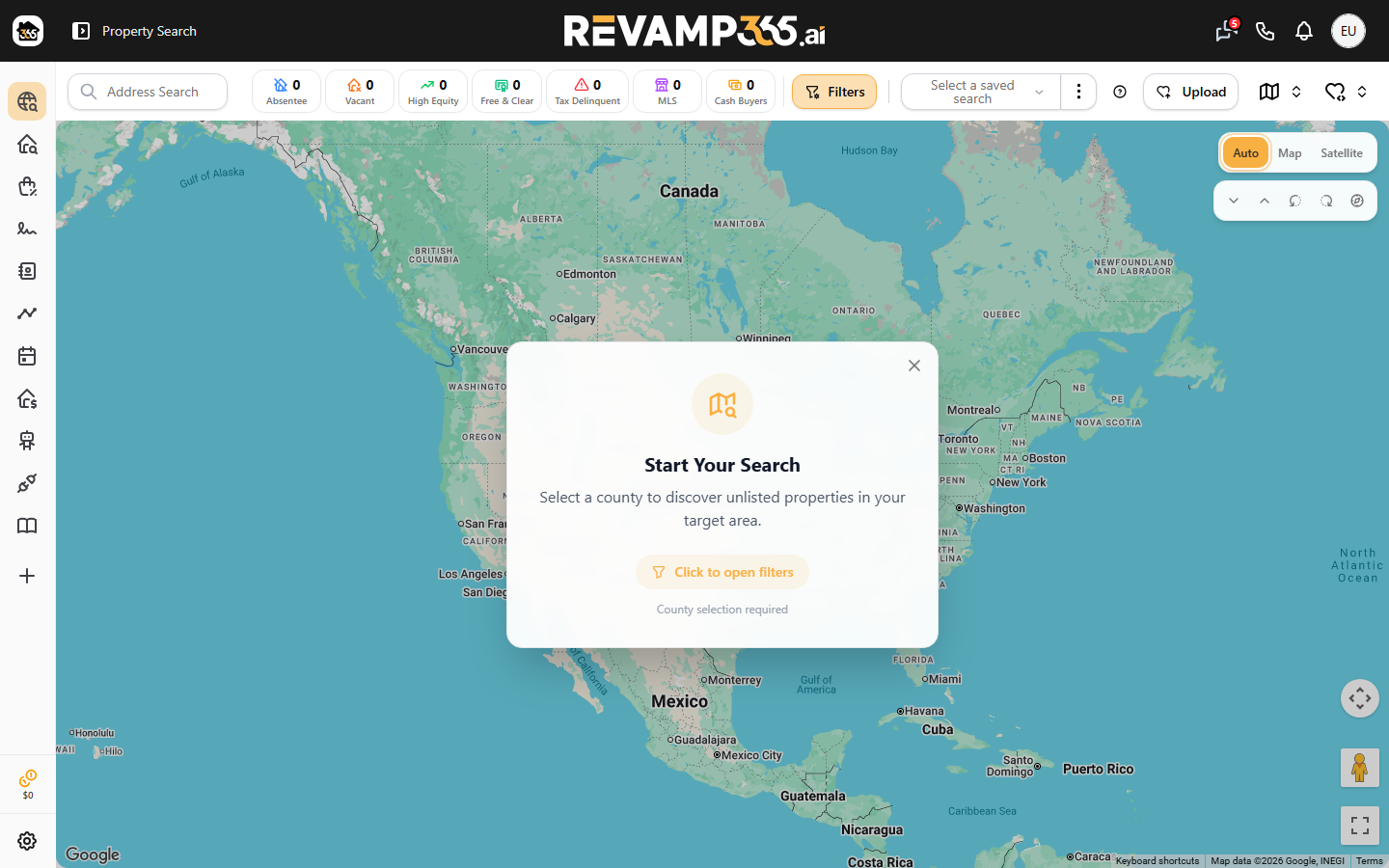
The Address Search box at the top is separate: it autocompletes one address and opens that property's detail popup. It does not run a filtered list search, so typing a street there never populates the map grid.
Set the Required County
County is the one mandatory field. In Advanced Property Search, the County field is marked with a red asterisk, and the View Properties button stays disabled until a valid county is chosen. If you click View without one, you get the toast "Please select a county."
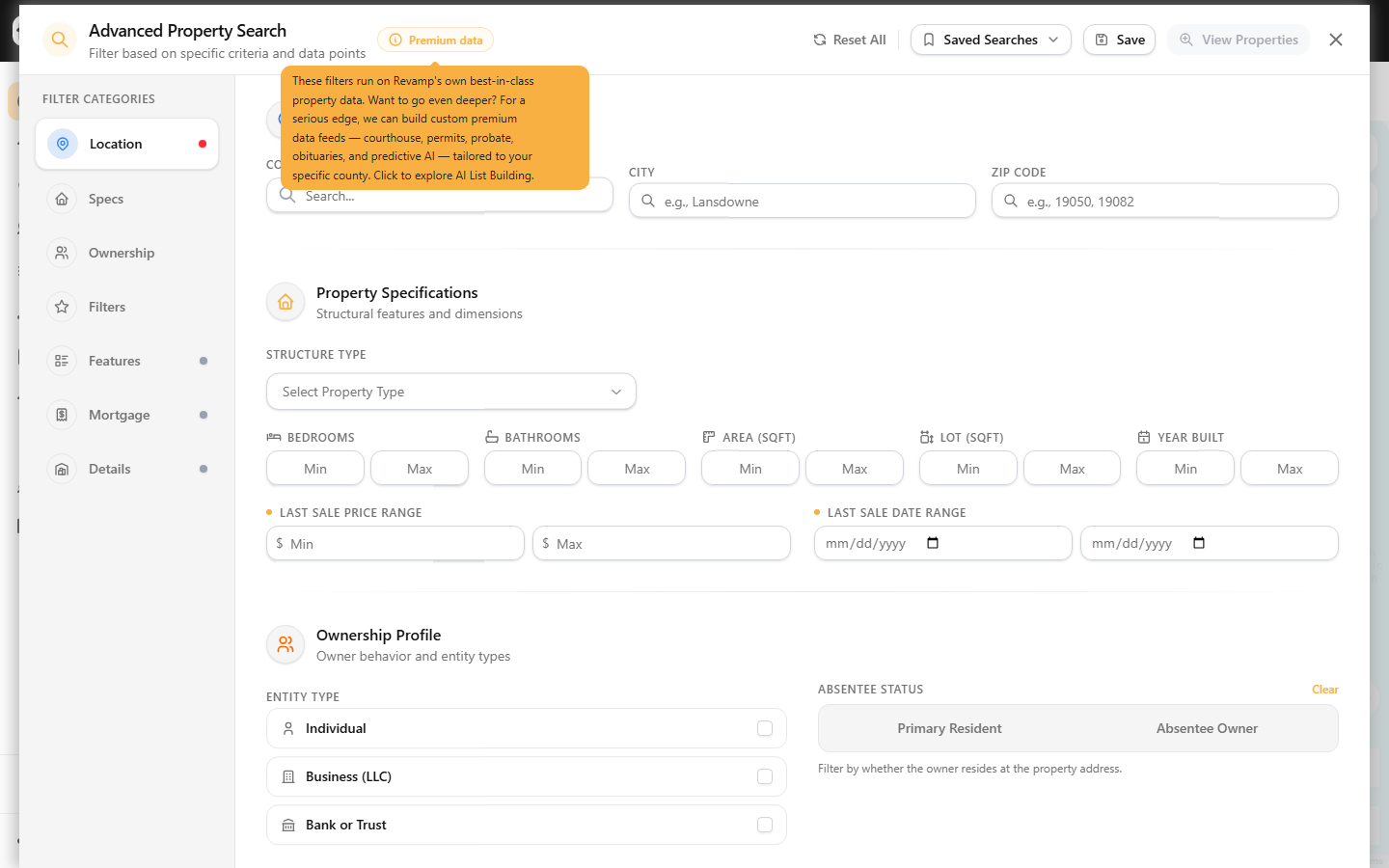
Use the County box to pick a result like "Delaware, PA" from the dropdown — typing free text without selecting a suggestion does not register a valid county. Coverage is county-by-county, so if one county returns nothing, try a neighboring county in the same metro.
Loosen Over-Tight Filters
Stacked filters are the most common cause of zero results. Each criterion is combined with AND, so narrow ranges quickly eliminate every property. Open Advanced Property Search and check these:
| Filter group | What to relax |
|---|---|
| Specs | Widen or clear Bedrooms, Bathrooms, Area (Sqft), Lot, Year Built min/max |
| Price & Date | Clear Last Sale Price Range and Last Sale Date Range |
| Ownership | Reset the Absentee Owner / Primary Resident toggle to neither; clear owner First/Last Name |
| Intelligent Filters | Remove tags under Market, Ownership, Condition, Risk, and Distress tabs |
The left rail shows an amber count badge per section, so you can see exactly where filters are applied. To wipe everything at once, click Reset All (you will see "All filters cleared"), then search with county alone. If results appear, add filters back one at a time.
Stacking signals like Tax Delinquent plus Vacant plus a tight Year Built range is what usually zeroes out a county. For motivation-based searching, see filter off-market properties by motivation signals.
Check for an Active List or Saved Search
If you previously clicked a My List, an Uploaded list, or a Saved Search, the grid is locked to that set and ignores new county filters. A red dot or highlighted heart icon on the My Lists toggle means a list is active. Open the list menu and choose Clear, or deselect the saved search, to return to a normal county search.
City and Zip Format
City and Zip narrow results inside the selected county. Enter the city plainly (for example, Lansdowne) and use real five-digit Zips, comma-separated for several (for example, 19050, 19082). A Zip that falls outside your chosen county returns nothing — the county filter wins.
Free Plan Daily Cap
Free accounts are limited to 200 search-page loads per day. Past that, the page returns a "Too Many Requests" error instead of results. Paid tiers are uncapped. If you hit the cap, wait for the daily reset or review billing usage and overages.
Still Empty
When county-only search still shows "No unlisted properties found," click Refresh Properties to re-run, then reload the page to clear a stale session. Once results return, save the working filter set as a reusable property list.