
A Saved Search stores your MLS filter criteria (not a fixed list of properties), so Revamp365 can re-run it on a schedule and alert you the moment new listings match. Use it when you want a buy box to keep watching the market for you.
Save your filter set
- Open Listing Search from the left sidebar (
/property/search). - Build your filters — status, county, price, beds, DOM, ARV, and anything under More / Advanced Filters.
- In the filter bar, open the three-dot actions menu next to the Saved Searches selector and click Save.
- In the dialog, type a Name and confirm. The name must be unique within your account.
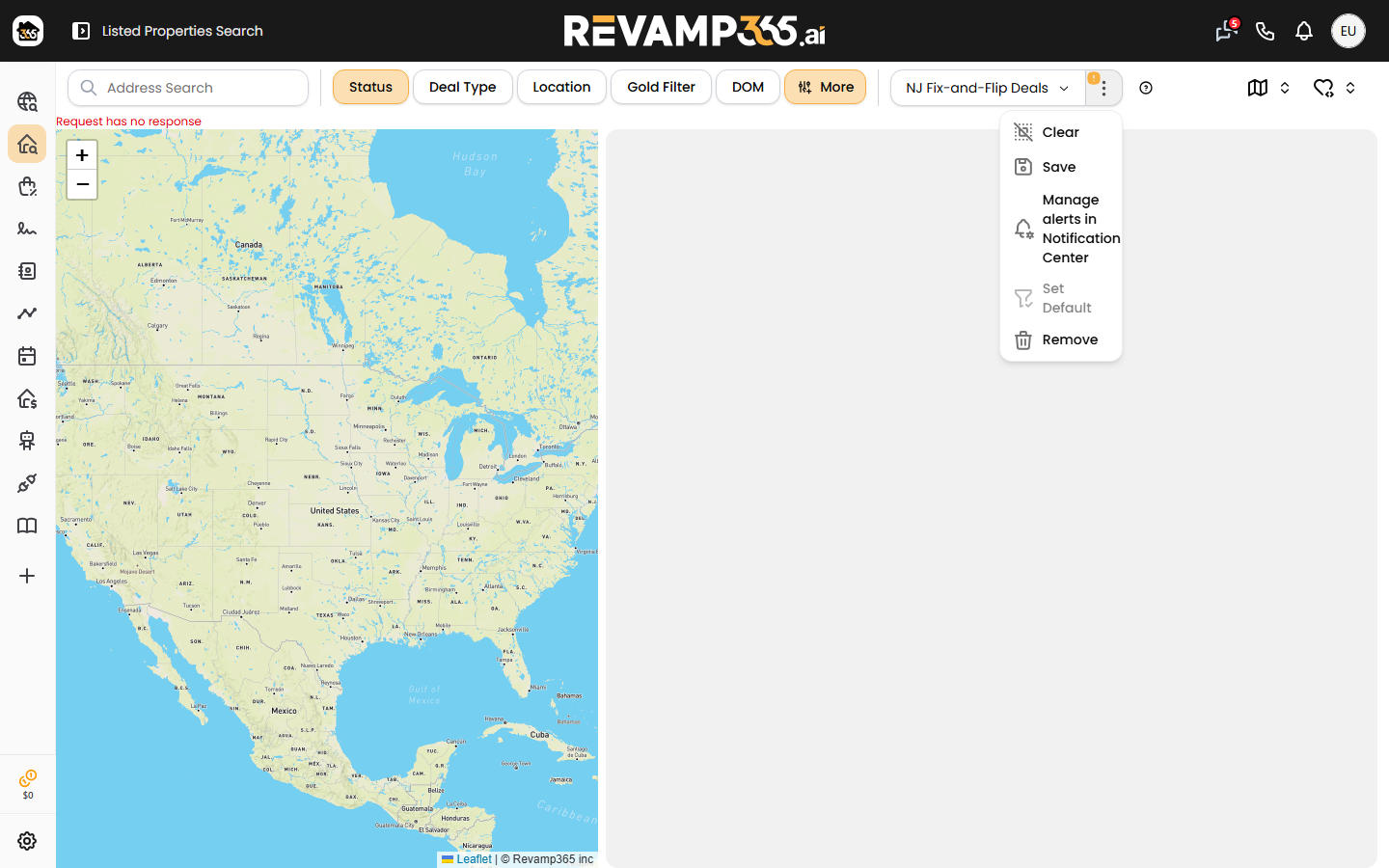
To update an existing Saved Search, select it first, change your filters, then choose Save. The dialog also offers Create as new so you can branch a variation without overwriting the original. Saved Searches you name appear in the Saved Searches dropdown, where you can also Set Default or Remove them.
Turn on alerts
Alerts are configured in the Notification Center, not on the search page. From the same actions menu, click Manage alerts in Notification Center, or go to Settings → Notifications (/settings/notifications) and find the Saved search alerts section.
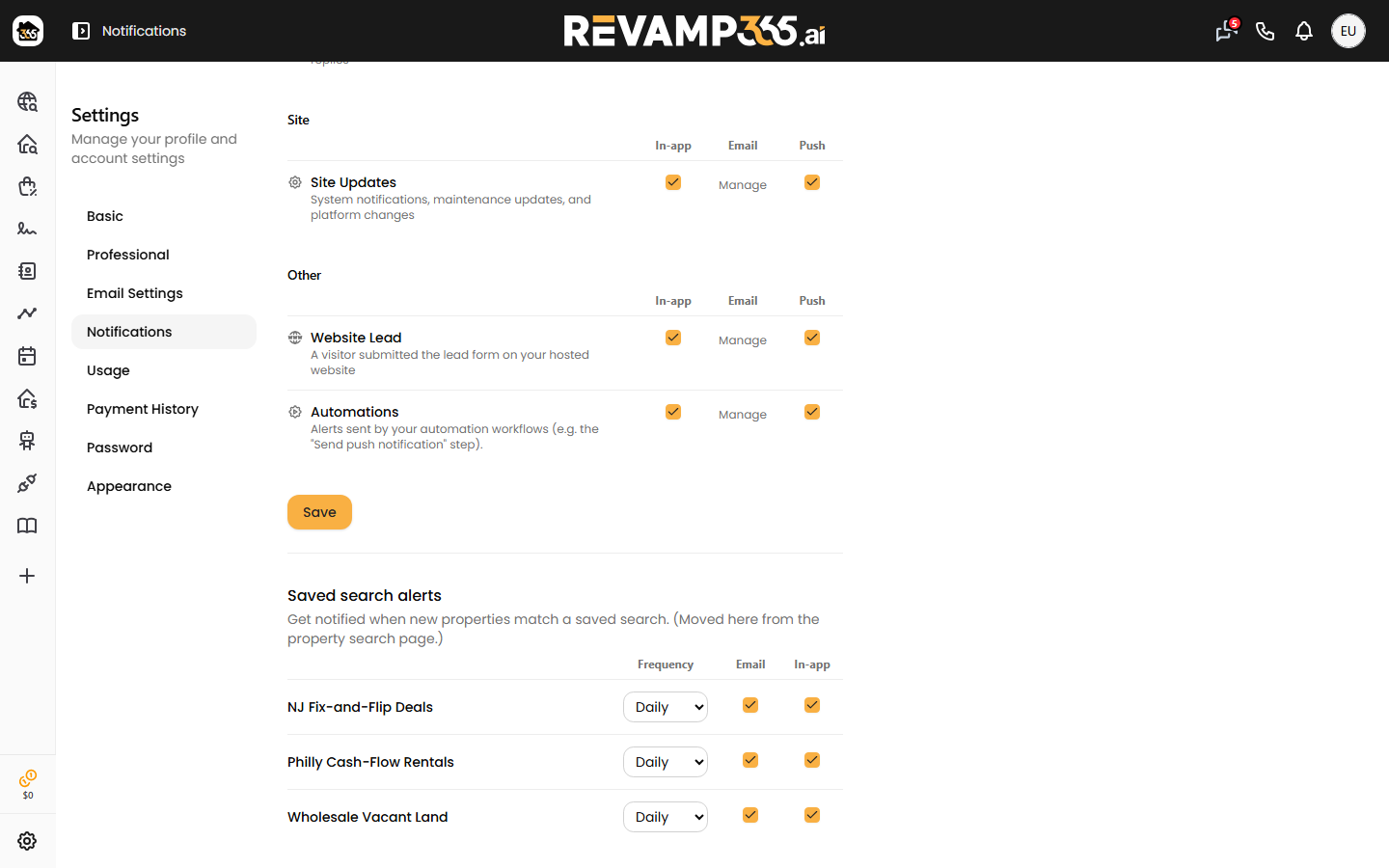
Each named Saved Search is one row with three controls that save automatically (a brief "Saved" appears):
| Control | Options | What it does |
|---|---|---|
| Frequency | Daily, Weekly, Off | How often the search re-runs for alerts |
| On / Off | Emails you the newest matching listing | |
| In-app | On / Off | Posts a notification in Revamp365 |
Set Frequency to Off to pause a Saved Search without deleting it — that also disables its Email and In-app toggles.
What an alert contains
- Alerts include only brand-new listings (very low days-on-market), so you are not re-notified about properties you have already seen.
- The email highlights the newest match with its price, beds, baths, rent, AVM, and ARV, plus a count of how many total properties matched.
- An in-app batch surfaces up to four new matches at once, each linking to the full property detail.
Good to know
- Saved-search alerts are sent on paid plans only; Free accounts can save searches but will not receive alert emails or notifications.
- Alerts respect your email preferences — unsubscribing from saved-search alerts stops the emails even while the search stays saved.
- A Saved Search watches filter criteria. If you instead want to keep a fixed set of hand-picked listings, see save a property search as a reusable list.