
Off-market (unlisted) property leads live at Property Search in the sidebar (the /unlisted-properties/search page that your dashboard redirects to). Motivation signals like absentee ownership, vacancy, long-term hold, and equity are set inside the Advanced Search dialog and surfaced as scorecard chips above your results.
Open Advanced Search and pick a county
- On the search page, click Filters (desktop) or the Advanced Filters button (mobile) to open the Advanced Property Search dialog.
- In the Geographic Area section, choose a County — it is required and marked with a red asterisk. If you skip it, clicking View Properties shows a "Please select a county" error and nothing runs. City and Zip Code are optional narrowing fields.
The left rail lists the active filter sections: Location, Specs, Ownership, and Filters.
Set absentee and owner-type signals
Open the Ownership section for owner-behavior filters:
| Control | What it does |
|---|---|
| Absentee Status | Toggle Absentee Owner (mail address differs from the property) or Primary Resident. Click Clear to reset. |
| Entity Type | Check Individual, Business (LLC), or Bank or Trust to match the deeded owner type. |
| Name Search | First/last name lookup for a specific owner. |
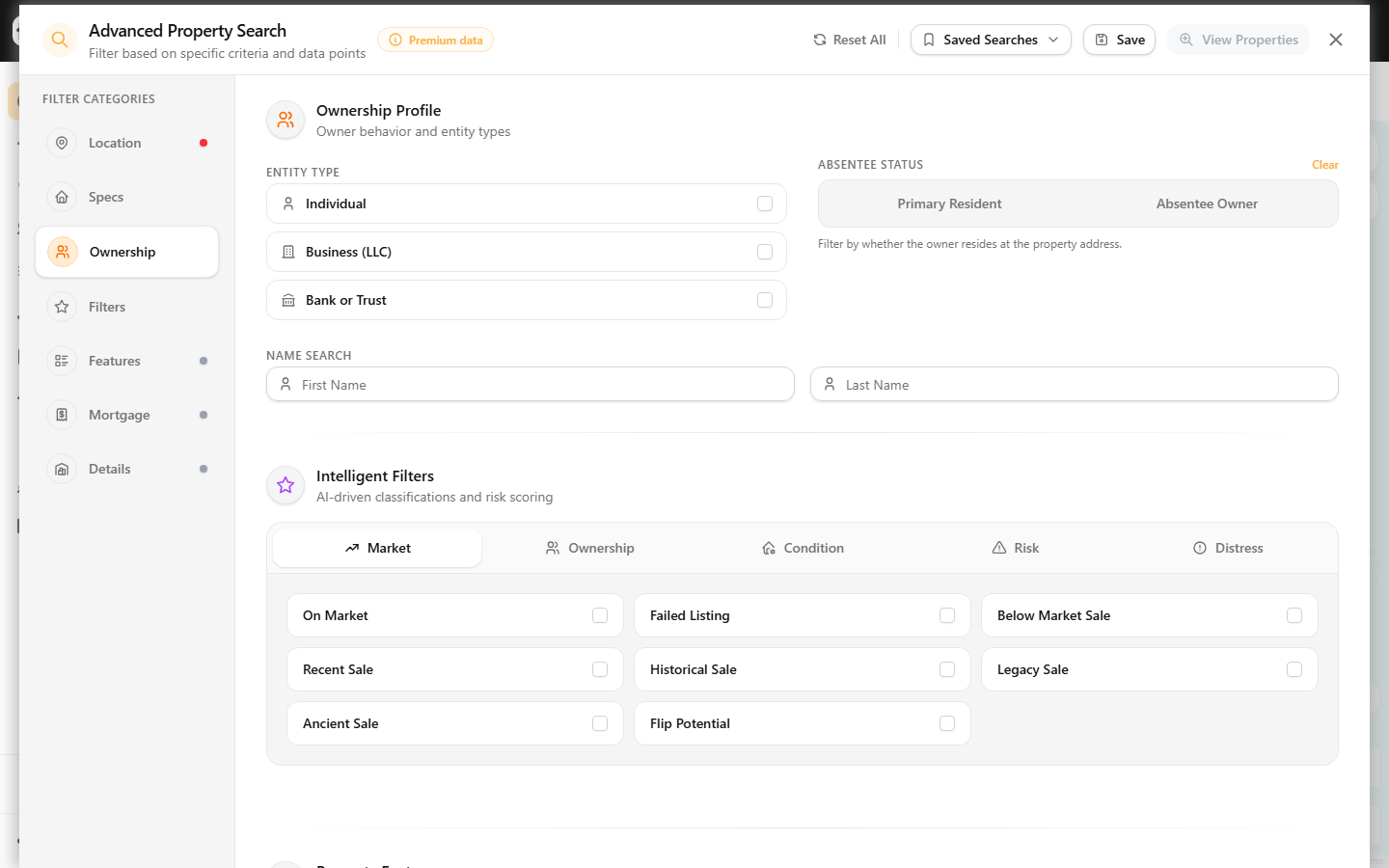
The Absentee Owner toggle is linked to the Absentee Owner checkbox under Filters → Ownership, so setting either one keeps both in sync. The Ownership tab also offers Out-of-State Owner, Trust-Owned, Corporate Owner, and Elderly Owner checkboxes.
Use the Distress tab for vacancy and long-term hold
Click Filters in the rail to open the Intelligent Filters panel, then select the Distress tab. Check any of these tags:
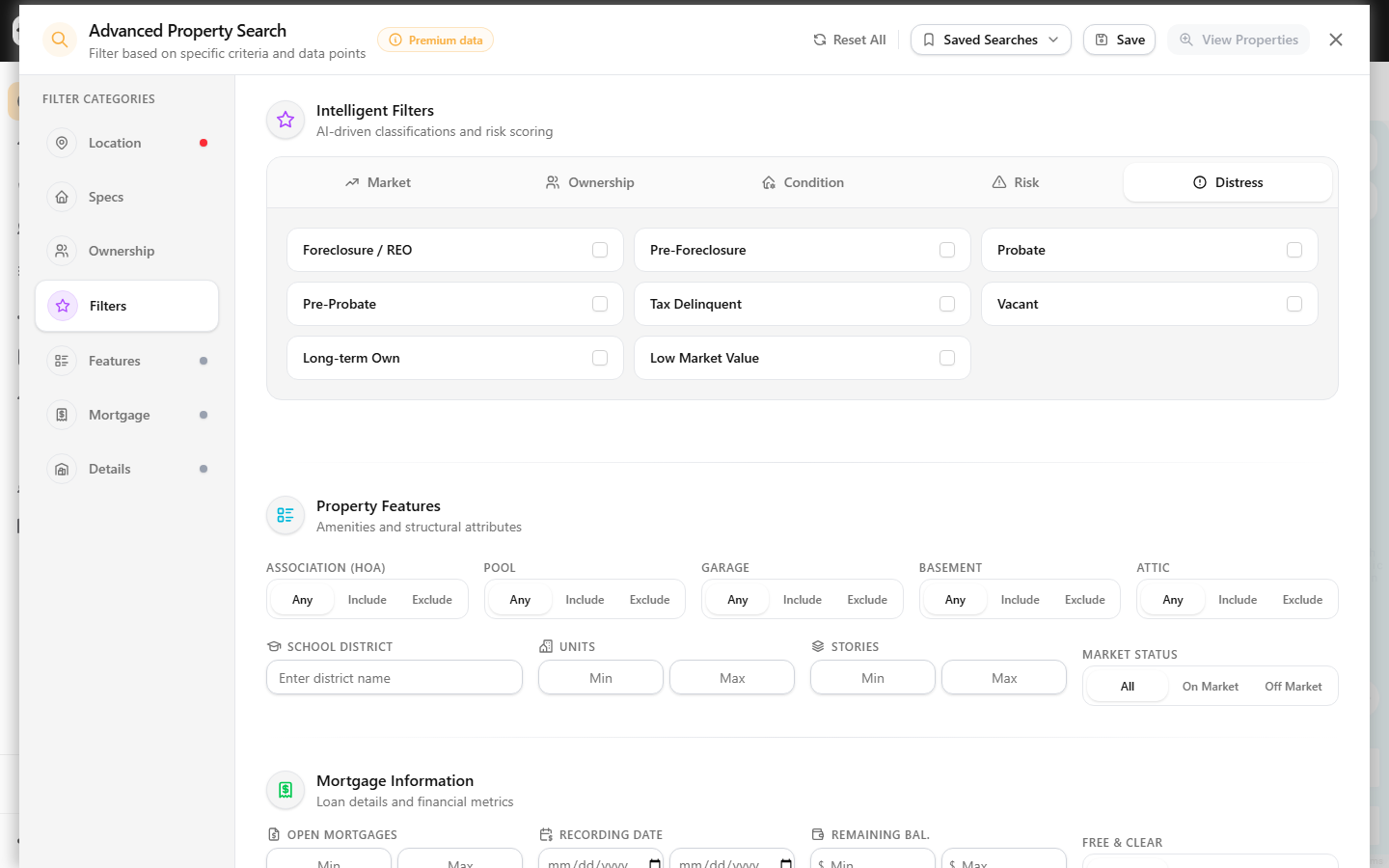
- Vacant — flags likely-vacant properties.
- Long-term Own — owners who have held well beyond a typical cycle.
- Tax Delinquent, Foreclosure / REO, Pre-Foreclosure, Probate, Pre-Probate, and Low Market Value.
For tax-lien and probate targeting specifically, see filter for tax-delinquent and probate properties.
How equity and ownership length surface
There is no numeric equity-percent slider on the live filter. Instead:
- Ownership length is filtered through the Last Sale Date Range fields in the Specs section — set an older max sale date to find longer-held homes, and pair it with the Long-term Own distress tag.
- High Equity and Free & Clear are surfaced as read-only scorecard chips above your result grid once a search runs, alongside Absentee, Vacant, Tax Delinquent, MLS, and Cash Buyers. Each chip shows a live count for the current results.
Run and reuse the search
Click View Properties to apply every filter at once. Use Reset All to clear the form, or Save to store the criteria. To keep a set of motivation filters as a reusable, alertable search, follow save a property search as a reusable list. When a combination returns nothing, check troubleshoot zero-result property searches — stacking Vacant, Absentee, and Long-term Own in a small county is the most common cause.