
Skip tracing turns the owners on a saved off-market list into reachable contacts by appending phone numbers and emails, then writing the results into your CRM. Runs are queued and processed in the background, so you can start a large list and walk away.
Open the List You Want to Trace
- In the left sidebar, open Property Search (the off-market search at
/unlisted-properties/search). - Open the My Lists panel on the right. Under Saved Lists you'll see each list with its property count; the Skip Traced Lists group shows how many records on a list already have results.
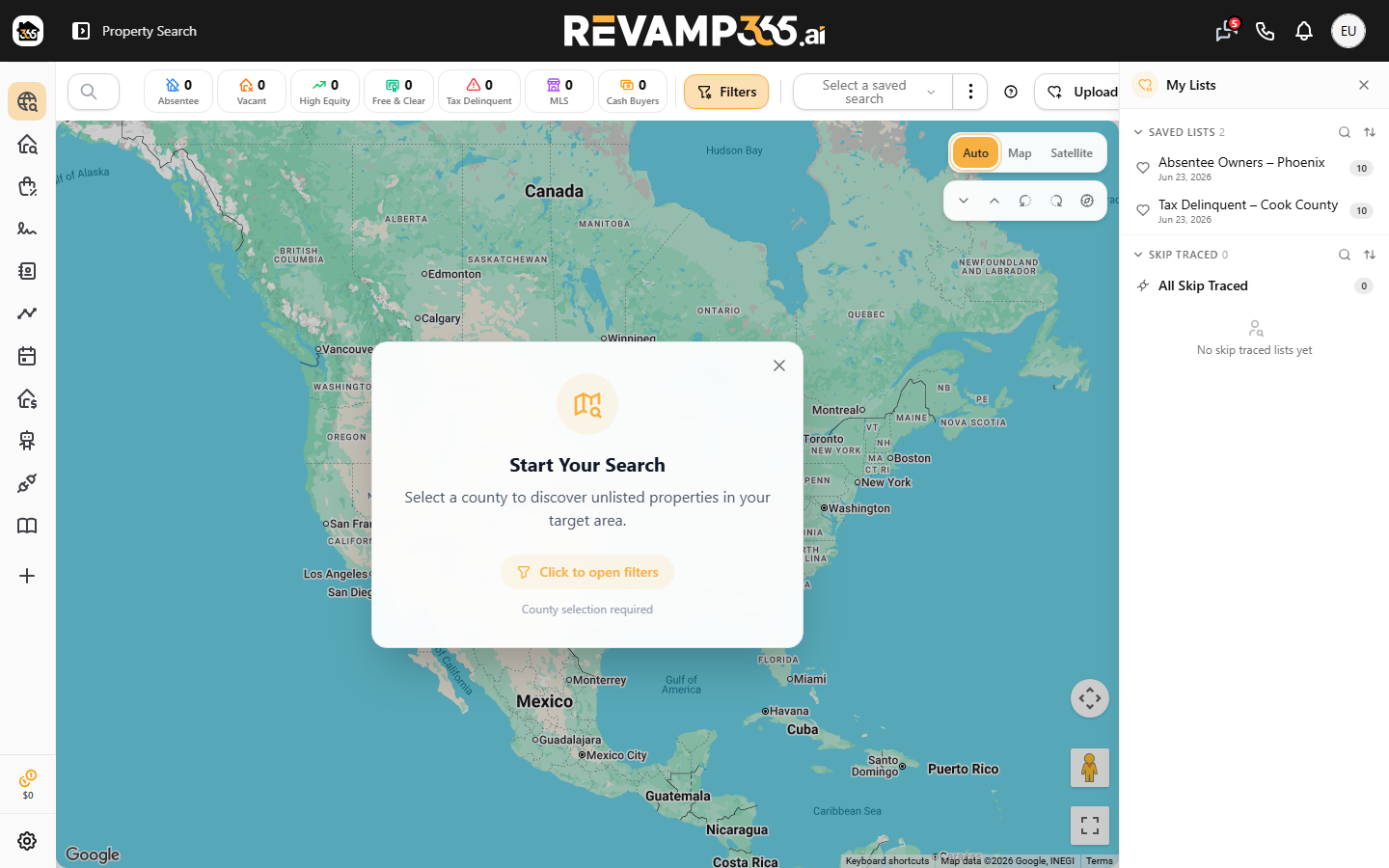 3. Click a saved list to load its properties into the table. If you don't have a list yet, build one first by following save a property search as a reusable list.
Select Properties and Start the Trace
- Tick the checkboxes for the rows you want, or use the header checkbox to select every property in the list.
- With at least one row selected, the Actions button turns gold. Click it and choose Skip Trace. (With nothing selected the button stays disabled.)
- The Skip Trace (In Background) dialog opens. Pick a Scope:
| Scope | What it does |
|---|---|
| Missing Only (skip already processed) | Default. Skips properties that already have a result, so you only pay for new ones. |
| All Properties | Re-traces every selected property, even ones already done. |
- Click Confirm. The selected properties are added to the background queue and the dialog confirms they are being skip-traced.
How Processing Works
A cron job works the queue 100 records at a time, so results appear gradually rather than all at once. Each property moves from pending to processing, then to completed (contact info found) or failed (none found). You'll get one email when the whole list finishes.
Under Missing Only, if Revamp365 already holds community data for an owner, it reuses it with no new lookup and no charge. Otherwise it calls the data provider and you're billed only when a trace actually returns contact info — failed traces are free.
What You Get Back
Every successful trace:
- Creates or updates a record in Contacts CRM, tagged with the list name and grouped into a saved view named after the list.
- Fills the Skip Trace Contact, Skip Trace Phone 1–3, and email columns on the property table (toggle these columns on if hidden).
- Bumps the list's count in the Skip Traced Lists group and adds the property to your master Skip-Traced list.
To read names, multiple owners, phone types, and validation flags, see read skip trace results.
Billing and Plan Notes
Skip tracing is metered per successful record: $0.15 on Free, and $0.10 on Pro+ and Dealmaker. On Free, the queue checks your prepaid credit balance before each list's batch and reserves enough to cover it. If your balance is too low or spending is locked, that list's items stay pending and resume automatically after you top up — other users' runs are unaffected. For rates and credit details, see understand billing, usage, and overages.