
Revamp365 exports property lists straight to CSV, and which columns you get depends on the list type. An uploaded or skip-traced list carries mailing addresses plus skip-trace phones and emails (dialer-ready), while a "Listing Search" saved list carries valuation and listing fields only (mail house, not dialer). Both downloads are UTF-8 with a byte-order mark so Excel opens them cleanly.
Export an uploaded or skip-traced list (mailing + phone + email)
This is the file a dialer or mail house wants, because it includes owner mailing address and skip-trace contact columns.
- Open Property Search (
/unlisted-properties/search). - Open the My Lists rail (the toggle on the filter bar; the rail docks on the right) and click the uploaded or skip-traced list you want.
- In the results, tick the checkbox on each property to include, or use Select All — you must select at least one row, since the Export action is disabled with an empty selection.
- Open the bulk-actions dropdown and click Export (the download icon).
Review the export dialog, choose Export selection (or Export exempt properties only), then choose Download CSV when the file is ready. The header row includes Owner Name, Mailing Address, Mailing City/State/Zip, then ST Phone 1–ST Phone 5 with matching ST Phone N Type columns, ST Email 1–ST Email 3, and Contact 2/Contact 3 name, phone, and email blocks. Rows with no skip-trace record leave those cells blank.
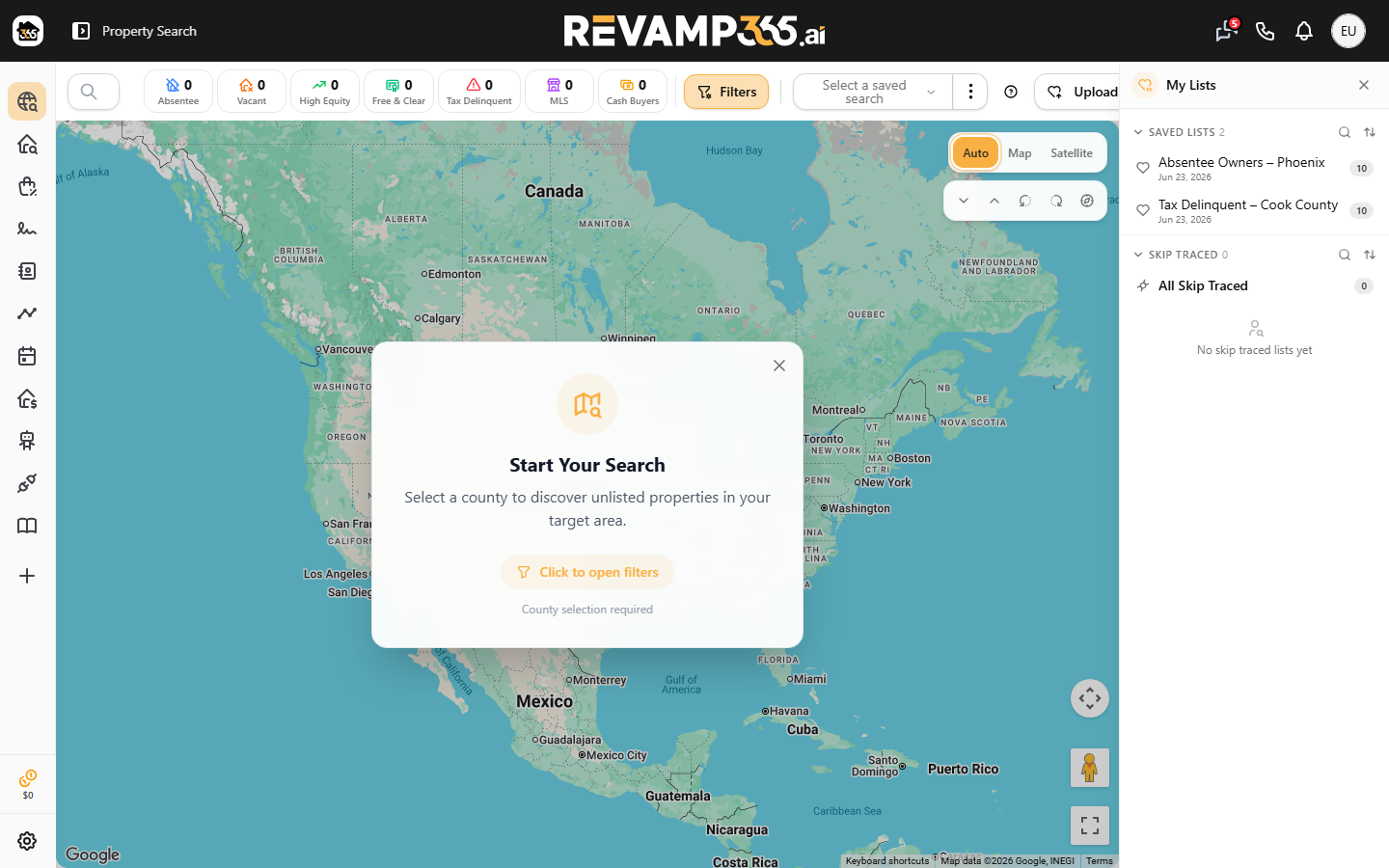
You can also export a saved My Unlisted list (the heart-icon lists) straight from the rail: hover the list row and click the green download icon (titled Export). The downloaded CSV labels its phone columns Phone 1–Phone 5.
Export a "Listing Search" saved list (no contact data)
MLS lists you saved from listing search export a different, valuation-focused file with no phone or email columns.
- Open Listing Search (
/property/search). - Open the My Lists rail and find your saved MLS list.
- Click the green download icon (titled Export) on that row.
The downloaded file is named revamp-properties.csv. Columns include address, list_price, est_avm, est_arv, est_cashflow, est_profit, mls_number, year_built, county_state, and agent contact fields (list_agent_email, list_agent_cell) — but no owner phone or email, so this file suits mailers, not cold-call dialers.
Which file has what
| Source | Where to export | Mailing address | Skip-trace phones/emails |
|---|---|---|---|
| Uploaded / skip-traced list | Property Search bulk Export | Yes | Yes |
| MLS saved list | Listing Search My Lists rail icon | No (agent fields only) | No |
Limits and gotchas
- Select before you export. The bulk Export action is disabled until at least one property is checked; trying it with nothing selected shows "Please select at least one property to export." An MLS list export of an empty saved list returns a "List is empty" error toast.
- Free allowance is zero for new properties. Previously exported properties and properties with paid Skip Trace or Deep Trace remain unlimited. A selection exceeding allowance is blocked as a whole; choose Export exempt properties only explicitly to download the eligible subset.
- No contact columns on the MLS file is expected, not a bug — those columns only exist after skip tracing. Read what each column means in read skip-trace results.
- Encoding: both files start with a UTF-8 BOM, so double-click into Excel; for a dialer, map the phone columns to your phone fields.
If you would rather work the leads inside Revamp365 instead of an outside tool, push the property list into your Contacts CRM.
Property export allowances
Free: 0 new properties/month. Pro+: 10,000. Dealmaker: 100,000. Each property counts once for the account lifetime. Repeat exports and properties with paid Skip Trace or Deep Trace are unlimited on every plan.
Allowance resets on your subscription anniversary, including annual plans. Unused allowance does not roll over. The credit balance popup shows remaining property exports. Requests over the remaining allowance are blocked; you can explicitly export only exempt properties. CRM contacts, call logs and other owned business data remain unrestricted, even after downgrading to Free.