
Listing Search is the on-market side of Revamp365: it lets you browse live MLS listings, narrow them with investor-focused filters, and save the searches you want to watch. Use it when you want deals that are actively listed, with agents, photos, and asking prices already attached.
On-market vs off-market
Revamp365 has two distinct search tools in the sidebar, and they answer different questions.
| Tool | Sidebar label | What it finds |
|---|---|---|
| Listing Search | Listing Search | Live MLS listings — homes currently or recently on the market |
| Off-market search | Property Search | Public-record properties not listed for sale |
Reach for Listing Search when you want active inventory you can offer on today. Reach for off-market search when you want to find owners before a property ever hits the MLS. For that side, see what off-market property search is.
What you can do in Listing Search
Open Listing Search from the left sidebar to land on the map and result list.
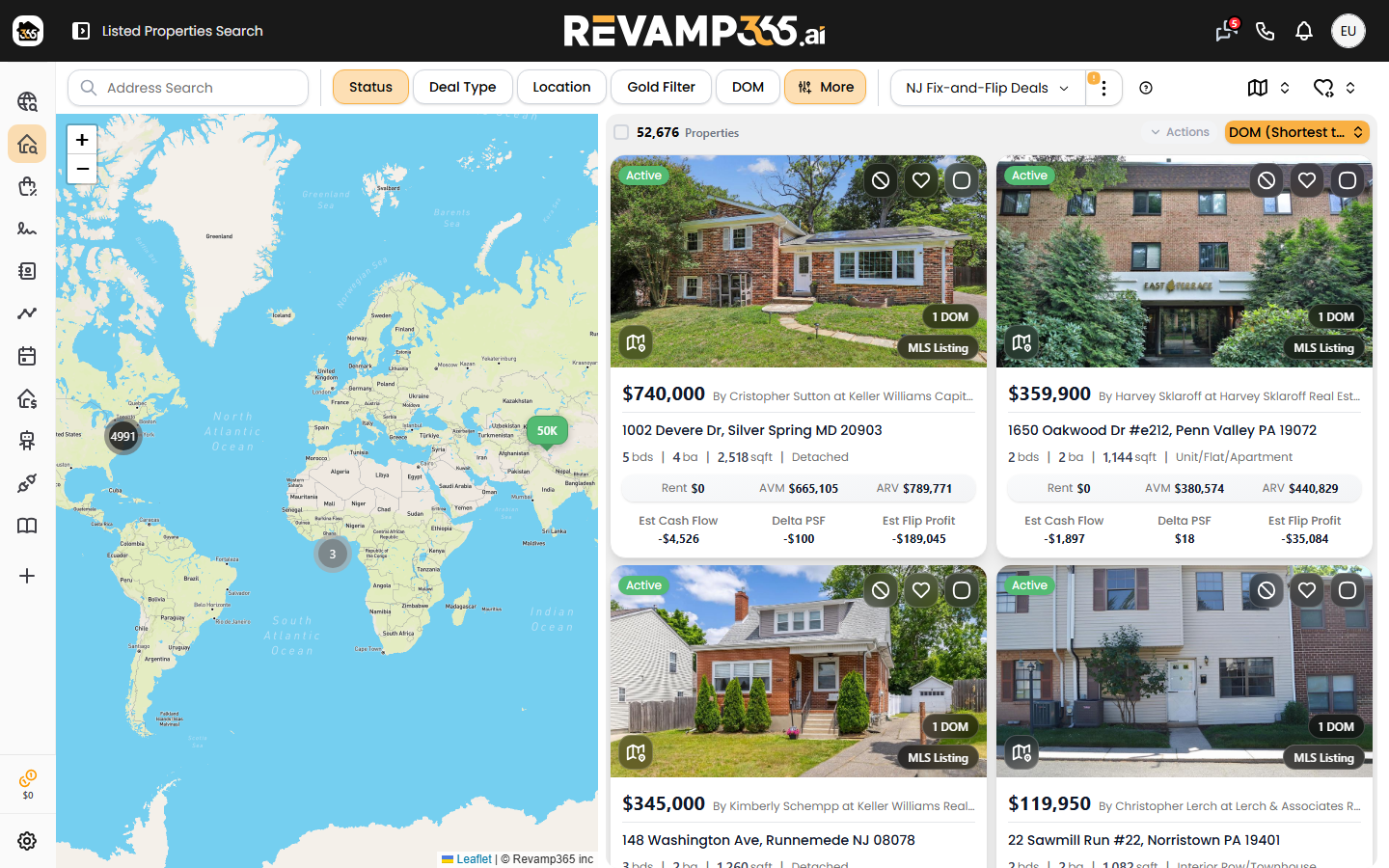
From there you can:
- Search by location — county, city, ZIP, or a mile radius around a point.
- Filter by listing status — Active, Active Under Contract, Pending, Coming Soon, Closed, Expired, Withdrawn, and Temp Off Market.
- Filter by days on market (DOM) — set a minimum and maximum to surface stale or fresh listings.
- Filter by price and property facts — list price, beds, baths, square footage, lot size, year built, structure type, and more.
- Filter by investor numbers — estimated ARV and AVM ranges to focus on margin.
- Switch deal type — MLS, Wholesale, or both.
- View comps on a listing to gauge value against nearby sales.
Saved searches and alerts
Once your filters are dialed in, save them so you do not rebuild them every visit. Saved searches keep your full filter set under a name you choose, and you can set one as your default.
Each saved search can also notify you when new matches appear:
- Email alerts — turn on to get matches in your inbox.
- In-app notification alerts — turn on to get matches inside Revamp365.
- Frequency — off, daily, or weekly.
This turns a one-time search into a standing buy-box that works while you do not.
Where results go next
Listings you act on do not stay stranded on the map. From a result you can request more info, share a property, or queue skip tracing. To work the owner or agent as a lead, push them into your Contacts CRM and track follow-up from there.