
You already have a direct-mail list. This playbook runs that same list through Revamp365 so the owners you mailed also get a phone touch and a clean path into your deal pipeline, instead of living in a spreadsheet.
The chain at a glance
| Stage | Where | Result |
|---|---|---|
| 1. Import the list | Property Search | Properties loaded into a named list |
| 2. Skip trace | Bulk Actions → Skip Trace | Owner phones and emails appended |
| 3. (Optional) Export | Bulk Export | skip_trace_export_<date>.csv for your dialer |
| 4. Push to CRM | Buyer Skip Tracing | Owners become tagged Contacts |
| 5. SMS Blast | SMS → SMS Blast | Text the list by tag |
| 6. Pipeline | Contact Pipeline action | Replies become deals |
1. Import your mail list
- Open Property Search (
/unlisted-properties/search) from the left sidebar. - Launch the import wizard and step through Upload → Map Fields → Settings → Results. Map at least Property Address, City, State, and Zip Code (County or FIPS helps matching).
- Name a new list on upload so the whole mail drop is one reusable set.
2. Skip trace the owners
Tick the rows (or the header checkbox for all), then click the gold Actions button and choose Skip Trace. Pick a scope — Missing Only (default, skips already-traced rows) or All Properties. Tracing runs in the background, billed per successful record ($0.15 on Free, $0.10 on Pro+ and Dealmaker); failed traces are free. Full detail: skip trace a saved property list.
3. Optional: export for an outside dialer
If you cold-call from a separate dialer, select rows and click Export for a dialer-ready skip_trace_export_<date>.csv with mailing address plus ST Phone 1–ST Phone 5. See export a property list for a mail house or dialer.
4. Push owners into Contacts CRM
To work the leads inside Revamp365, open Buyer Skip Tracing (/skip-tracing), pick your list, and click Add to Contacts. Each owner with a phone or email becomes a Contact tagged with the list name — that tag is your audience for the next step. Walkthrough: push a property list into the Contacts CRM.
5. Text the list with an SMS Blast
- Go to SMS, open the SMS Blast view, and click Create Campaign.
- Step through Basic Info → Messages → Audience. On Audience, choose Contacts By Tags and select your list-name tag (each tag shows a live count).
- Send or schedule the blast.
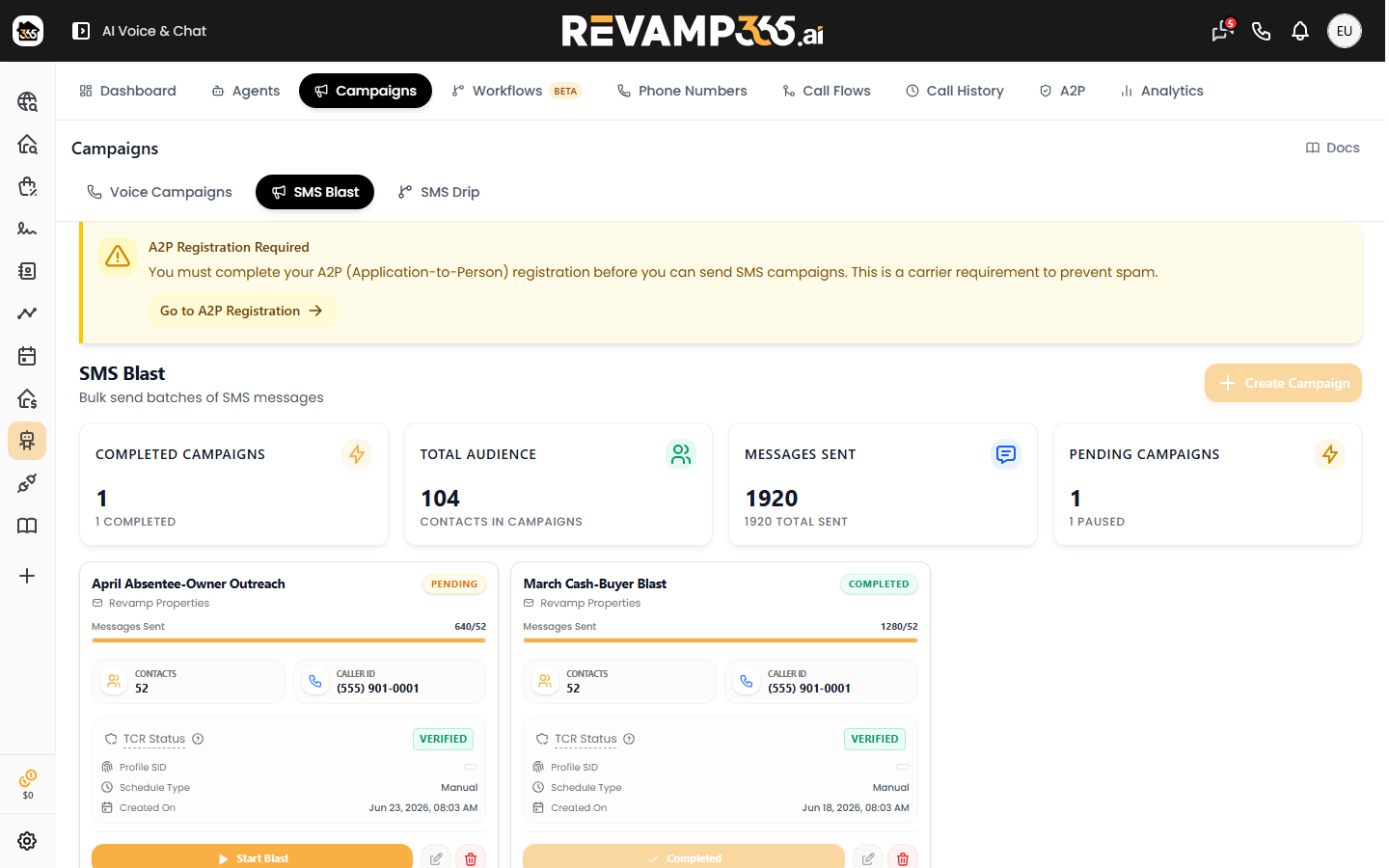
Sending requires completed A2P registration; the builder blocks Create Campaign until it is done. Use clear opt-out language — STOP replies auto-mark contacts DNC. See run an SMS blast campaign and mark contact DNC and understand STOP opt-outs.
6. Move replies into the pipeline
When an owner replies and the deal is real, open that Contact, use the Pipeline action in the actions menu, pick the linked property (or type an address), and create the deal. Track it from there with manage my deals.
Tip: set lead status and temperature on responders first so warm leads stay visible — see set lead status and temperature.