
Honoring do-not-contact requests is both good practice and a legal requirement. Revamp365 lets you block a number by channel, and it processes STOP replies automatically so opted-out people stop receiving messages.
Block a number on a contact
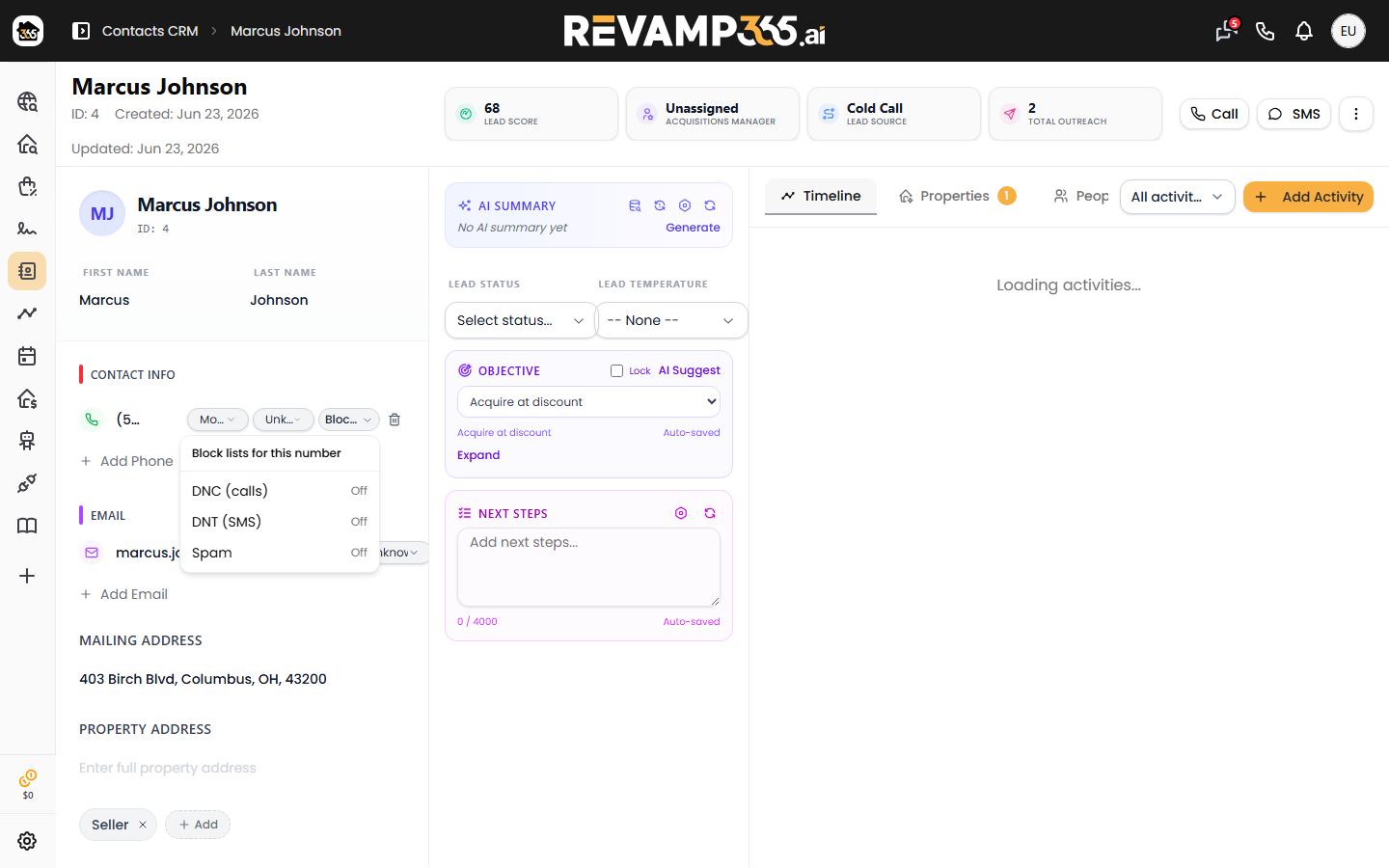
Open a contact and click the menu next to a phone number. You can switch on three blocks:
- DNC (Do-Not-Call) — stops AI voice and campaign calls to that number
- DNT (Do-Not-Text) — stops SMS to that number
- Spam — your manual block list
Active blocks show as badges under the phone number. A lock icon means the block was set by the contact's own request and is kept for compliance — those cannot be removed.
What each block stops
Blocks are enforced everywhere Revamp365 sends — manual messages, campaigns, and automations:
| Block | Stops |
|---|---|
| DNC | AI voice agent and campaign calls |
| DNT | One-off texts, blasts, and drips |
| Do-not-contact (whole contact) | Texts and automated outreach to that person |
Switching on the contact-level do-not-contact flag blocks texts and automated outreach for that person. To stop voice calls as well, also turn on DNC for their number.
How STOP opt-outs work automatically
When a contact replies STOP — or UNSUBSCRIBE, END, QUIT, CANCEL, and similar words — Revamp365 immediately:
- Records the opt-out so no future texts go out
- Adds a locked Do-Not-Text block to that number
- Closes any active AI texting session so the bot stops replying
Your messaging numbers also carry carrier-level opt-out handling, so STOP is honored even before the app processes it. Because these opt-outs are contact-initiated, the resulting block is locked and cannot be lifted by hand.
Re-subscribing
A contact can opt back in by texting START, YES, or UNSTOP to the same number. If you placed a block yourself, you can remove it from the contact's phone menu. Blocks created by a contact's STOP request stay locked by design.
Compliance notes
- Contact-initiated opt-outs are permanent on purpose, so an opt-out you are required to honor cannot be undone by accident. Honoring opt-outs is one part of your compliance obligations, not the whole of them — consent, Do-Not-Call, and calling-hour rules remain yours to meet.
- Opt-outs are honored across texts and calls, not only the channel the request came in on.
- A message to an opted-out number will not send. If you are troubleshooting a non-delivery, see Read SMS delivery statuses and fix failed messages.