
Revamp365 gives you carrier-compliant SMS texting built into the same CRM where your contacts and deals already live. You can text leads one-on-one, send bulk batches, and stay inside US A2P 10DLC rules without leaving the app.
Where texting lives
SMS access is split across two places:
- Conversations — your two-way inbox. Open it from the messages icon in the top header, or go to AI Voice & Chat in the left sidebar.
- Campaigns — bulk sending. Open AI Voice & Chat, then the Campaigns tab, then the SMS Blast sub-tab.
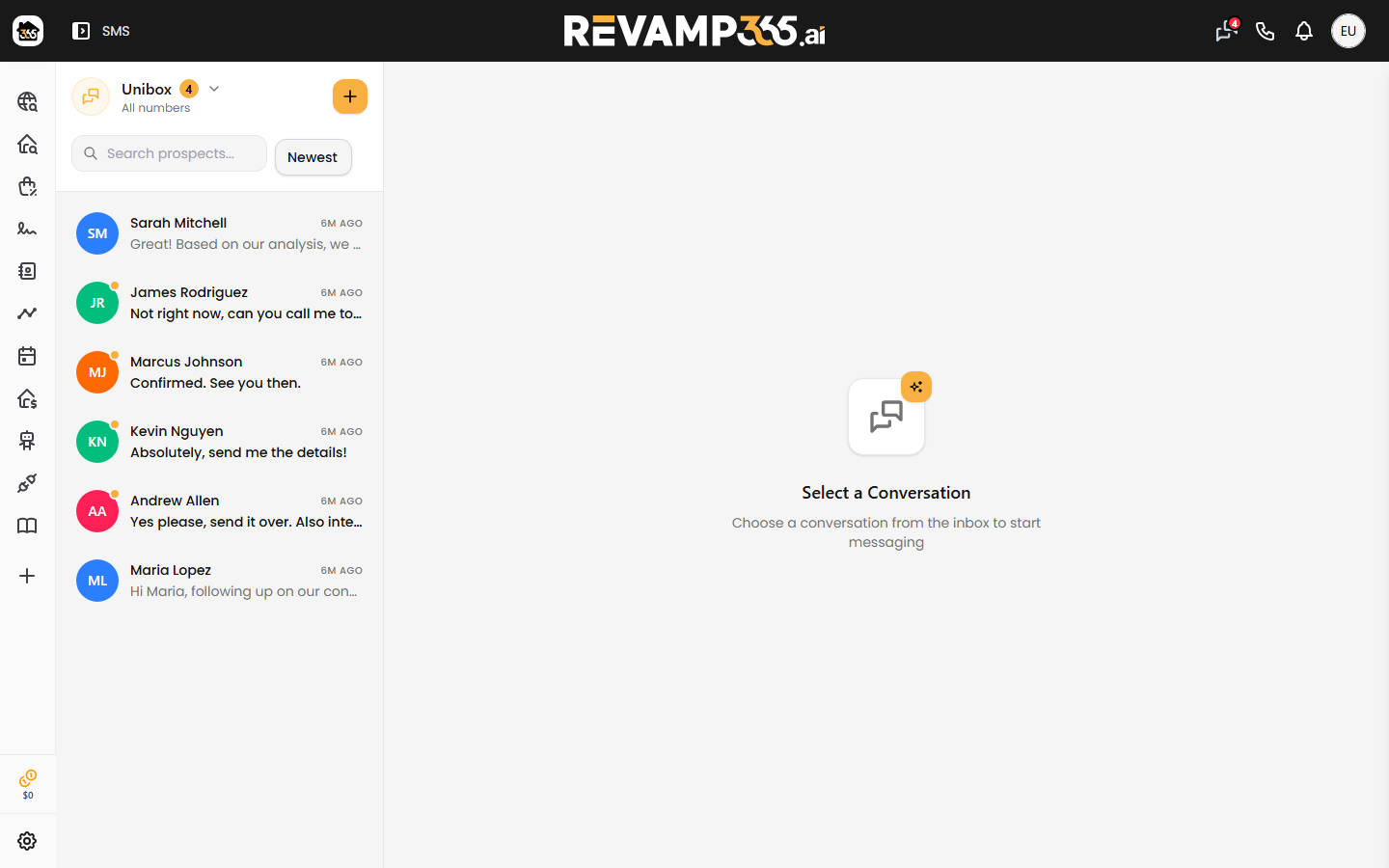
Texting is a paid feature (Pro+ and Dealmaker). Free accounts can explore the Voice AI surface but cannot send texts or run campaigns.
What you can do
| Capability | What it is |
|---|---|
| Conversations | One-to-one threads with a contact, including replies and MMS media attachments |
| SMS Blast | Send a batch of messages to a tag or to all contacts, with manual or scheduled sending |
| Templates | Reusable message snippets you can drop into a send |
| Trust Center | Register your A2P 10DLC profile and campaign so carriers deliver your traffic |
An SMS Drip sub-tab also appears under Campaigns for automated sequences; that builder is still being finished, so use one-off blasts for now.
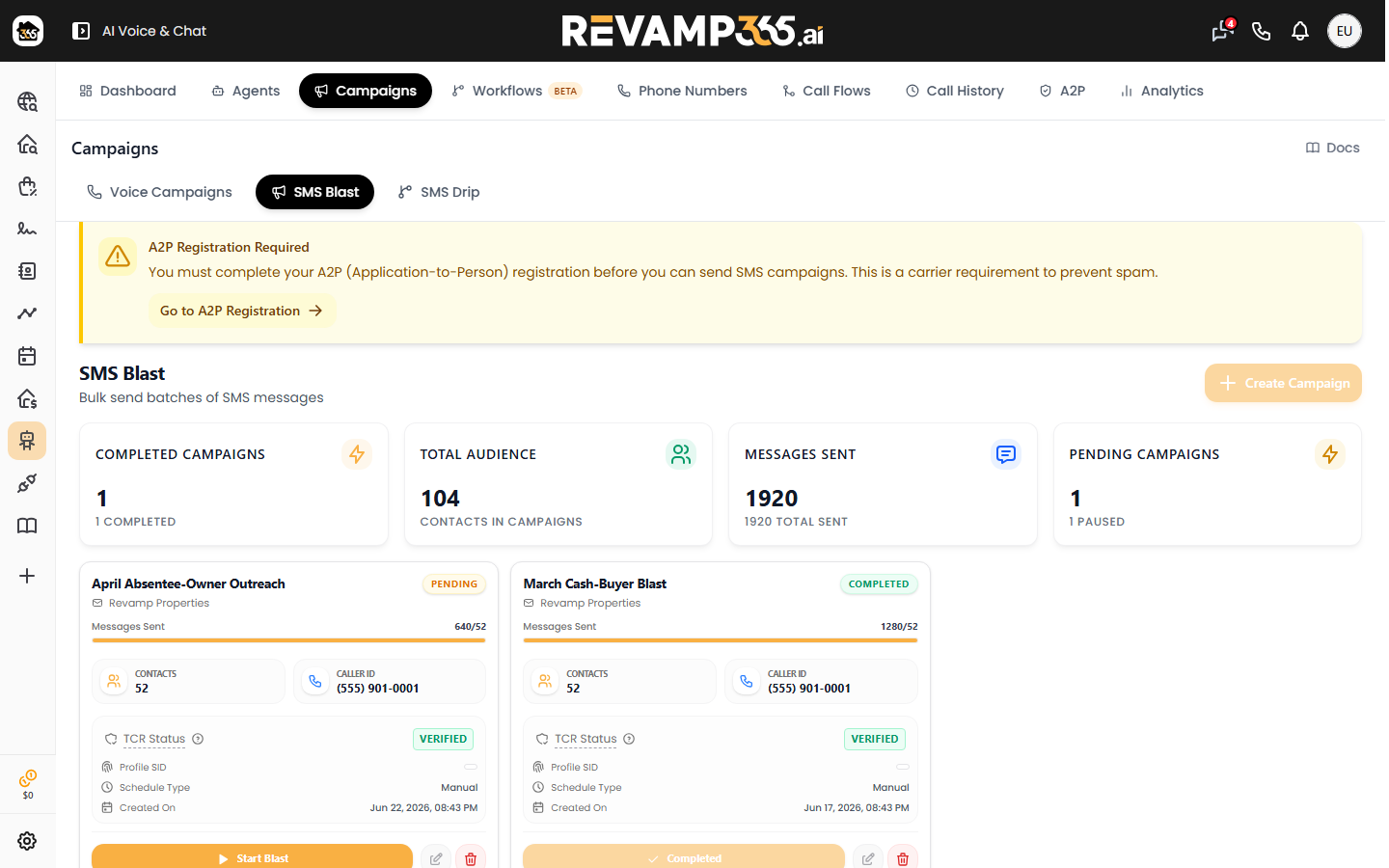
A2P compliance, briefly
US carriers require A2P 10DLC registration before business texts deliver reliably. In Revamp365 you handle this in the Trust Center (the A2P tab under AI Voice & Chat). You register a Trust Hub profile and a campaign, then The Campaign Registry (TCR) reviews it — usually a few business days. Until your campaign is approved, blasts may fail with Error 30034.
Opt-outs are handled for you. When a recipient replies STOP, UNSUBSCRIBE, END, QUIT, or similar, Revamp365 records the opt-out automatically and blocks future sends to that number. HELP triggers an automatic support reply.
When to use which
- Use Conversations for follow-up, answering inbound replies, and one-off personal texts.
- Use SMS Blast to reach a tagged segment or your whole list at once.
- Finish your Trust Center registration first — nothing sends dependably until your A2P campaign is approved.
Next steps
Your contacts power every send, so a clean CRM matters. See what the Contacts CRM is and use tags, saved views, filters, and lists to build the audiences you'll text.
When you're ready to send, walk through sending your first text, then run an SMS blast campaign. Before any of that, complete the activate texting Trust Center checklist and review how to mark a contact DNC and understand STOP opt-outs.