
Texting US and Canada numbers from Revamp365 stays blocked until your A2P 10DLC registration is approved. The Trust Center walks you through three carrier-required steps; until they clear, sends return an A2P_MESSAGING_SERVICE_REQUIRED error.
Open the Trust Center
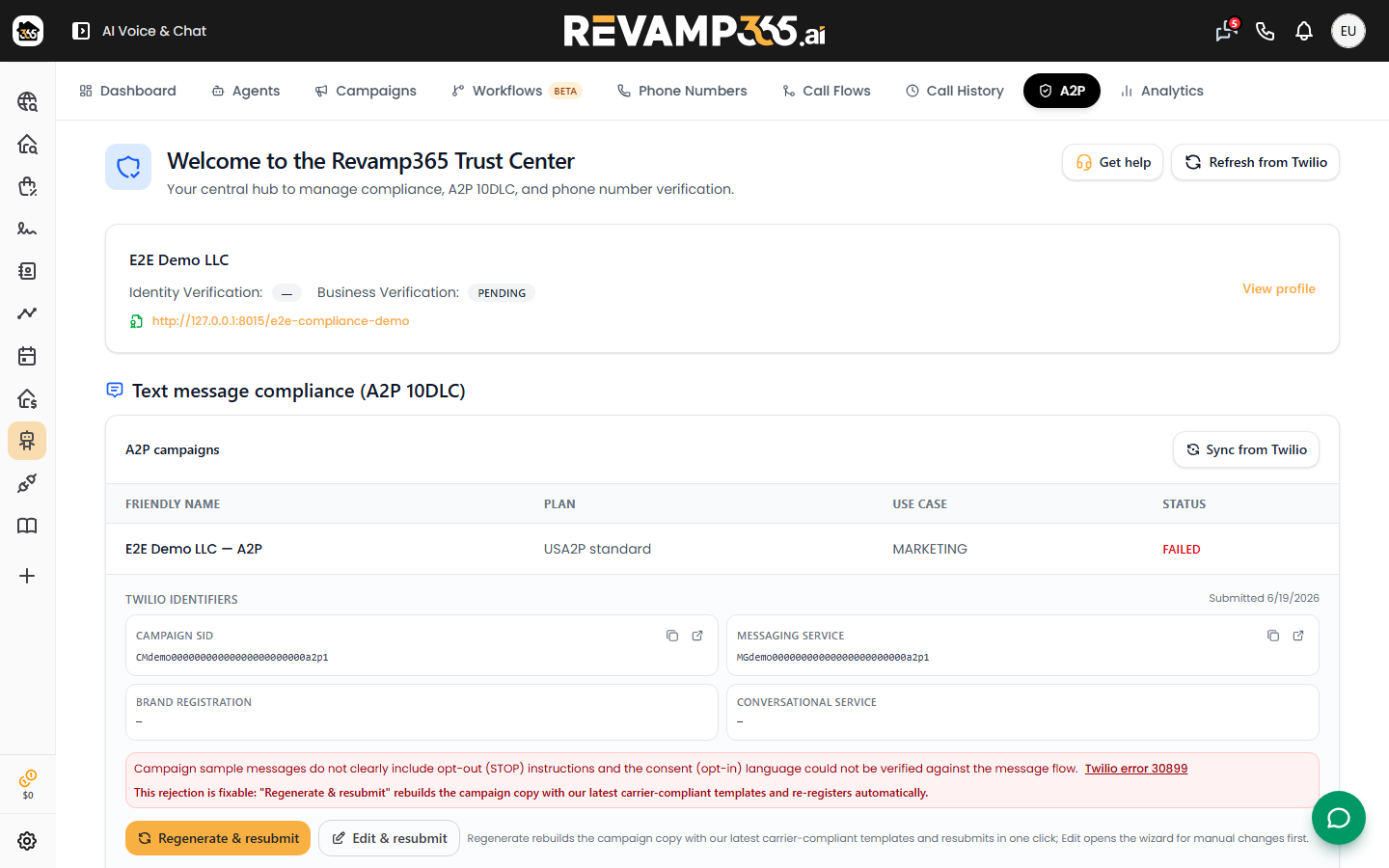
Go to AI Voice → A2P Registration (the /activate-texting link redirects here). This is the Revamp365 Trust Center, your hub for compliance and 10DLC. On first visit, an onboarding journey card lists your three steps with a status pill on each: Not started, In progress, Action needed, or Complete.
Step 1 — Trust Hub profile and brand
Click Register Trust Hub profile (or Resume registration if a draft exists) and complete the questionnaire about your legal business. Revamp365 submits your customer profile, A2P Trust Product, and brand to Twilio. The profile card then shows two pills — Identity Verification and Business Verification — plus a trust score out of 100 and your TCR Brand ID once issued.
Profile review typically takes 1–5 business days. Use Refresh status to pull the latest status. If a pill reads rejected, fix the flagged details and resubmit, or contact support when an A2P Trust Product is rejected (for example, error 30794).
Step 2 — Compliance page and conversational A2P
Carriers require a public page proving how customers opt in. Revamp365 builds one for you:
- Add your logo, brand color, and a one-line tagline.
- Enter your market (city/state) and a public contact email.
- Pick the number shown on your public website from your purchased SMS-enabled numbers.
- Click Build compliance page.
Generation runs about 15–30 seconds (generation_status moves from processing to ready). If the status returns needs_review, your page is live but opt-in proof is incomplete. See create a compliant opt-in proof page for the exact evidence required.
Step 3 — Marketing A2P (USA2P) campaign
Once your brand is approved, an Action needed callout appears: "Submit your A2P marketing campaign." Click Review and submit to open the campaign wizard, which has six steps:
| Step | What you confirm |
|---|---|
| Opt-in | HTTPS opt-in URL, disclosure language, screenshot of the live form |
| Basics | Business and campaign description |
| Messaging | Message flow and opt-in/opt-out keywords |
| Samples | Sample messages carriers review |
| Number | The SMS-capable number to send from |
| Review | Final check and submit |
The campaign status drives the rest:
- IN_PROGRESS — under carrier review.
- VERIFIED — done; you can now send compliant messages from attached numbers.
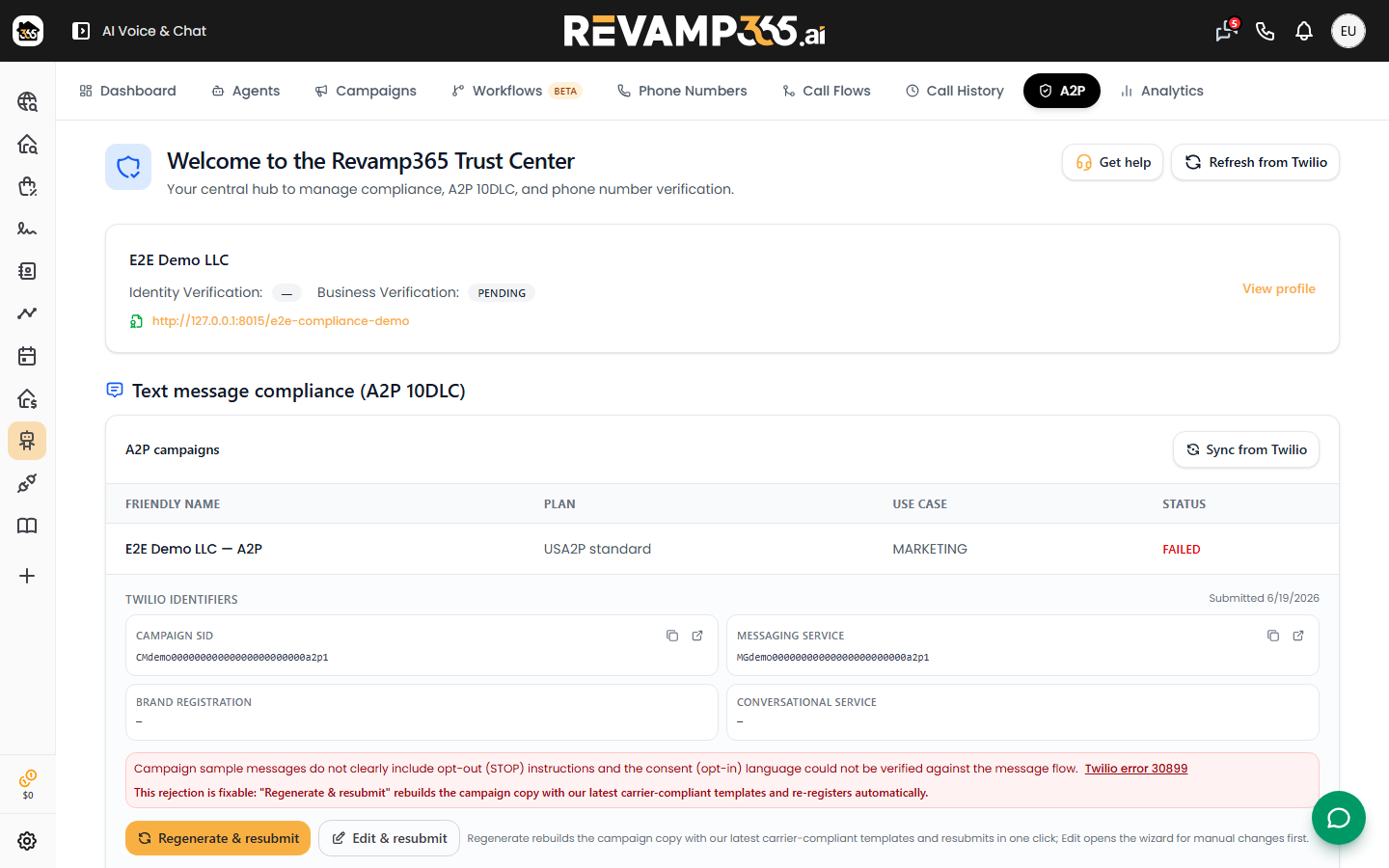
- FAILED — open Edit & resubmit. The fix a rejected A2P campaign article covers the common rejection reasons.
Confirm texting is active
When all three rows show Complete and your campaign is VERIFIED, attach a number to the campaign and send a message. A blocked send returns error 30034 at major carriers — that means the campaign is not yet verified or the number is not attached. From there you are ready to run an SMS blast campaign.