
The agent builder has a built-in test panel that places a live web call to your AI voice agent straight from the browser, so you can hear the agent and read its responses before it ever touches a real lead. The call uses your microphone and your published agent version.
Where the test-call control lives
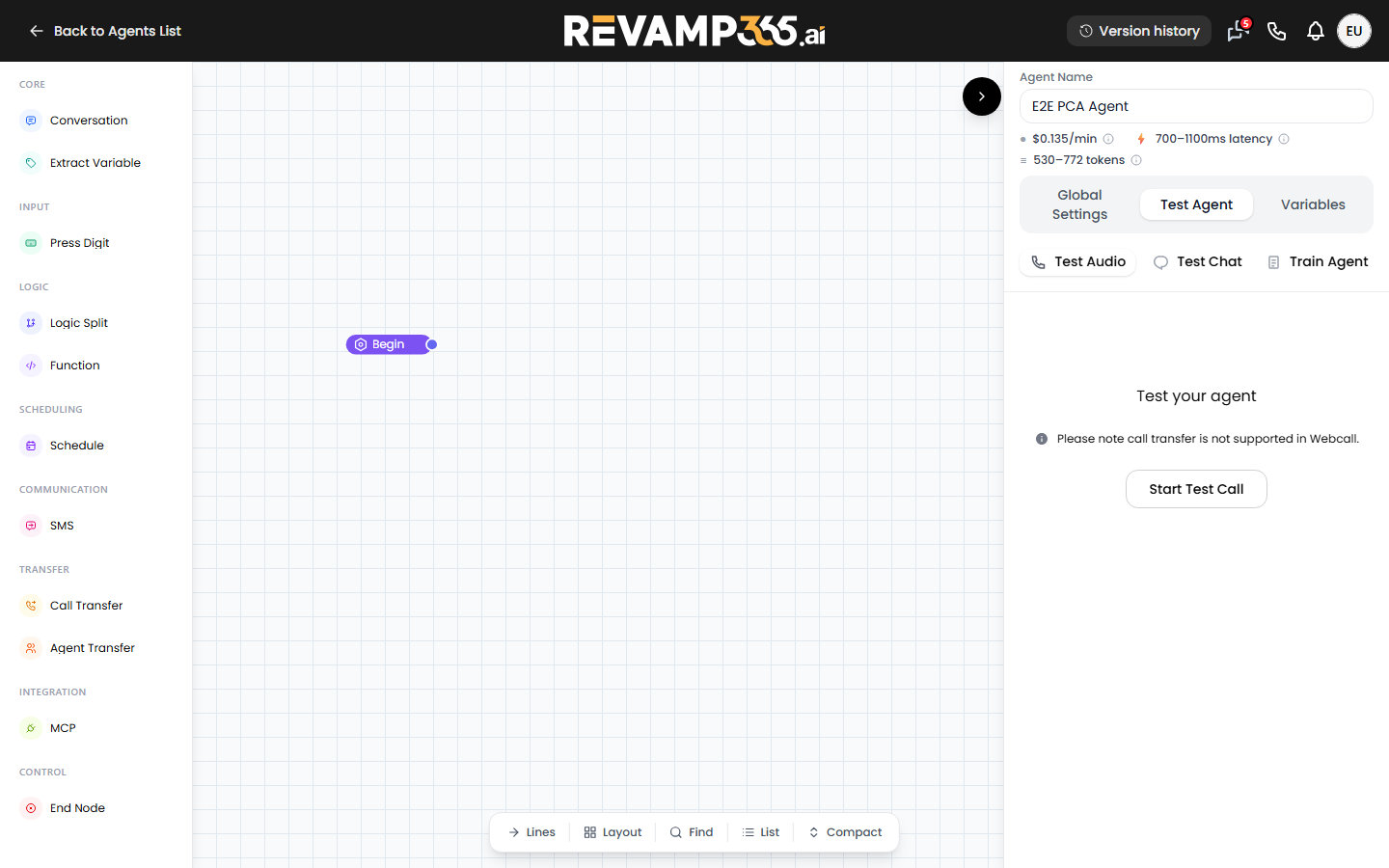
Open the agent builder at /agent and select the agent you want to test. Inside any node sidebar (the Begin, Default, End, or node-settings panel) is a test strip with three tabs:
- Test Audio — the live web call (voice agents only).
- Test Chat — a text-only conversation with the agent.
- Train Agent — coaching tools, shown only on Pro+ and Dealmaker plans.
Click Test Audio, then press Start Test Call.
Prerequisites before you call
A few things must be true or the call will not connect:
| Requirement | Why it matters |
|---|---|
An agent_id in the page URL |
The button reads it from the URL. With none present it shows No Agent ID in URL and stays disabled. |
| A published agent version | The call forces your latest published version, not draft edits. Publish first or unsaved changes will not be exercised. |
| Microphone permission | The panel calls getUserMedia before connecting. Approve the browser prompt when it appears. |
| A secure (HTTPS) origin | Browsers block the mic on plain HTTP, which surfaces as a microphone error. |
Note the in-panel reminder: call transfer is not supported in Webcall. To test a warm transfer, have the agent call your own phone from the phone dialer instead.
What happens during the call
- The button changes to Call Active... and a red End Call button appears.
- The status line walks through
Connecting..., thenConnected. - Speak into your mic. The live transcript builds below, labeling each turn Agent: or You:.
- For conversation-flow agents, the canvas pans to and highlights the node the call is currently on, following the conversation node by node as the agent advances.
Press End Call to hang up. The call also tears down automatically if you switch to the Test Chat or Train tab, navigate away from the builder, or close the tab, so a session never keeps running unseen.
Reviewing the result
The transcript in the panel is your immediate record of how the agent handled the conversation. The status line reports the final state (Call ended) or any Error: message if the connection dropped. For the full saved recording, summary, and structured transcript, open AI call transcripts, recordings, and summaries.
Free-plan limits
On the Free plan, test calls are capped at three minutes and run a credit pre-check first — if your balance cannot cover a worst-case call, an upgrade or top-up prompt appears before Retell is contacted. Free users can also place an outbound phone test call (the Test Audio web call is the default); that path is limited to a set number of test calls per day.
Next steps
Once the agent sounds right, assign it to an inbound number so live callers reach it. If you have not provisioned a number yet, provision a phone number for SMS and AI voice first.