
Every phone number in Revamp365 is a single Twilio number that works for both SMS texting and AI Voice calling — you buy it once and it is wired for both. Numbers are managed on the AI Voice & Chat page under the Phone Numbers tab.
Where Numbers Are Managed
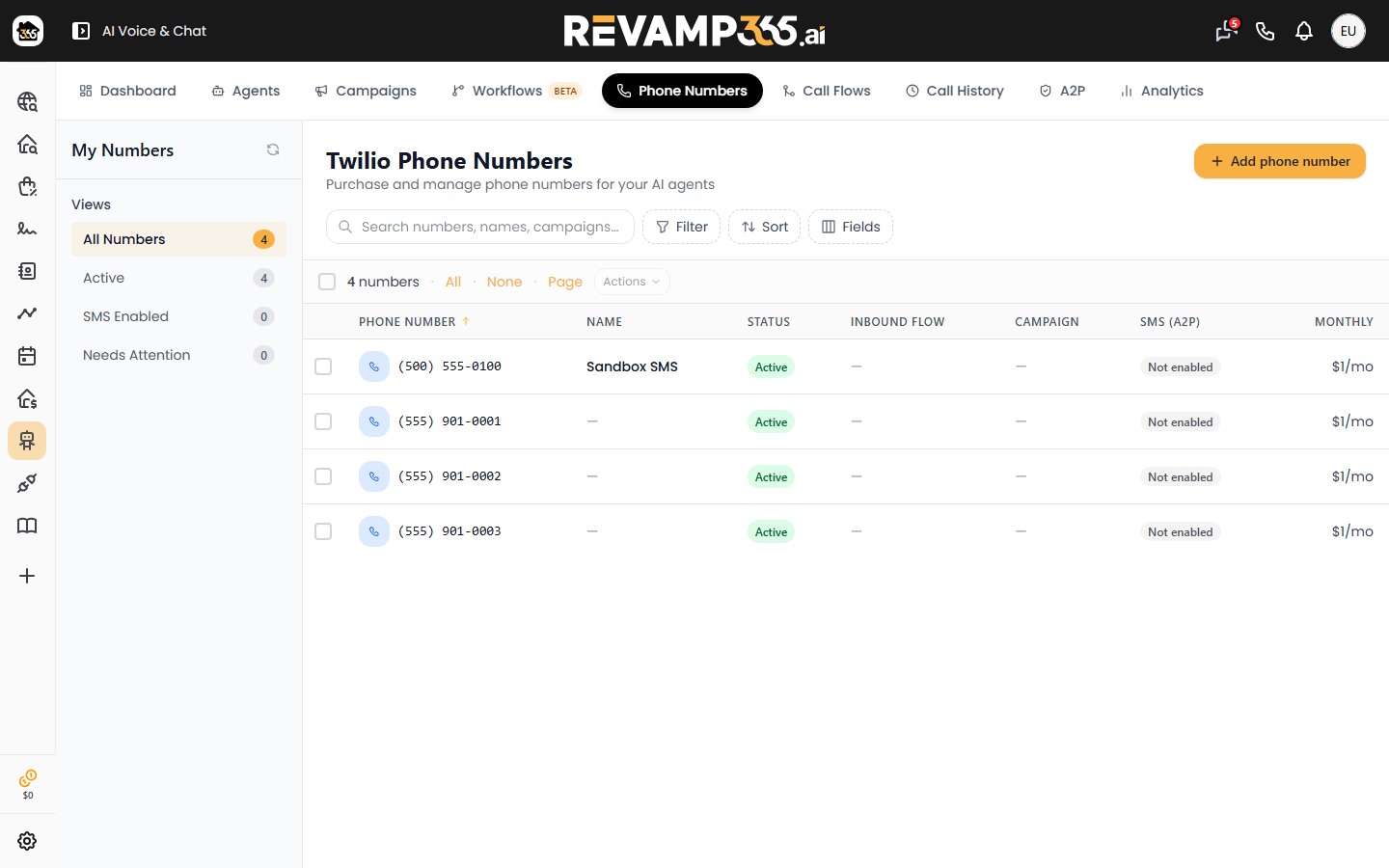
Open AI Voice & Chat from the left sidebar and click the Phone Numbers tab, or go straight to /ai-voice?tab=numbers. The page header reads "Phone Numbers — Purchase and manage phone numbers for your AI agents." Three stat cards at the top show Total Numbers, Active, and Monthly Cost.
Search for an Available Number
In the Search Available Numbers card:
- Enter a 3-digit Area Code (the field requires exactly 3 digits, e.g.
415). - Click Search.
- Matching numbers appear as cards in a "Found N numbers" grid. Try a different area code if you see "No results found."
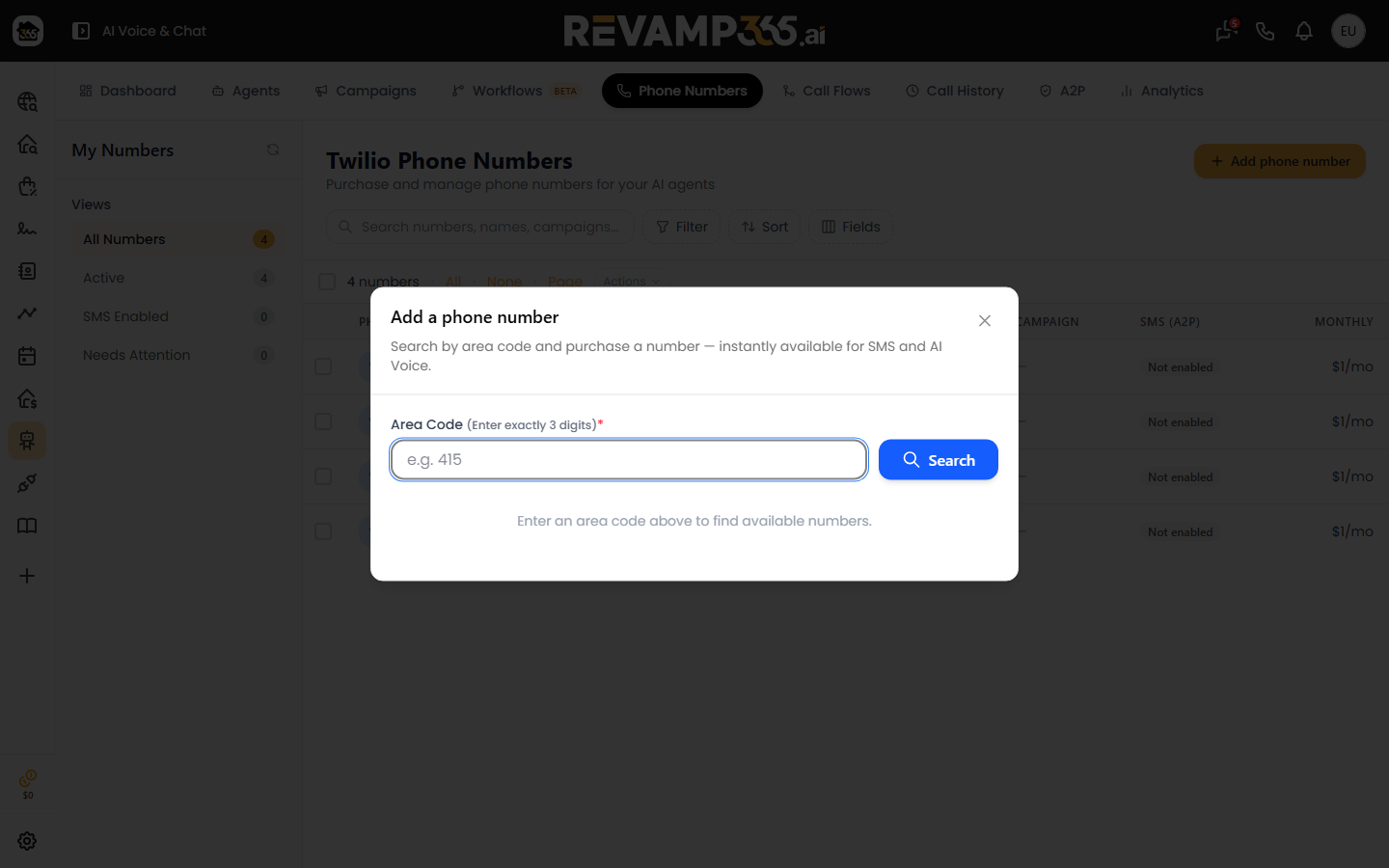
Search only returns US local numbers that are SMS-capable, so anything you buy can text and call.
Buy the Number
Click the green Purchase button on a result card. On success you get a "Purchased and linked to AI Voice" toast, and the number drops out of the search list and into your table. Behind one click, Revamp365:
- Buys the number from Twilio and wires up its voice webhook.
- Auto-links it to AI Voice (Retell) so it can run voice agents immediately.
- Auto-enrolls it for SMS if you already have a verified MARKETING A2P campaign — that step adds the number to your messaging sender pool, which is what enables texting.
The default cost is about $3.45/mo per number, shown in the Monthly Cost column.
What a Number Is Used For
The My Phone Numbers table is where each number is configured. Key columns:
| Column | Purpose |
|---|---|
| Nickname | A friendly label (pencil icon to edit inline) |
| Inbound flow | Route inbound calls to a call flow (Pro+/Dealmaker) |
| Lead Tracking Campaign | Attribute calls/texts to a campaign |
| Caller ID | CNAM + Branded Calling (Pro+/Dealmaker) |
| SMS (A2P) | Texting registration state |
The SMS (A2P) column shows Registering…, Enabled, Failed (SMS), or Pending review. When you have a verified campaign, an Attach to [campaign] action enables texting on that number. See activate texting and the Trust Center checklist to get A2P approved first.
Edge Cases and Limits
- Free plan: No number to buy — outbound test calls use a shared test number, capped at 25 test calls per day (3 minutes each), billed against your credit balance. Upgrade to Pro+ to own a number.
- Isolated accounts must purchase numbers through Retell directly; the in-app buy returns a permission error.
- Already-bought SMS number: purchasing it again simply links it to AI Voice instead of charging twice.
- Release a number: click the trash icon in the Actions column and confirm — this removes it from Twilio and your account.
Once a number is provisioned, assign an AI Voice agent to it to start answering inbound calls.