
Cold leads rarely reply on the first touch. This playbook chains three Revamp365 features — Contacts CRM segmentation, an SMS drip cadence, and event-driven automations — so a stale list keeps getting nudged and warms itself up without manual chasing.
Step 1: Segment your cold leads in Contacts CRM
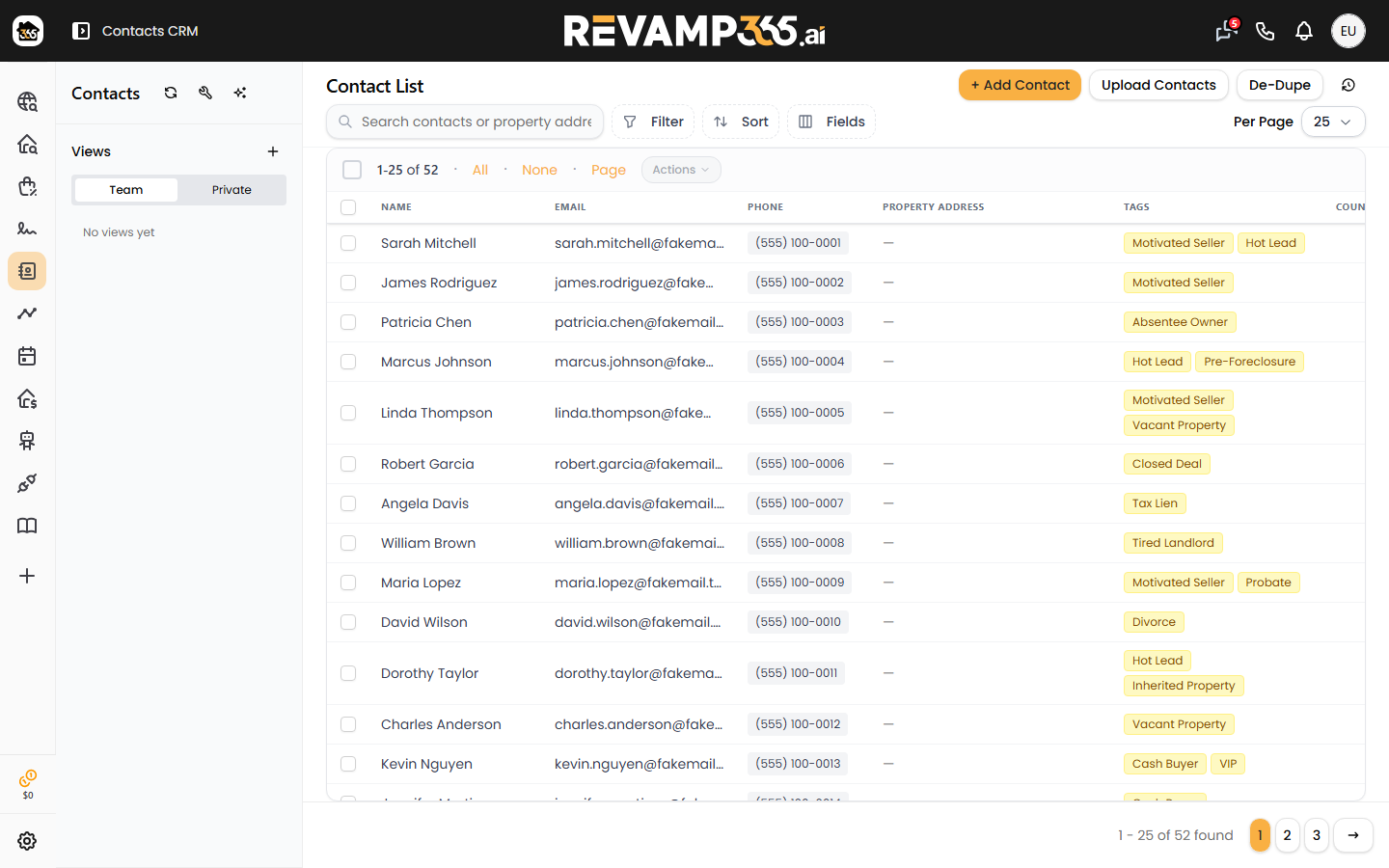
Open Contacts CRM from the left navigation and isolate the leads to nurture.
- Tag the batch (for example
cold-2024) or build a saved view filtered by Lead Status and Lead Temperature. - Set the temperature to
Coldon the group so the segment is unambiguous. Selections over 500 contacts run in the background. - Confirm the contacts have valid phone numbers — skip-trace any that are missing one first.
See set lead status and temperature for the full pipeline of status values (NEW, #1 Make Contact, #2 Warm Follow Up, and so on).
Step 2: Build the SMS drip cadence
The drip lives in a multi-day Workflow. Go to AI Voice → Workflows, click Create Workflow, and on the Cadence step either start from a template or build your own.
| Template | Span | Use for |
|---|---|---|
| Aggressive 7-Day | 7 days | Fresh, time-sensitive leads |
| Moderate 5-Day | 5 days | Standard follow-up |
| 30-Day Mild | 30 days | Long-tail cold lists |
| 6-Month Drip | 180 days | Stay top-of-mind |
- Add Send SMS steps and set the wait before each (minutes, hours, or days).
- Personalize with variables:
{first_name},{last_name},{address},{workflow_name}. - Publishing SMS steps requires an approved A2P 10DLC registration. Until then you can Save Draft, but a red banner blocks publishing.
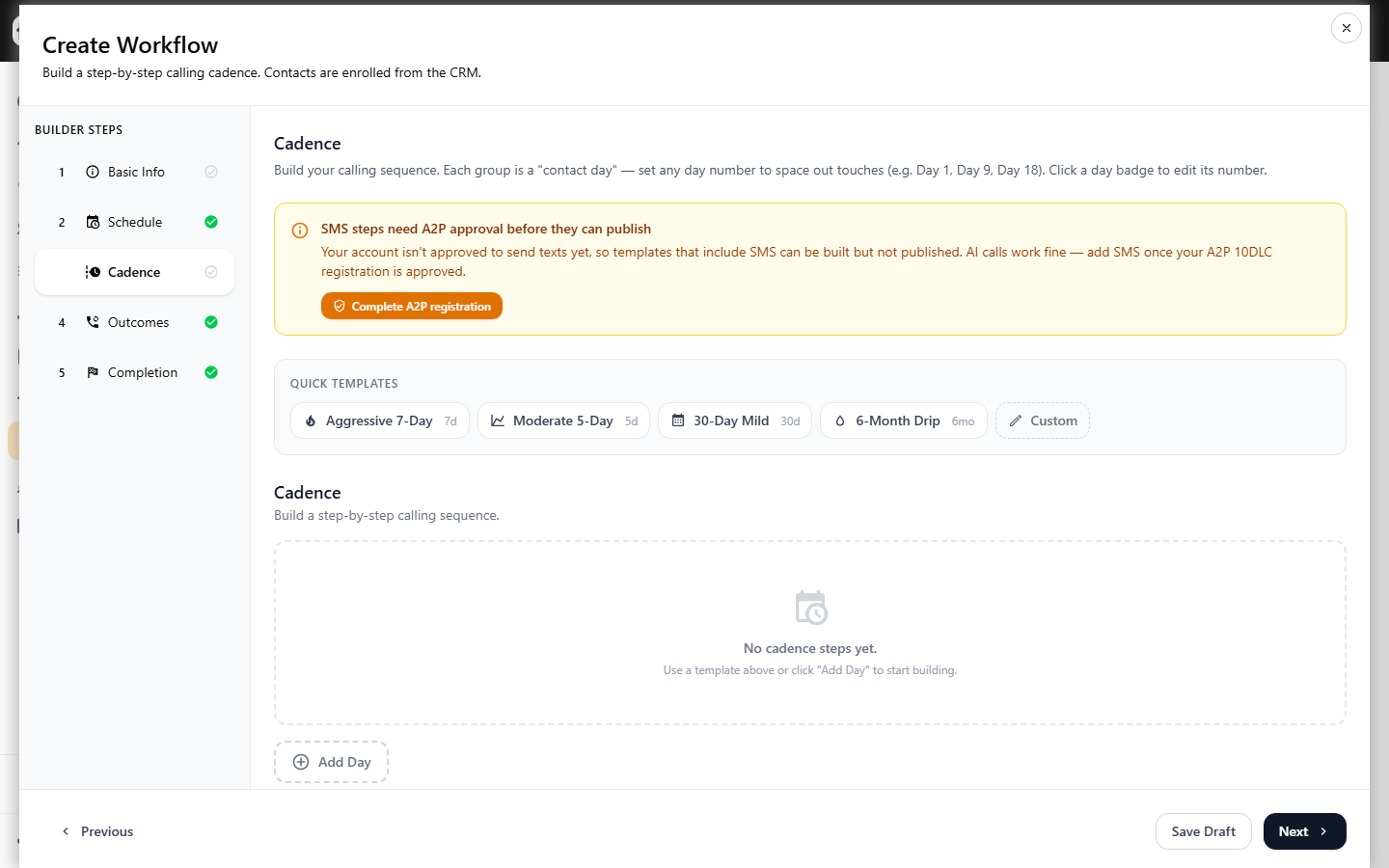
For message-writing detail, follow build an SMS drip sequence. To enroll the segment from Step 1, use the workflow's assign dialog and pick your saved view or tag.
Step 3: Automate status moves and opt-outs
Automations react to events so the nurture stays clean. Open Automations from the left nav, click + Create automation, choose a trigger, add optional conditions, then Add step.
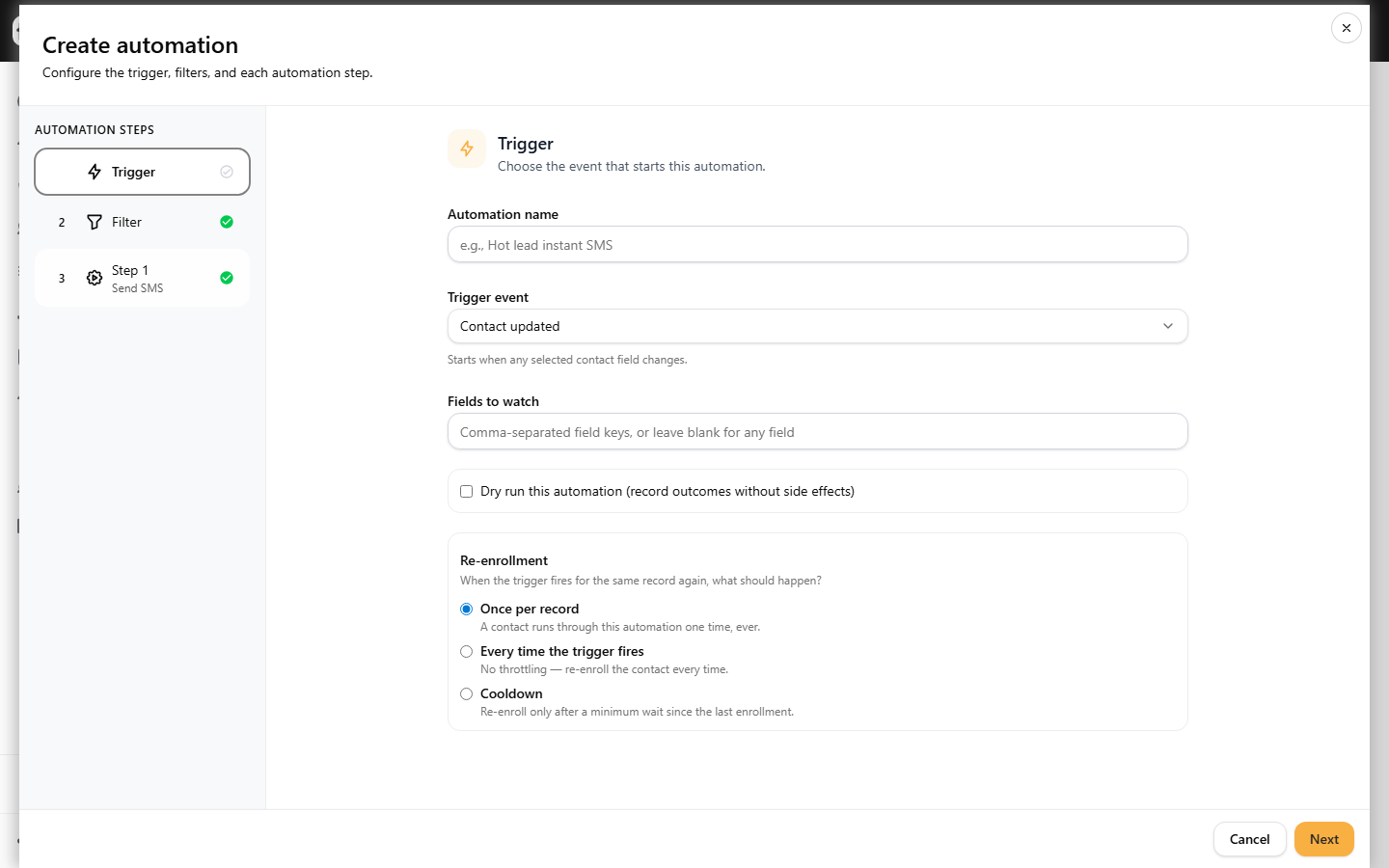
Useful patterns for cold nurture:
- Trigger
Inbound SMS received→ step Set lead temperature toWarmand Add tagreplied. A reply means the lead is no longer cold. - Trigger
Lead status changedto a hot stage → Enroll in AI Agent for a two-way conversation. - Trigger
SMS opt-out received→ Turn DNC on. STOP replies already suppress sends; this mirrors the flag onto the contact.
Set the enrollment policy to control re-enrollment throttling, then Activate the automation (toggle it back to Pause anytime).
Step 4: Hand warm leads to the pipeline
When a lead engages, create a deal and track it on your board. Use move and bulk-update deals to advance the stage as the conversation progresses.
How the pieces connect
- The segment defines who gets messaged.
- The drip cadence does the repeated outreach.
- Automations watch for replies, opt-outs, and status changes, then update records and escalate.
Review delivery and reply stats on each campaign, and check Automations → Logs to confirm steps are firing as expected.