
Instant Comp pulls comparable sales for any U.S. address so you can estimate value and ARV in minutes. Type an address, confirm a few filters, pick your comps, and generate a report.
Open Instant Comp
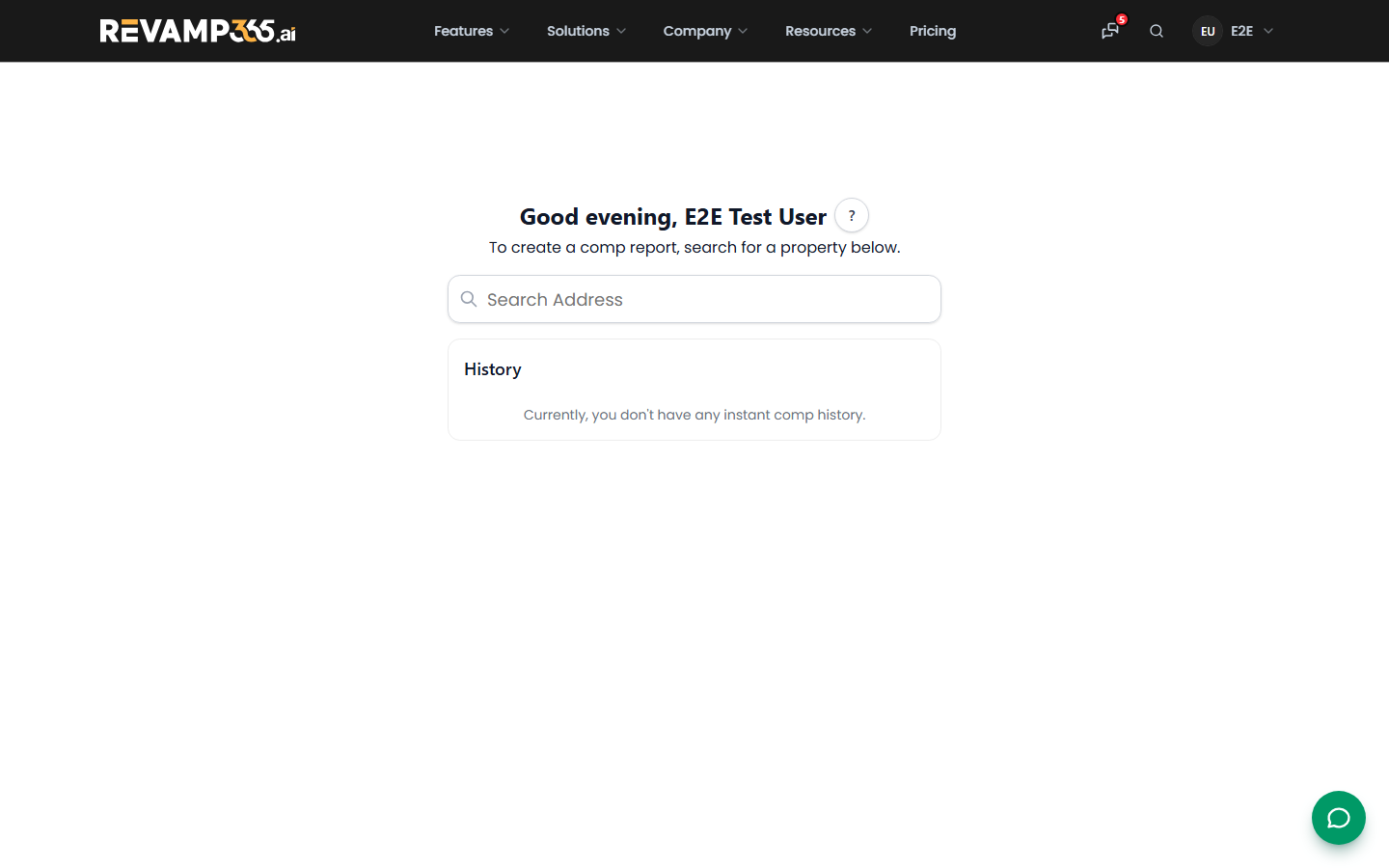
- In the left sidebar, open Resources, then click Instant Comp (it loads at
/resources/instant_comp). - In the search box, start typing the subject property's address and select the match. The tool pulls the property card (beds, baths, type, sqft, lot, year built, school district).
Saving comp history and generating reports requires a paid plan. Free and guest users can search and view results but history is not saved.
Step 1: Edit or confirm the search criteria
Once the property card loads, set the comp parameters on the right:
- Property Type — pre-filled from records; add or remove types.
- Closed With-in — 3, 6, 12, 18, 24, or 36 Months. Defaults to 6 Months.
- Max Distance — search radius in miles from the subject.
- Data Source — Public Record, MLS, or Both. MLS is only available in covered states; outside them the tool uses Public Record automatically.
Click More to expose extra filters: Sqft (min/max, pre-set to ±20% of the subject), School District, Beds, Baths, and Status. When ready, click Confirm Information. The button reads Edit Information after the first run so you can re-run with new filters.
Step 2: Review and select comps
The tool returns up to 50 matches and shows a Found count plus an AI-written Summary.
| Control | What it does |
|---|---|
| Sort | Order by Relevance, Closed Price, Closed Date, Distance, or Area Sqft |
| Pick For Me | Auto-selects the closest-matching comps by distance, beds, sqft, lot, and recency |
| Map / Thumb view | Toggle between cards and a map |
| Select All / Deselect All | Bulk-select from the three-dot menu |
Click any comp card to open its detail. Tick the comps you want to keep; the selected count appears on the Get Report badge.
Generate the report
- Select at least one comp (the button is disabled until you do).
- Click Get Report to open the Comparable Market Analysis, which averages your selected comps into an estimated ARV.
- Use Ask AI to chat through the selected comps and valuation.
Signed-in runs are saved to your history (the clock icon), so you can reopen a prior comp set or start a fresh one with the + button.
Related tools
- Use the Property Calculator to model a deal once you have an ARV.
- Use Market Data for area-level trends behind your comps.