
Revamp365's Property Calculator turns a property's price, repair, and rent figures into the metrics that decide a deal: ROI, cash-on-cash, cap rate, DSCR, and monthly cash flow. It runs live, recalculating the moment you change any input.
Open the calculator
- Go to Property Search in the left sidebar.
- Click any property to open its detail view.
- Select the Calculator tab (calculator icon).
When you open a property, the calculator auto-fills from that property's data: purchase price from the list price, ARV and AVM from comps, gross rent from the rent estimate, and taxes from tax history. Renovation seeds at $50/sqft for flips and $10/sqft for rentals — adjust everything to your own numbers.
Choose Flip or Rental
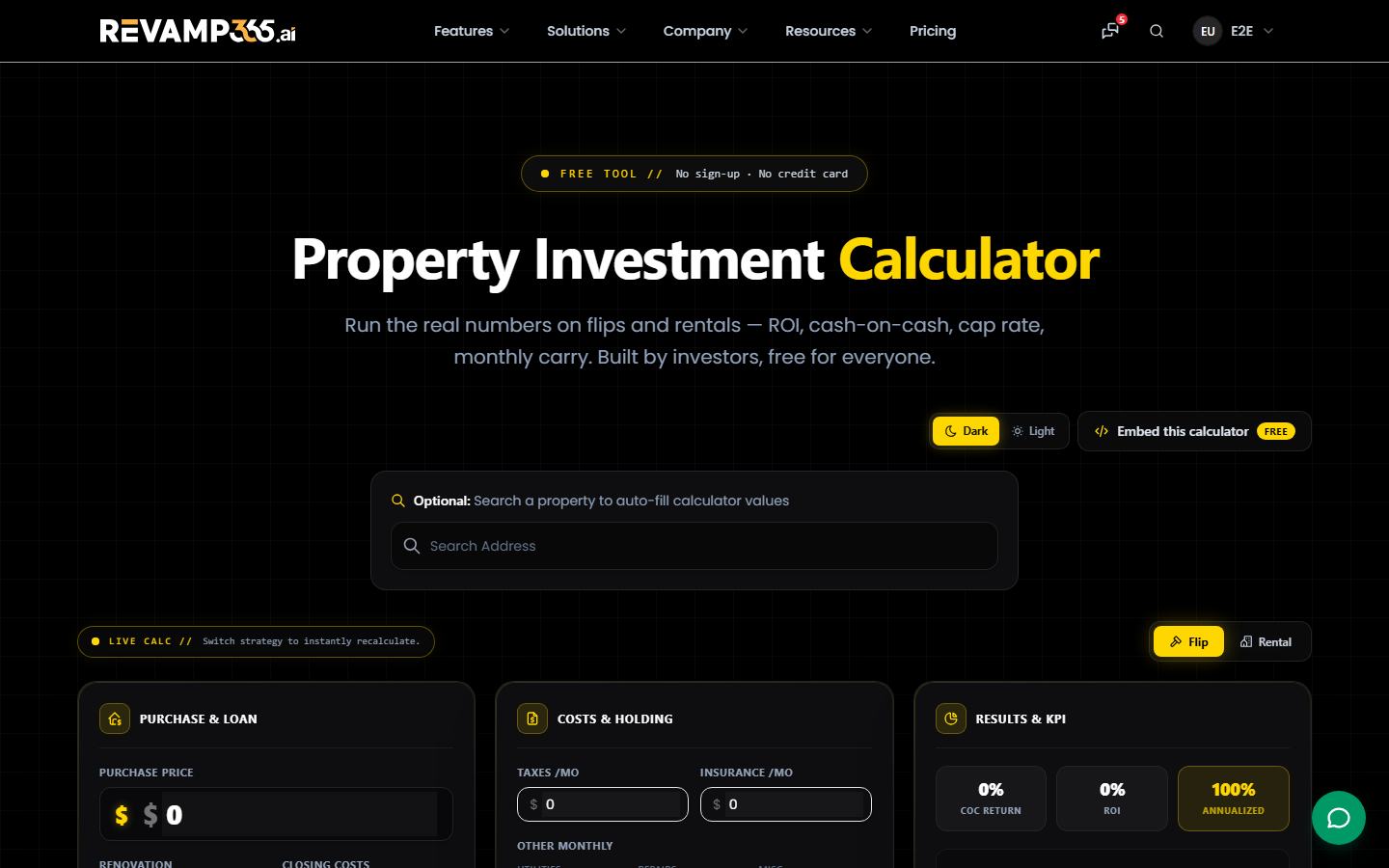
Use the toggle in the top-right to switch strategies. Each mode is three columns:
| Mode | Column 1 | Column 2 | Column 3 (results) |
|---|---|---|---|
| Flip | Purchase & Loan | Costs & Holding | COC, ROI, Annualized, net profit |
| Rental | Purchase & Loan | Income / Expenses | Cash on Cash, Cap Rate, DSCR, cash flow |
Run a flip
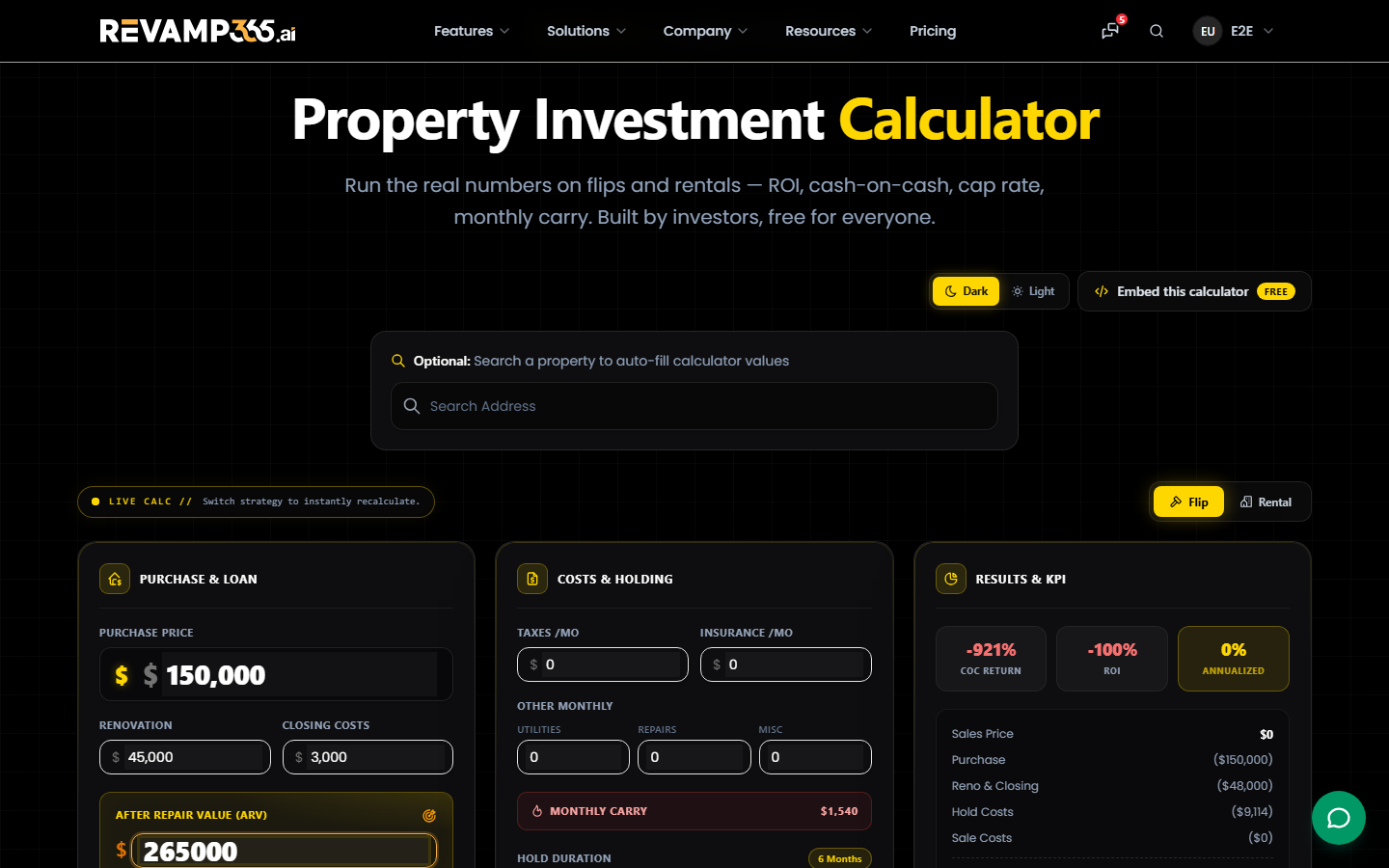
- Enter Purchase Price, Renovation, Closing Costs, and After Repair Value (ARV).
- Set financing — Rate %, Points, Term, and Loan Amount (defaults to 90% loan-to-cost hard money).
- Add monthly carry: taxes, insurance, utilities, repairs, and misc.
- Drag the Hold Duration slider (1 to 12 months) to set your holding period.
- Set Sale Debits percentages for commissions, transfer tax, and concessions.
The Results column shows Projected Net Profit plus pass/fail dots: profit over $30k, COC over 10%, and cash needed under $50k.
Run a rental
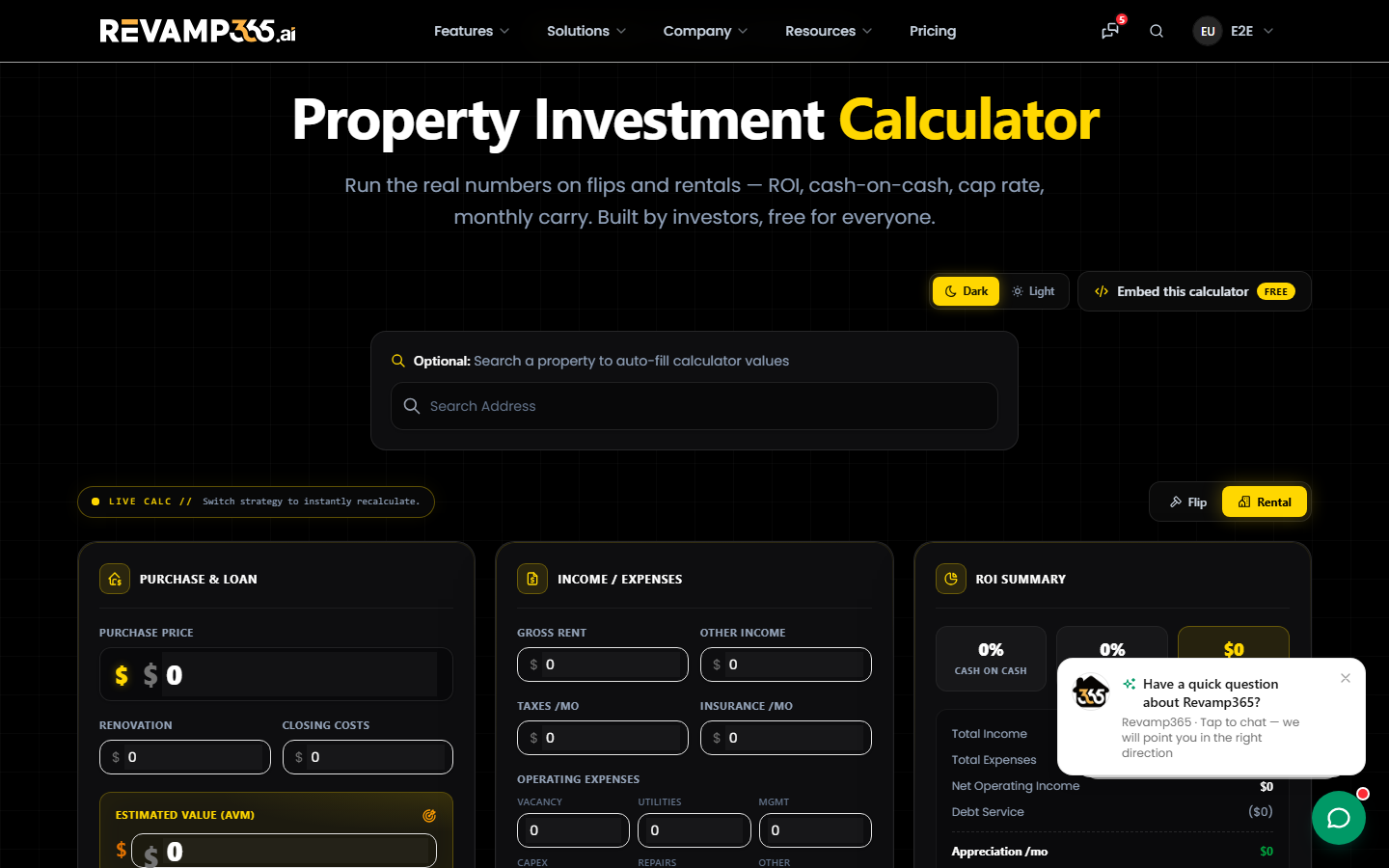
- Enter purchase, renovation, closing costs, and Estimated Value (AVM).
- Set financing and loan amount (defaults to 70% loan-to-cost).
- Enter Gross Rent and Other Income.
- Adjust operating expenses — vacancy, utilities, management, CapEx, repairs, and other. Vacancy, CapEx, and repairs each default to 5% of rent.
You get Monthly Cash Flow, cap rate, DSCR, net operating income, plus appreciation and debt paydown estimates.
Tips
- Any field you type into is locked as a manual override, so reloaded property data won't overwrite it.
- ARV drives flip profit and sale-cost percentages — pull a defensible number first with Instant Comp.
- Need a quick run without opening a property? The free standalone calculator lives at
/property-calculator, where you can also search an address to auto-fill it.
Calculations happen in your browser and aren't saved to the property, so screenshot or note any scenario you want to keep.