
Revamp365 gives you two learning resources that work better together: Revamp University (guided video courses) and the Help Center (searchable written how-to articles). Use video to learn a workflow end-to-end, then keep the matching article open while you do it for real.
What each resource is for
| Resource | Format | Where it lives | Who can open it |
|---|---|---|---|
| Revamp University | Video courses with progress tracking | Sidebar → Revamp University (/learn) |
Paid plans (Free accounts are redirected to pricing) |
| Help Center | Written articles, categories, and search | Sidebar → Help Center (/help-center) |
Everyone, including logged-out visitors |
Both links sit next to each other in the left sidebar under the Resources area, so you can jump between them in one click.
Start with a video course in Revamp University
-
Open Revamp University from the sidebar. The page header reads Training & Education.
-
Browse the course cards. Each card shows a thumbnail and a progress bar with a % Complete label, starting at 0% Complete.
-
Click a card to open the full-screen course player. The left panel lists every video in that course; the right panel plays the selected one.
-
After watching a video, click Mark Complete. The button changes to Completed with a green check, and the course percentage climbs.
-
Work through the videos in order. Your progress is saved to your account, so you can leave and pick up where you stopped.
Pull up the matching Help Center article
Video shows you the flow; the Help Center gives you the exact button names and field values to reference while working.
- Open the Help Center from the sidebar.
- Type what you are trying to do into the search bar (for example, "import contacts" or "booking link").
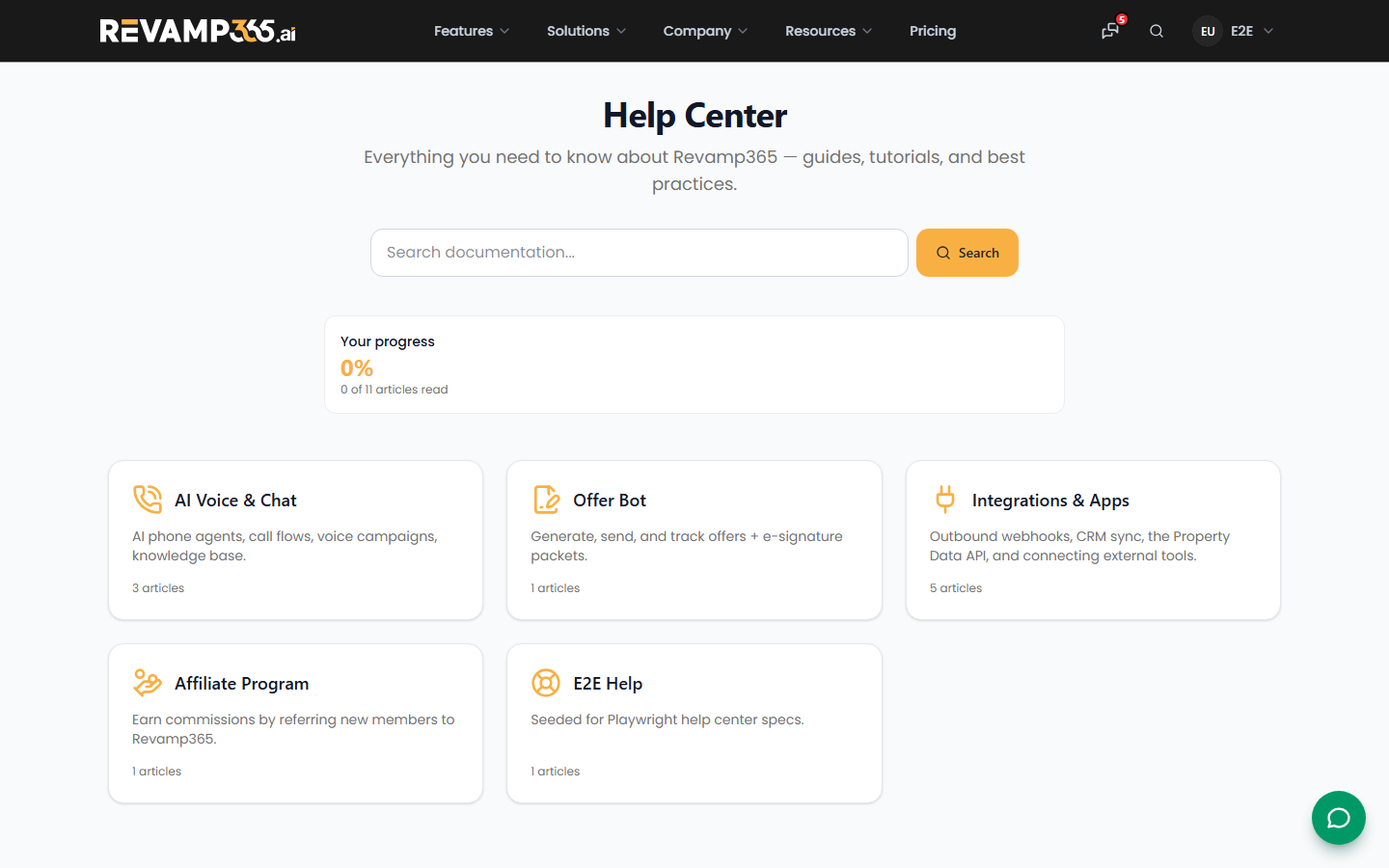 3. Open the best-matching article and follow its numbered steps in a second tab while the product is in front of you.
4. Browse by category when you want the full set of articles on one feature instead of a single answer.
3. Open the best-matching article and follow its numbered steps in a second tab while the product is in front of you.
4. Browse by category when you want the full set of articles on one feature instead of a single answer.
Put both to work on a real task
A reliable loop for any new feature:
- Watch the relevant Revamp University course to see the whole workflow.
- Search the Help Center for the specific step you are on.
- Do the task in the product with the article open beside you.
- Mark Complete in the course once you have done it yourself.
For example, after a course on scheduling, follow the real estate booking and scheduling guide to set things up. After a CRM course, use tags, saved views, filters, and lists to organize contacts, then create your first automation to put that workflow on autopilot.
Which one to reach for
- Pick Revamp University when a feature is new to you and you want to see it demonstrated from start to finish.
- Pick the Help Center when you know roughly what to do and need one precise step, a field name, or a quick refresher.
If you are on a Free plan and the Revamp University link sends you to the pricing page, use the Help Center in the meantime. Its articles are open to everyone and cover the same features in writing.