
Revamp365 syncs with Podio in two independent directions: inbound (Podio item changes create or update Revamp contacts) and outbound (Revamp contact changes push back to the linked Podio item). You choose the trigger events for each direction separately.
Where sync events live
Inbound and outbound events are set in two different places:
| Direction | Where you set it | When |
|---|---|---|
| Inbound (Podio → Revamp) | Add CRM Connection wizard, "Webhook Events" step | At connection creation only |
| Outbound (Revamp → Podio) | Connection's Configure dialog, "Outbound triggers" | Any time after creation |
Open Integrations → Podio → Connections to find your connections and the Add Connection and Configure buttons.
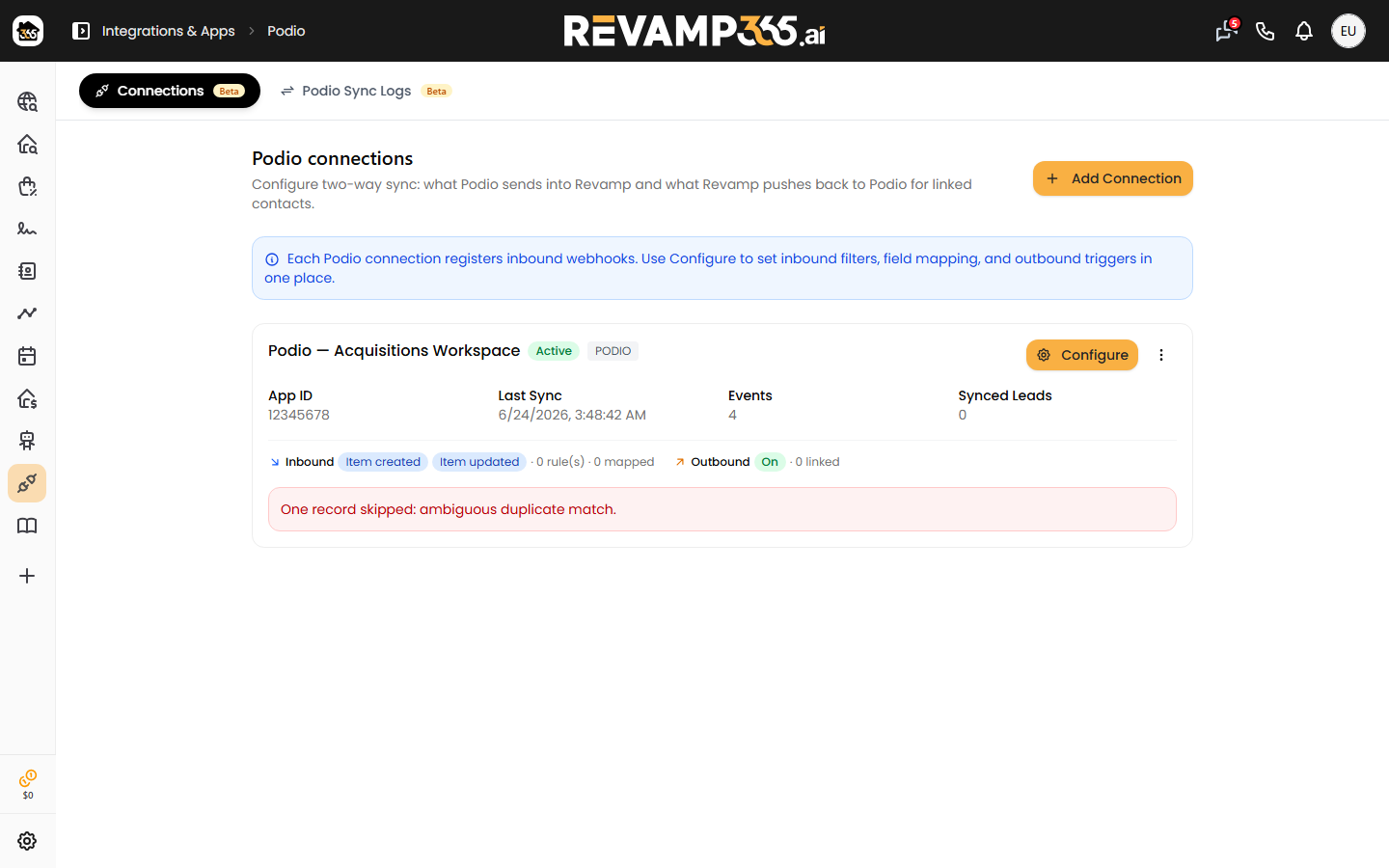
Choose inbound Podio events
Inbound events are picked while you create the connection. On the Webhook Events step, select which Podio events trigger a sync into Revamp:
- Item Created (
item.create) — new leads added to the app - Item Updated (
item.update) — existing lead fields changed - Item Deleted (
item.delete) — leads removed from the app - Comment Created (
comment.create) — new comments on items
Item Created and Item Updated are selected by default. Pick at least one event to continue. Revamp registers a separate webhook with Podio for each event type you select.
Inbound event subscriptions are fixed once the connection is saved. The Configure dialog shows them read-only under "Podio events subscribed." To change them, create a new connection.
Choose outbound Revamp events
Outbound pushes are off until you turn them on. In the connection's Configure dialog, open Outbound triggers and click Turn on outbound. Then check the Revamp events that should push to the matching Podio item:
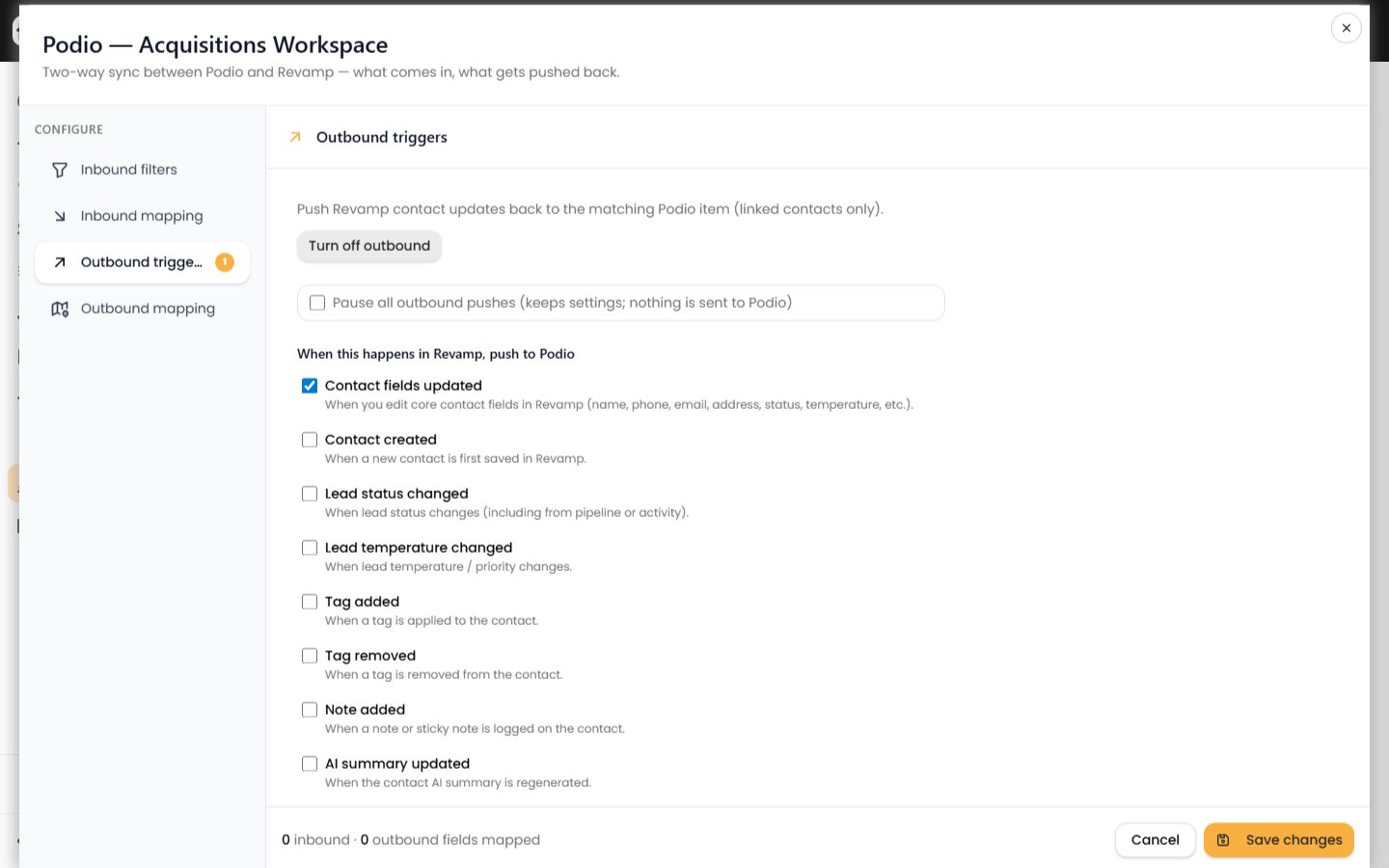
- Contact fields updated
- Contact created
- Lead status changed
- Lead temperature changed
- Tag added / Tag removed
- Note added
- AI summary updated
If you clear every box, Revamp keeps "Contact fields updated" selected so at least one trigger remains. Outbound pushes only update Podio items that are already linked to a Revamp contact.
To stop pushes without losing your selections, check Pause all outbound pushes. Settings are kept; nothing is sent to Podio.
Save your choices
- Set inbound conditions and field mapping (phone or email is required) before saving.
- Under Outbound triggers, choose your push events.
- Click Save changes.
Refine each direction
- Filter which inbound leads sync with sync conditions.
- Match fields in both directions on the field mapping page.
- Check what actually synced in the CRM sync logs.
Inbound and outbound run on their own toggles, so you can receive Podio leads without pushing anything back, or vice versa.