
Revamp365 generates a 64-character signing secret once, when you create an outbound webhook destination. There is no in-place "regenerate secret" button, so you rotate safely by standing up a replacement destination and retiring the old one with no gap in delivery.
When to rotate
- The secret was committed to a repo, pasted in a ticket, or shared in chat.
- A teammate with access left, or you suspect the value leaked.
- You are doing routine periodic credential hygiene.
What you cannot do
Editing a destination changes its URL, label, events, and filters only — the secret stays fixed for the life of that destination. The single way to get a fresh secret is to create a new destination. You can hold up to 10 destinations per account, which gives you room to overlap old and new during the swap.
Rotate without dropping events
Open the destination list under Integrations & Apps → Webhooks → Send Data.
- Click Add destination.
- Enter the same URL as your live destination, give it a Label like "Zapier (new secret)", and select the same events and filters.
- Click Create. A green panel shows the new secret: "Save this secret because you will need it to verify webhook signatures." Copy it now — this is the only time it is shown in full.
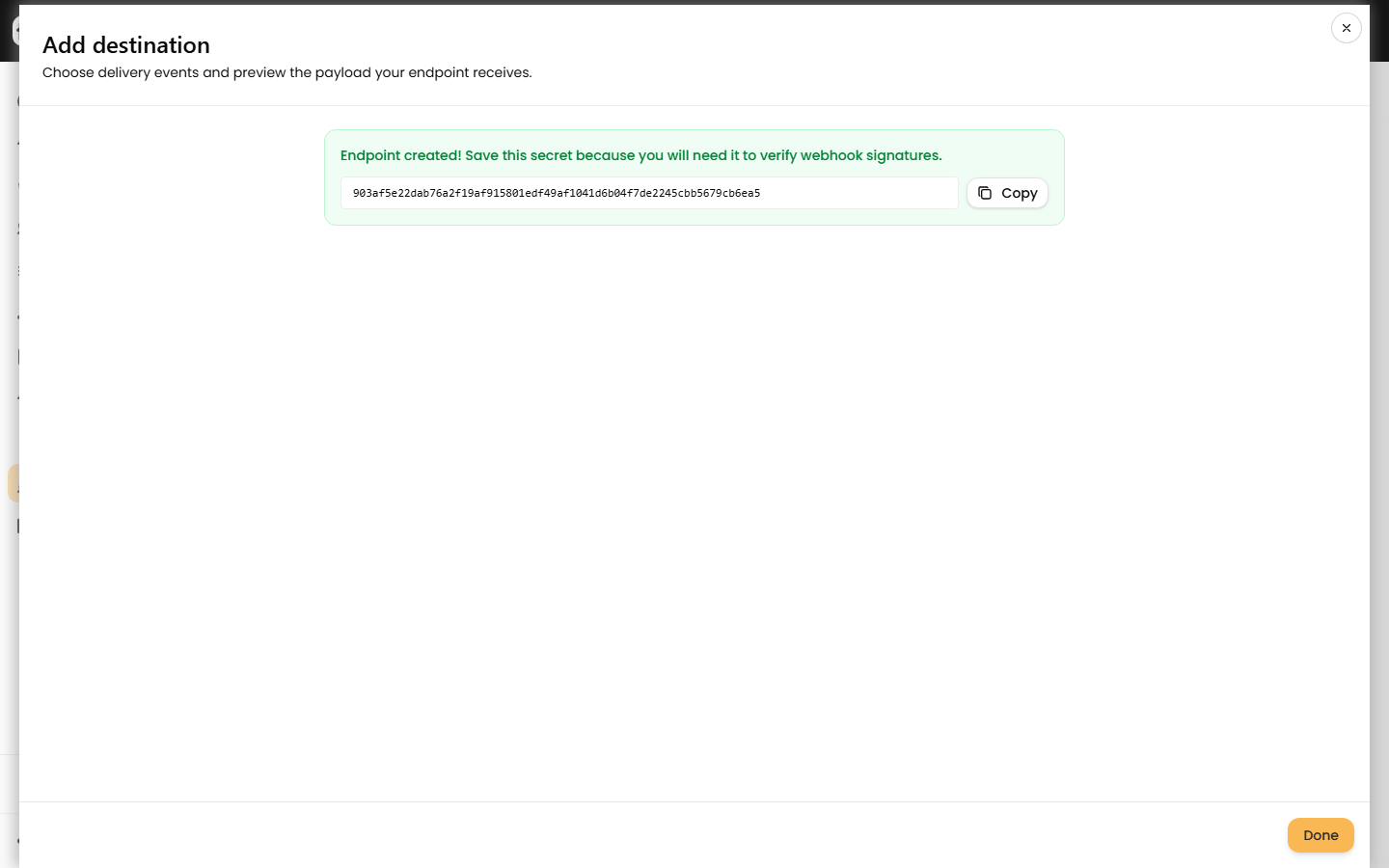 4. Update your receiver to accept the new secret. Verify the
 X-Webhook-Signature header, which is an HMAC-SHA256 of the raw JSON body keyed with the secret. See Verify outbound webhook HMAC signatures.
5. Have your receiver accept either the old or the new secret for a short overlap window so in-flight deliveries keep validating.
6. Confirm new deliveries succeed in the Logs tab.
7. Open the old destination, toggle it to Inactive to stop sends, watch for a clean period, then click the trash icon to delete it. Deleting keeps its delivery logs.
8. Remove the old secret from your receiver once only the new destination is firing.
Old vs new during rotation
| Item | Old destination | New destination |
|---|---|---|
| URL | Your live receiver | Same receiver |
| Secret | Compromised value | Fresh 64-char hex |
| State during swap | Active, then Inactive, then deleted | Active |
| Logs after delete | Retained | Retained |
Reveal a secret you already have
To check the current value before rotating, click the eye icon on a destination to reveal its stored secret, then the copy icon. Secrets are encrypted at rest, so this is the only way to read one back.
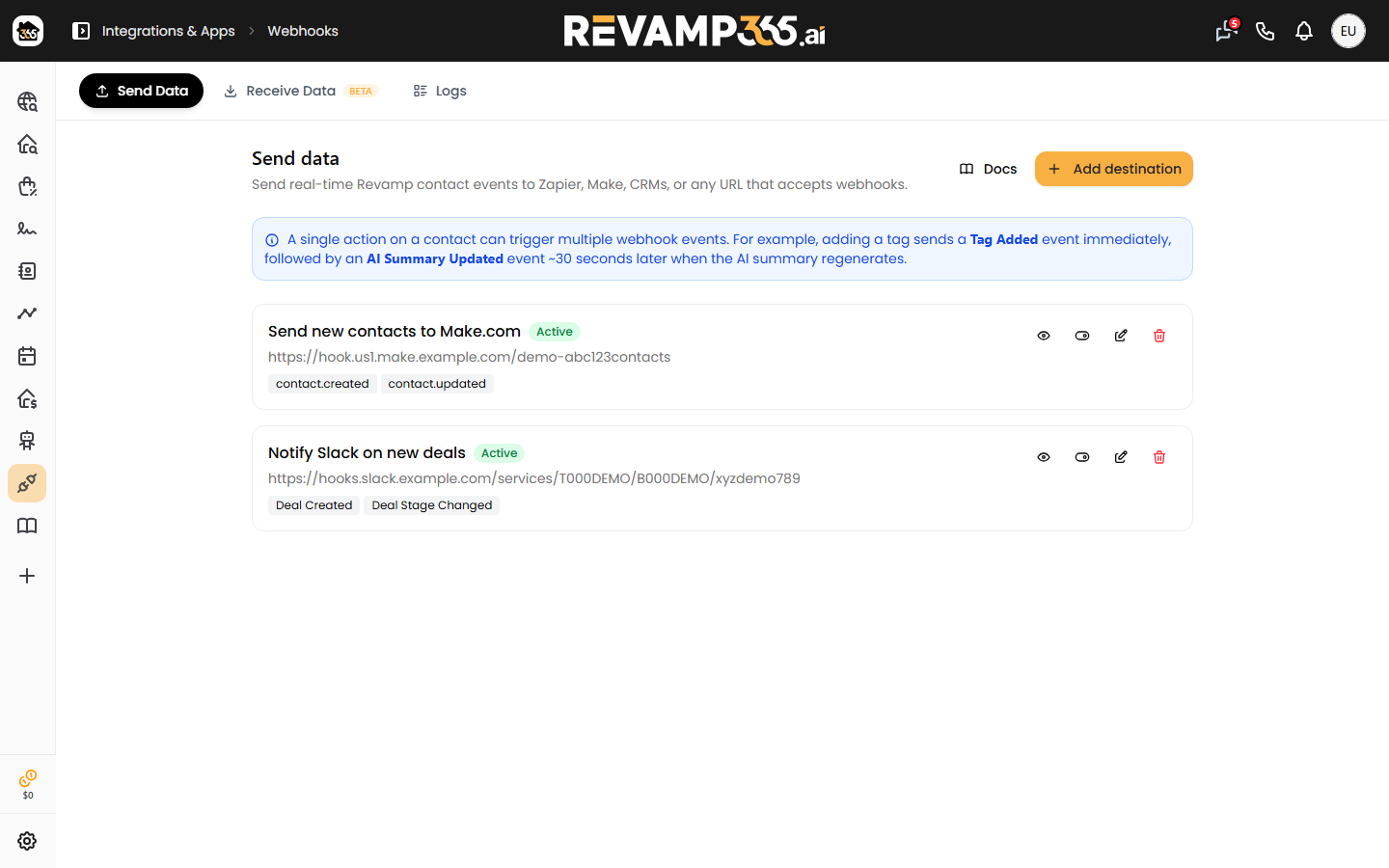
Notes
- This page is available on paid plans; free accounts are redirected.
- Deliveries are attempted once with no automatic retry, so finish your receiver changes before deleting the old destination.
- Match every event and filter on the new destination, or you will silently stop sending some events after deleting the old one.