
The Domains & hosting panel in the Websites editor shows where visitors reach your site today, whether a custom domain is connected, and how to add one. Open it from the Website editor toolbar — the button is labeled Domains & hosting.
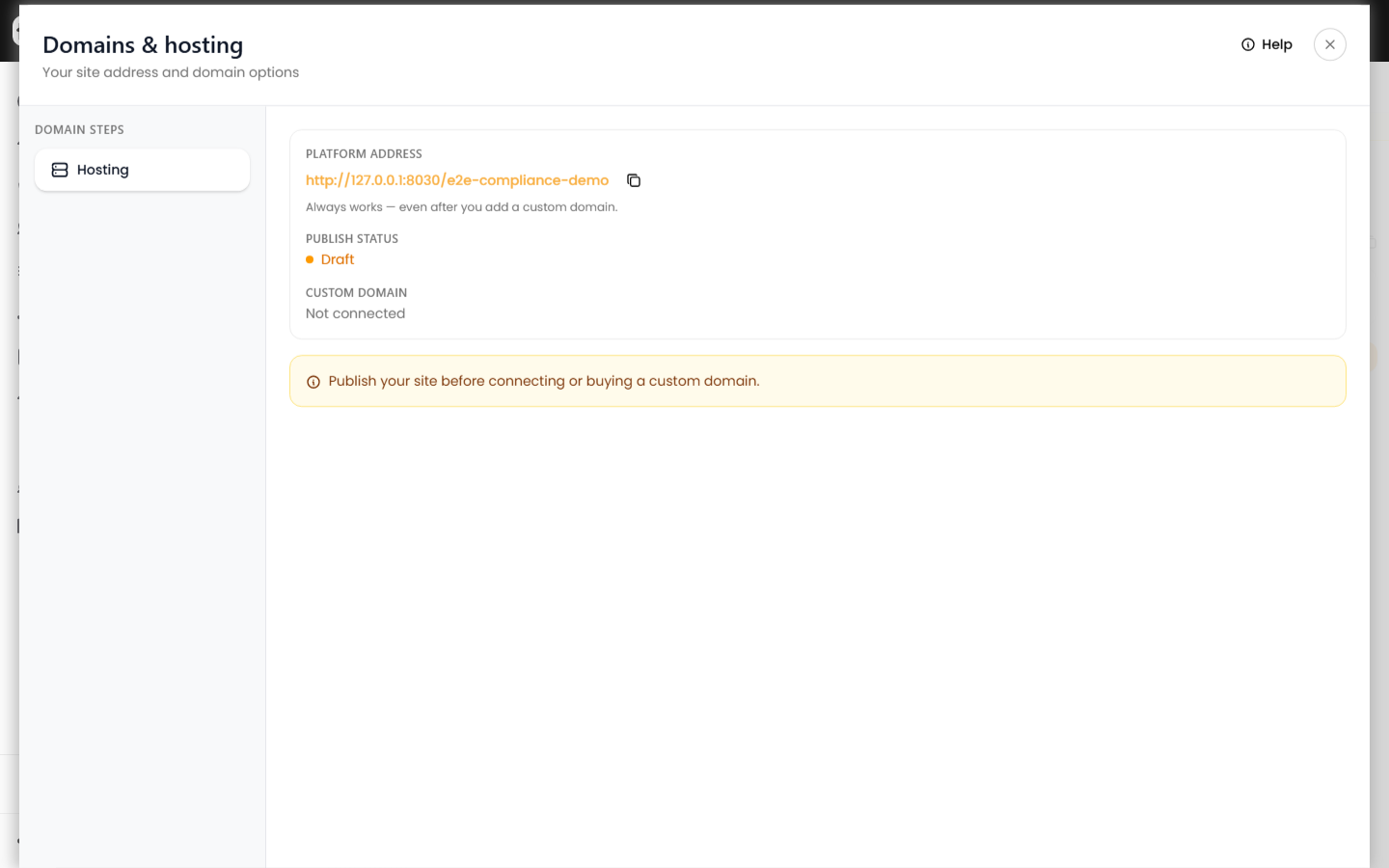
Platform address
Every site has a Revamp365 platform URL (your /{slug} address on the hosted sites host). This URL always works, even after you connect a custom domain. Visitors who bookmark the platform link can still reach your site.
Publish before connecting a domain
Custom domains attach to a published site. If your site is still a draft, publish it from the Website editor first — the Domains panel shows a reminder until you do.
Two ways to add a custom domain
- Buy a domain — search for an available name included with your Dealmaker plan (one free domain per site on eligible extensions). See claim your included website domain.
- Connect a domain I own — point a domain you already registered at your site by adding DNS records. See connect a domain you own to your website.
You can connect one custom domain per site. Release the current domain before attaching a different one.
Status indicators
- Publish status — whether the site is live at the platform URL.
- Custom domain — Waiting for DNS, Verifying DNS, or Live while setup completes. Use Continue setup to reopen the DNS checklist if you closed the wizard mid-flow.