
Your AI voice agent's behavior starts with the Global Prompt, the system prompt that frames who the agent is, what it's trying to accomplish, and the lines it should never cross. A focused prompt is the difference between an agent that books appointments and one that rambles.
Where the Global Prompt lives
- Open AI Voice & Chat in the left sidebar, then go to the Agents tab.
- Create a new voice agent or open an existing one to load the agent builder.
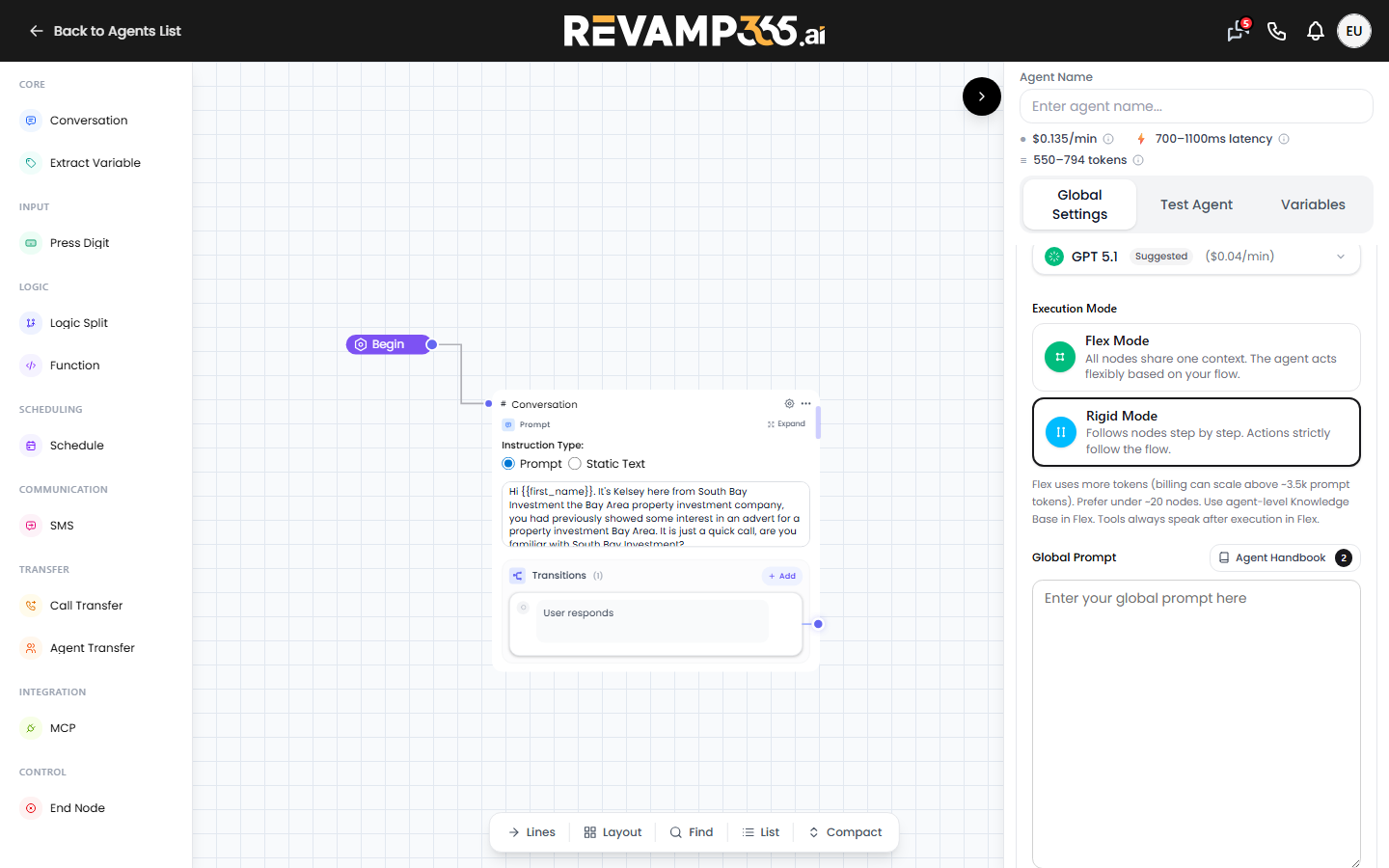
- In the agent panel, find the Global Prompt box (placeholder text reads "Enter your global prompt here").
- Type your prompt, then click Publish for a new agent or Update when editing one.
The Global Prompt is sent to the voice engine as the agent's general_prompt. It applies across the whole call, on top of any per-node instructions in your conversation flow.
What to put in the prompt
Structure the prompt in clear sections so the agent can prioritize. Keep sentences short, the agent reads them literally.
| Section | What it does | Example |
|---|---|---|
| Role | Names the persona and company | "You are Kelsey, an acquisitions rep for South Bay Investment." |
| Goal | The single call outcome | "Confirm the seller still wants an offer and book a callback." |
| Guardrails | Hard limits | "Never quote a price. Never promise a closing date." |
| Tone | How it speaks | "Warm, concise, one question at a time." |
| Fallback | What to do when stuck | "If asked something you can't answer, offer to have a person follow up." |
Use variables to personalize
Insert dynamic variables with double curly braces so the agent greets contacts by name and references live CRM data:
{{first_name}}pulls the contact's first name into the opening line.{{contact_id}}and{{user_id}}pass CRM identifiers to downstream tools and function nodes.
Set fallback values for these variables so the call doesn't break when a field is empty.
Global Prompt vs. node prompts
The Global Prompt sets the overall mission. Individual steps in your conversation flow have their own prompts with an Instruction Type toggle:
- Prompt lets the LLM phrase the step in its own words.
- Static Text speaks an exact, fixed line (useful for disclosures or the begin message).
Note: a prompted begin message on calls under 10 seconds still bills as 10 seconds, so use Static Text for the opener to avoid extra fees. Every node prompt must contain text, an empty one shows "Prompt cannot be empty" and blocks publishing.
Keep facts out of the prompt
Don't paste long policy details or pricing into the Global Prompt. Instead, attach reference material so answers stay accurate and the prompt stays lean. See add knowledge base documents to your AI agent for how to upload that content.
Test before you trust it
After you publish, place a test call to your AI voice agent and listen for drift. If the agent over-promises or wanders, tighten the guardrails section, republish, and call again. Two or three rounds usually lock in reliable behavior.