
Every outbound webhook Revamp365 sends is recorded with its HTTP result, timing, and full payload. Use the Logs tab to confirm deliveries landed, diagnose failures, and re-send the ones that did not.
Open the delivery logs
- Go to Integrations & Apps > Webhooks.
- Open the Logs tab.
- Click Outbound deliveries in the direction switcher (the default All view mixes outbound sends with inbound lead events).
The All view shows direction, timestamp, source/destination, event, status, and contact. Switch to Outbound deliveries to filter and retry.
Filter and read each delivery
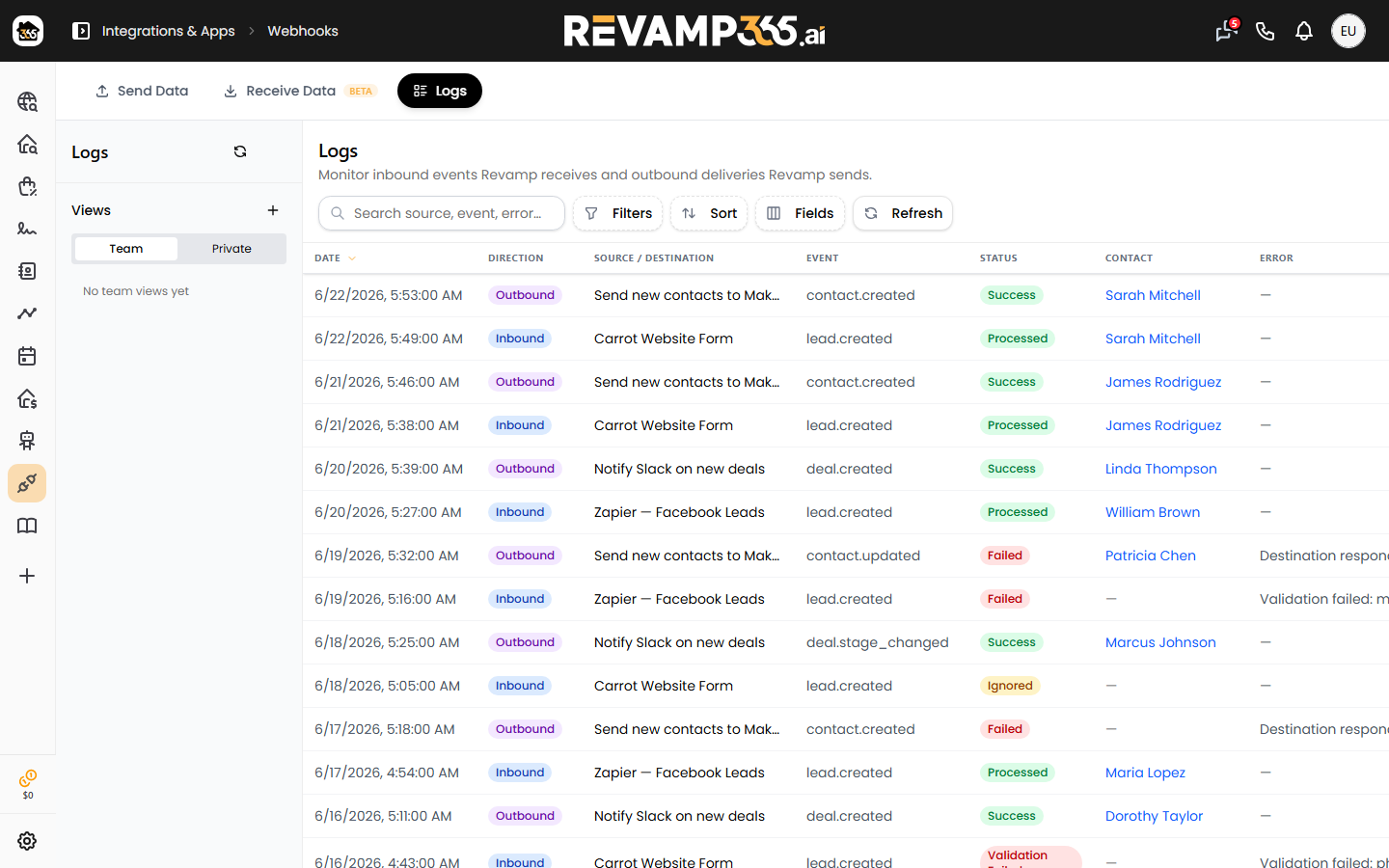
Two dropdowns narrow the outbound list: a status filter (All Statuses, Success, Failed, Pending Retry) and an event filter. The table columns are:
| Column | What it shows |
|---|---|
| Date | When the delivery was attempted |
| Contact | Linked contact ID, or — if none |
| Event | The event that triggered the send |
| Status | success, failed, or pending_retry |
| HTTP | Response status code returned by your endpoint |
| Time | Round-trip response time in milliseconds |
Click any row to expand it. The detail panel shows the Error message, the first 1,000 characters of the Response Body, and the complete JSON Payload that was sent. A delivery counts as success only when your endpoint returns a 2xx code within the 15-second timeout; anything else is logged as failed with the HTTP code or exception in the error field.
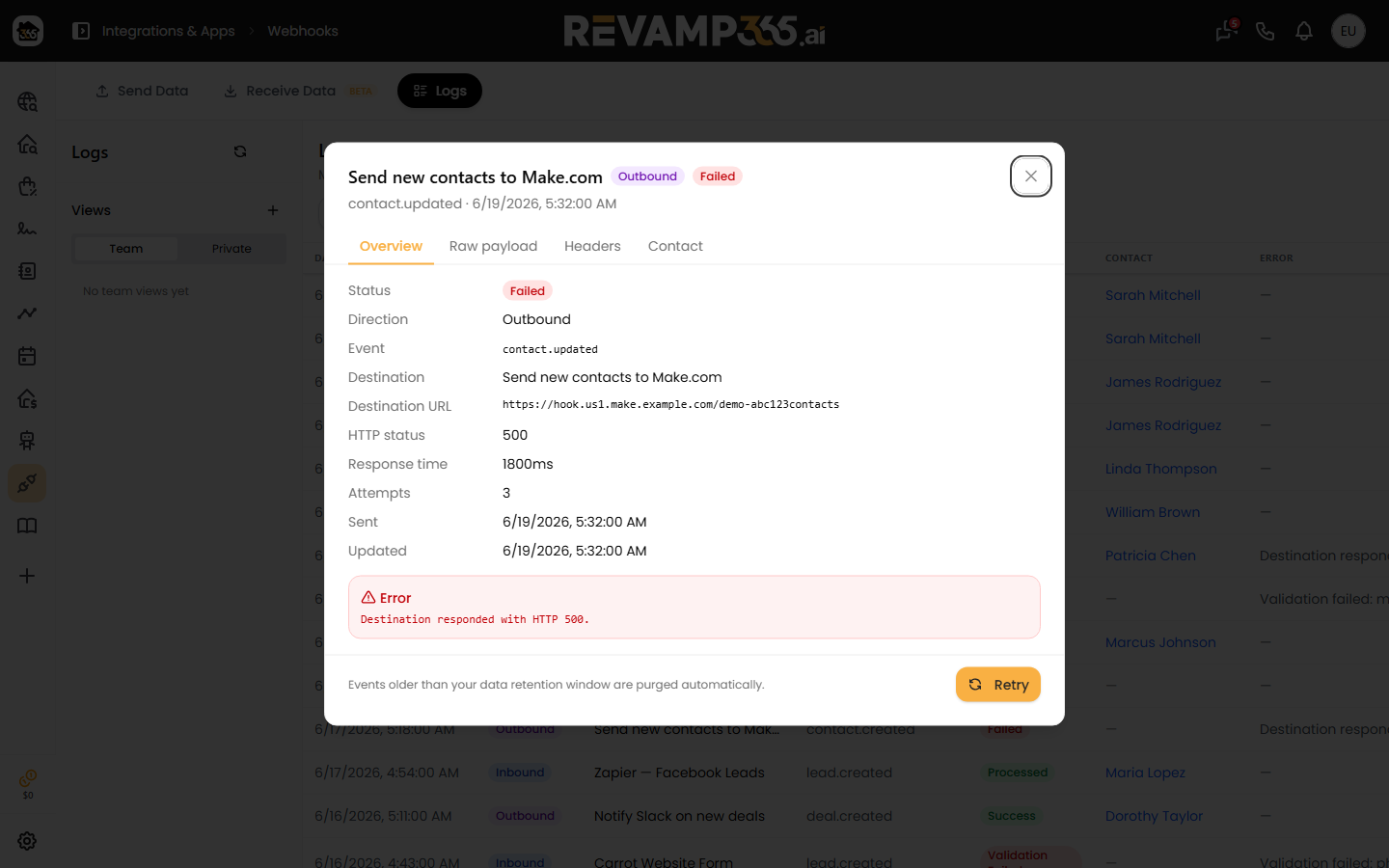
Retry a failed delivery
Revamp365 does not auto-retry — each event is sent once, so a failed row stays failed until you act.
- Find the row with a red failed status.
- Click the refresh icon at the right end of that row (it appears only on failed rows).
- The status changes to pending_retry and a toast confirms "Webhook retry queued".
The retry re-sends the original payload to the same destination and writes a brand-new log entry for the new attempt, so watch for a fresh success or failed row at the top of the list. The original row stays as pending_retry for history.
Two retries are blocked on purpose:
- Successful deliveries cannot be retried.
- If the destination was deleted after the failure, retry is rejected — recreate the destination, then trigger a fresh event.
When a retry keeps failing
A repeat failure is almost always on the receiving side. Check the expanded Error and HTTP values:
- 401 / 403 — your endpoint is rejecting the signature. Confirm your handler validates the
X-Webhook-Signatureheader. See verify outbound webhook HMAC signatures. - 404 / connection errors — the URL moved or the host is unreachable; update the destination on the Send Data tab.
- Timeout — your endpoint took longer than 15 seconds to respond; return a 2xx immediately and process asynchronously.
Delivery logs are kept for 90 days, then pruned automatically, so export or investigate failures before they age out.