
Every POST your inbound webhook receives is recorded so you can confirm a lead arrived, inspect its raw payload, and re-run anything that did not land as a contact. The log lives next to your outbound deliveries inside the Webhooks screen.
Open the inbound logs
- Open Integrations & Apps, then Webhooks.
- Click the Logs tab.
- Switch the segmented toggle to Inbound events (the heading reads Inbound logs, marked BETA).
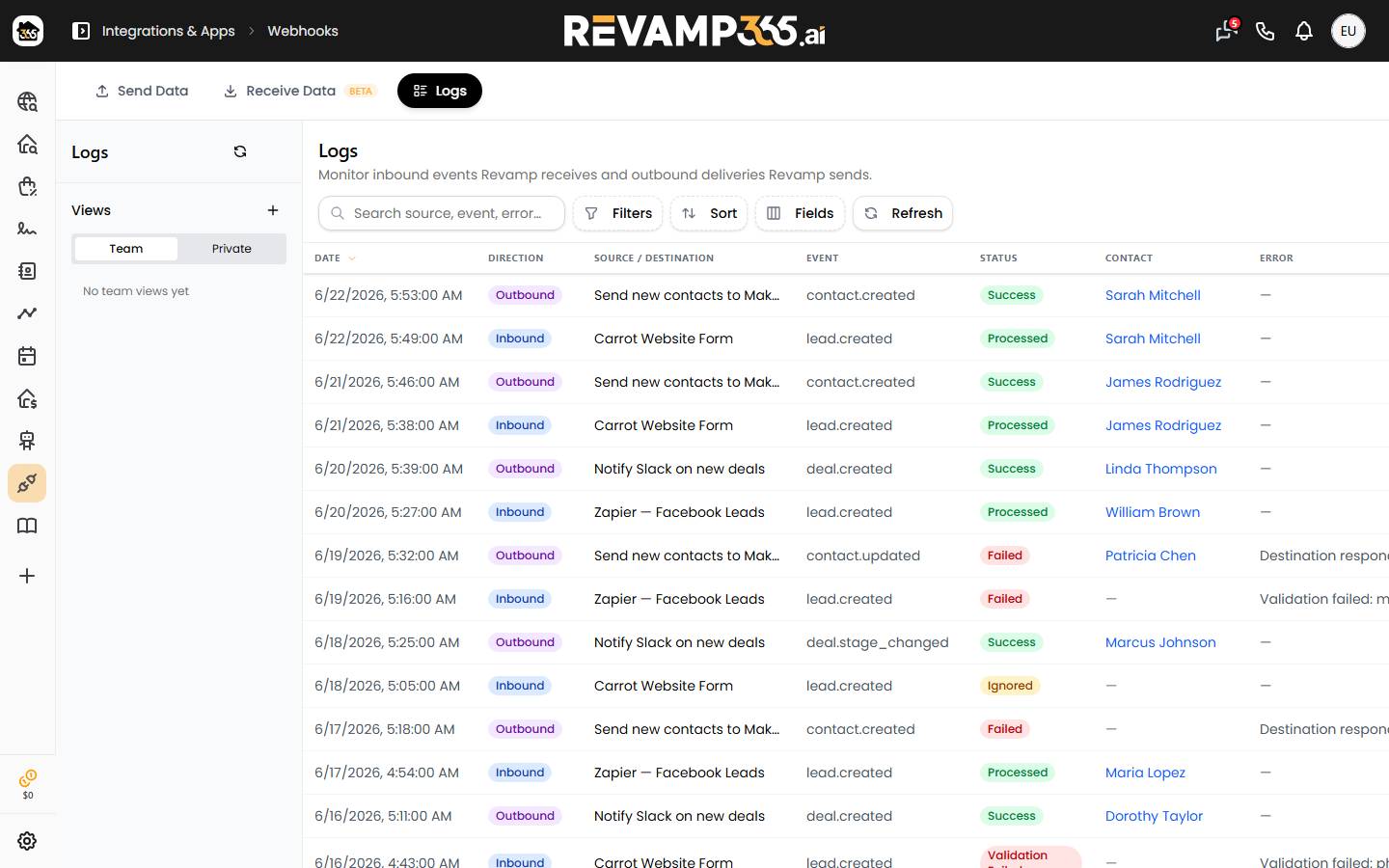
You can also land here directly at /integrations/webhooks?tab=logs. Filter the table by Source, Status, and a From/To date range; click Clear filters to reset. Use Refresh to pull the latest events.
Read a log row
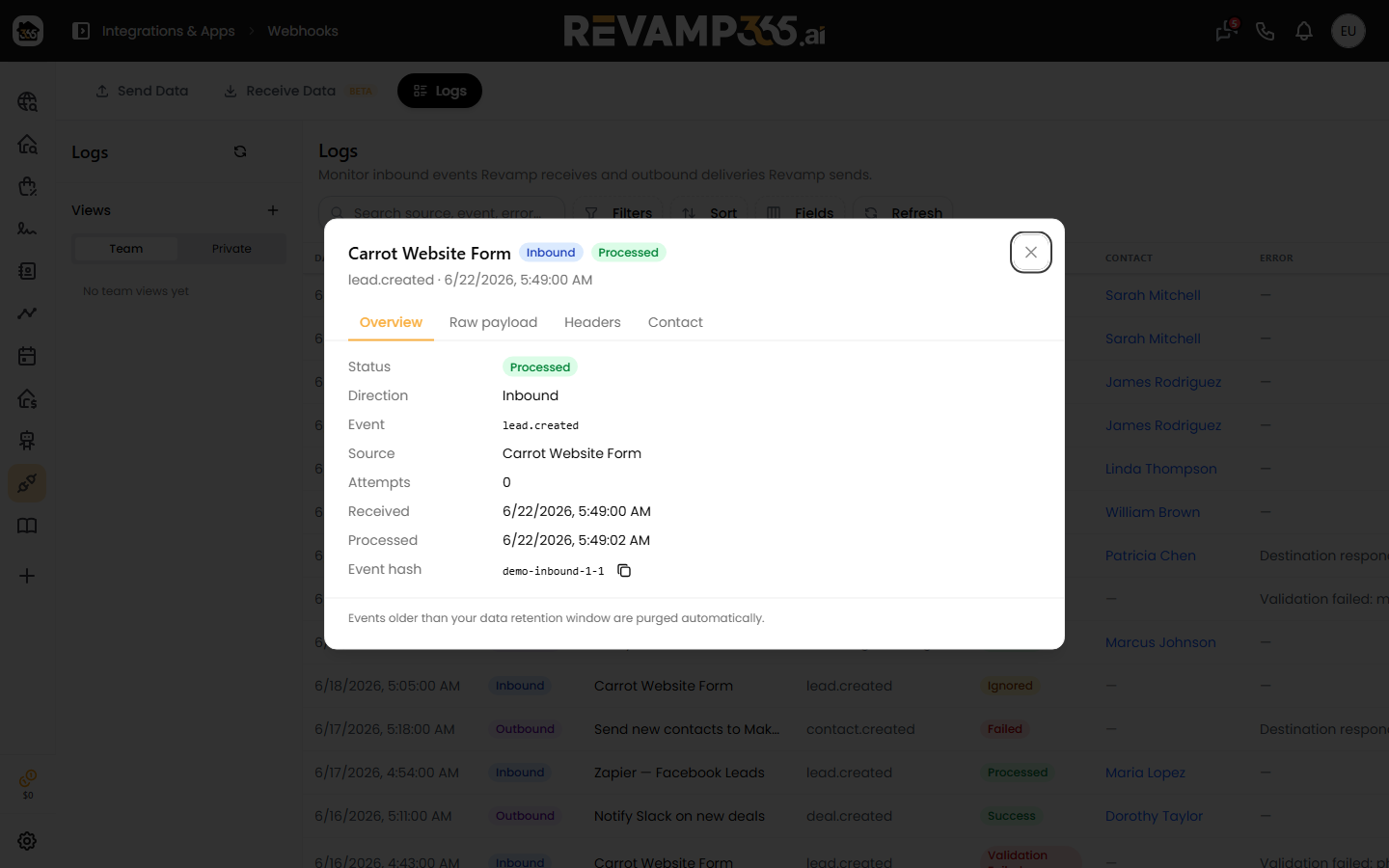
Each row shows the source name and event ID, when it was received, a status pill, the linked contact (if one was created or merged), and any error. Click a row to open the detail modal, which has four tabs:
- Overview — status, event type, received/processed times, retry count, the payload event hash, and the full error message.
- Raw payload — the exact JSON body your source sent, pretty-printed.
- Headers — request headers (cookies,
Authorization, andX-Revamp-Signatureare stripped for safety). - Contact — the resulting contact, with a link to open it.
What each status means
| Status | Meaning |
|---|---|
| Received | Accepted and queued; processing has not finished. |
| Processing | The job is running right now. |
| Processed | A contact was created or merged successfully. |
| Failed | The processing job threw an error (see the error message). |
| Validation Failed | The payload failed validation — most often a missing/invalid email and phone. |
| Ignored | Skipped on purpose: no usable phone, email, or external_id, or the source was deleted before processing. |
A · 2x next to a status means the event has been retried that many times.
Retry a failed lead
Only events in Failed, Processing (stuck), or Validation Failed can be retried — those rows show a retry icon, and the detail modal shows a Retry button.
- Click the retry icon on the row, or open the row and click Retry.
- Confirm the prompt. Revamp resets the event to Received, clears the error, increments the retry count, and re-dispatches it to the
inbound-leadsqueue. - Click Refresh after a moment to see the new status.
The background job retries on its own up to 3 times with backoff before it lands in Failed, so a manual retry is mainly for events you have since corrected (for example, after fixing field mapping on the source). Retrying a Validation Failed event only helps if the underlying source now sends a valid email or phone.
Notes and gotchas
- Identical payloads from the same source within 24 hours are treated as duplicates and are not re-logged, so you will not see double entries from a retried Zapier task.
- An Ignored event with "neither a normalizable phone, email, nor external_id" means the form did not send a contactable field — fix the form or the mapping, not the log.
- If your source uses a signing secret, a bad
X-Revamp-Signatureis rejected before a log is written, so a missing log can mean a signature mismatch.
To change how incoming fields land on a contact, see map inbound lead fields to Revamp contact fields.