
Any tool that can POST JSON, including Jotform, Google Forms (via Apps Script), or a hand-coded HTML form, can drop new leads straight into your CRM. Revamp365 gives each source its own webhook URL and turns submissions into contacts automatically.
Create the inbound source
- Go to Integrations & Apps -> Webhooks, then open the Receive Data tab (marked BETA).
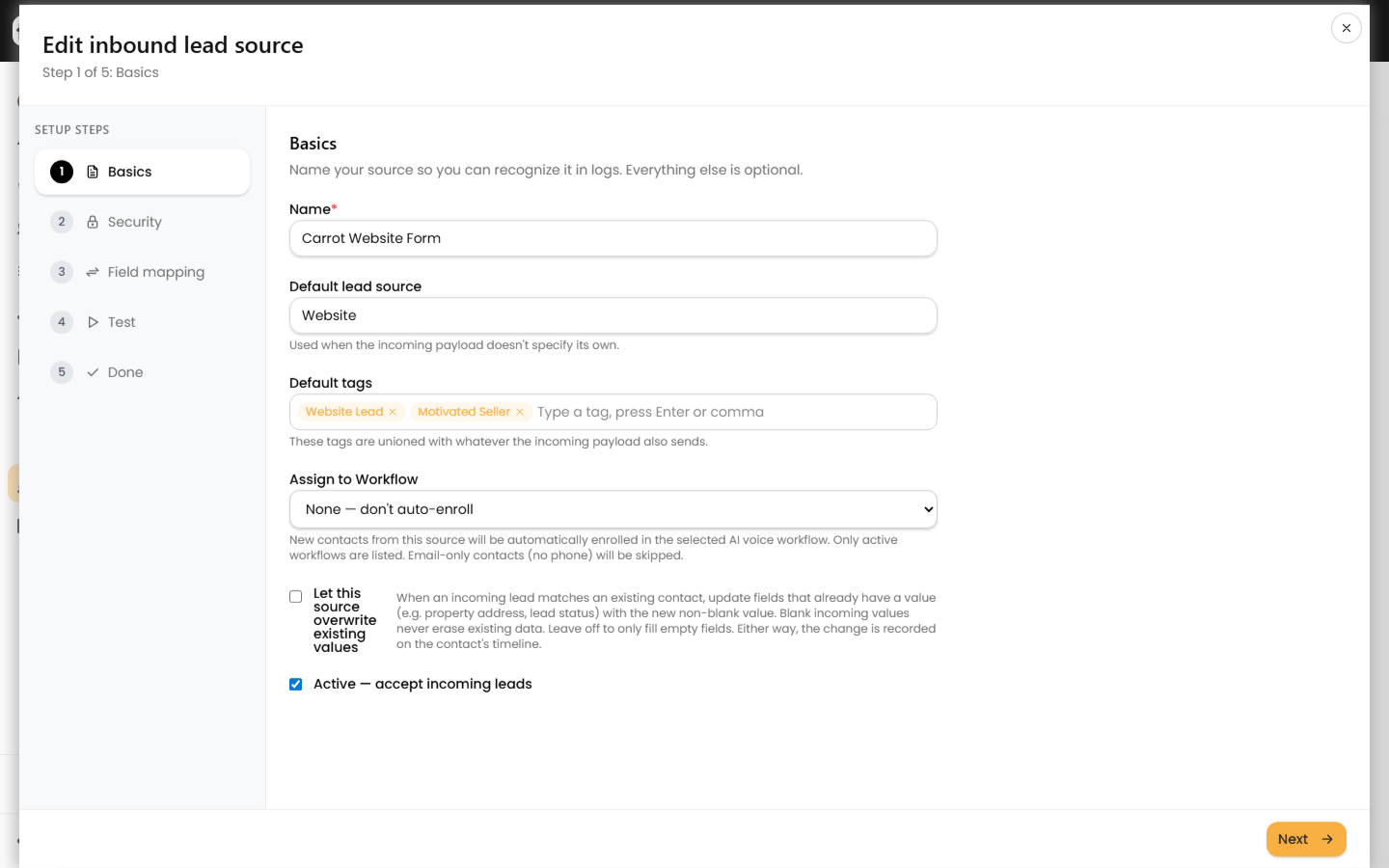
- Click New source and name it (for example, "Jotform - Seller Form") so you can spot it in logs.
- Optionally set a Default lead source and Default tags. Tags here are unioned with any the payload sends.
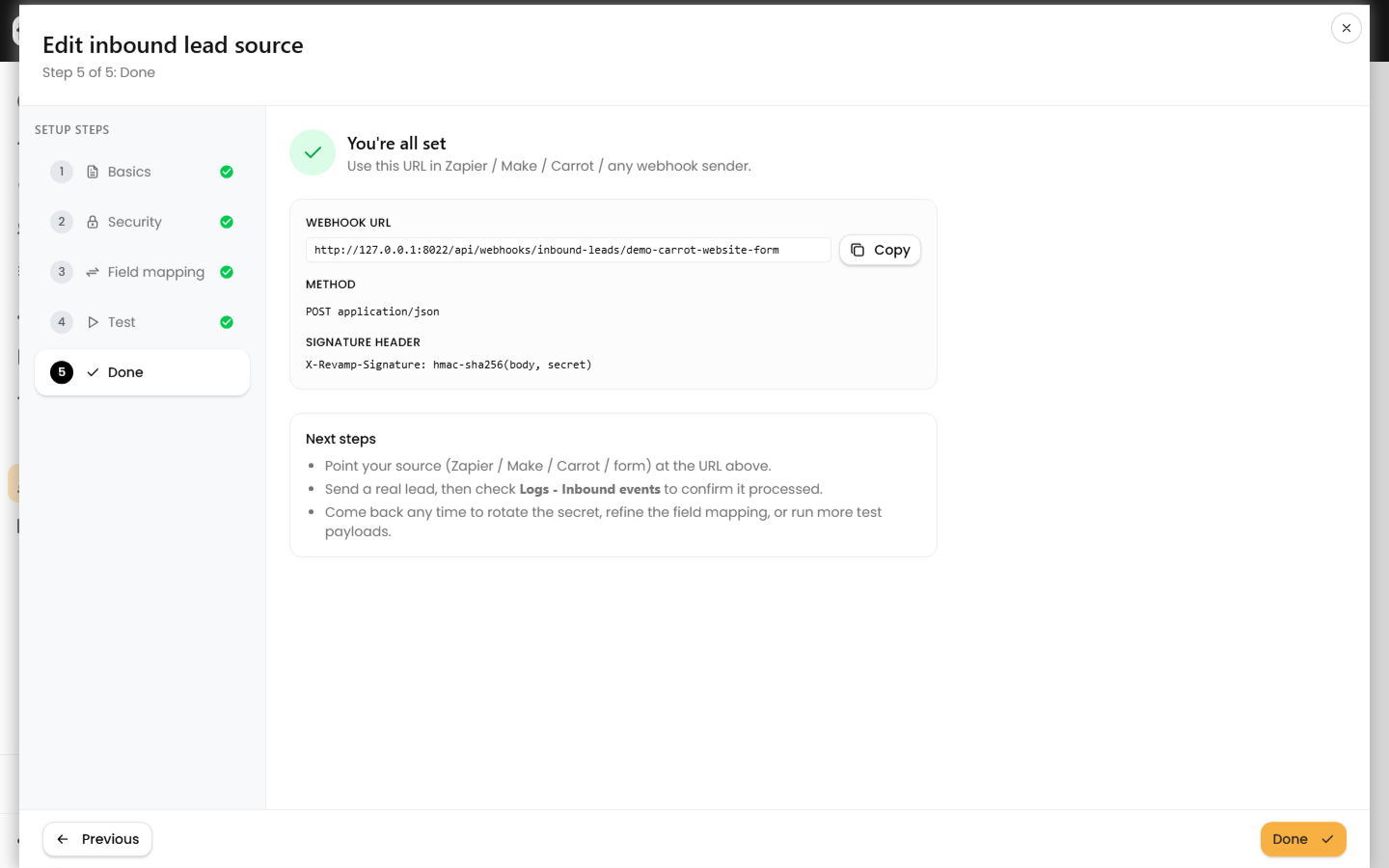
- Click Save and continue. On the Done step, copy your Webhook URL — it looks like
/api/webhooks/inbound-leads/{token}.
Point your form at the URL
Send a POST with header Content-Type: application/json. Either email or phone is required; everything else is optional.
{
  "first_name": "Jane",
  "last_name": "Doe",
  "email": "jane@example.com",
  "phone": "5125550100",
  "address": "123 Main St",
  "city": "Austin",
  "state": "TX",
  "zip": "78701",
  "tags": ["website-lead"],
  "notes": "Submitted via Jotform"
}
- Jotform: add a Webhooks integration, but because Jotform posts form-encoded data, route it through a middle layer (Zapier, Make, or a small script) that re-sends JSON.
- Google Forms: use a Google Apps Script
onFormSubmittrigger withUrlFetchApp.fetch(url, { contentType: 'application/json', payload: JSON.stringify(...) }). - HTML form: post via
fetch()from JavaScript with a JSON body.
Field names Revamp365 understands
With no mapping configured, these keys map automatically. Aliases are also accepted.
| Canonical key | Common aliases |
|---|---|
first_name / last_name |
name, full_name, firstName |
phone |
mobile, cell, phone_number |
email |
emails[] |
address, city, state, zip |
mailing_address, postal_code |
tags, notes, lead_source |
source |
For odd payload shapes, use the wizard's Field mapping step to point any JSON path (including static: values) at a canonical field.
Add a signature (recommended)
On the Security step, enable Require an HMAC signature. Copy the secret immediately — it is shown once. Your sender must then include header X-Revamp-Signature equal to hmac_sha256(rawBody, secret), or the request is rejected.
Test, then go live
- Use the wizard's Test step to paste a sample payload and preview the canonical result plus whether it would create or merge — no contact is written.
- A live submission returns HTTP
202with anevent_id. Validation errors return400. - Limits: 200 requests/minute per source, 128 KB max body, and identical bodies within 24 hours are treated as duplicates.
After a real submission, confirm it in Webhooks -> Logs. To preview payloads safely first, see test an inbound lead payload without creating a contact.