
When an off-market property is owned by an LLC, INC, or trust, a plain skip trace returns the entity name — not a person to call. This article walks through filtering Unlisted Property Search for vacant corporate-owned properties, then using Skip Trace and Deep Trace together to get to the real human behind the entity.
Filter for vacant corporate-owned properties
Open Unlisted Property Search from the main nav. Click Filters in the top toolbar to open the Advanced Property Search dialog and select your county.
To narrow results to motivated corporate sellers, apply two filters:
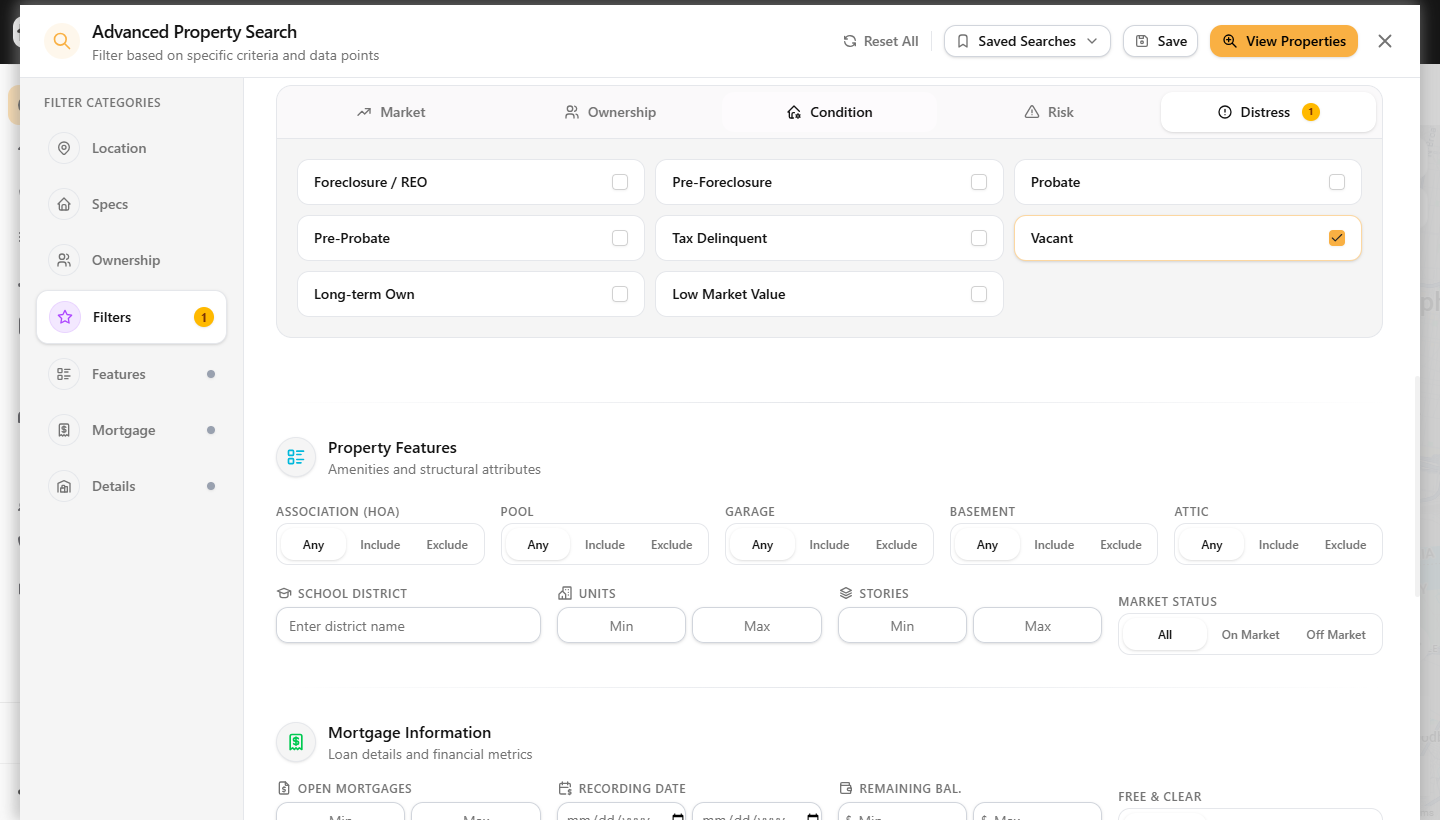
Vacant distress tag — In the left sidebar, click Filters and open the Distress tab inside Intelligent Filters. Check Vacant. The checkbox turns gold and a badge appears on the Distress tab.
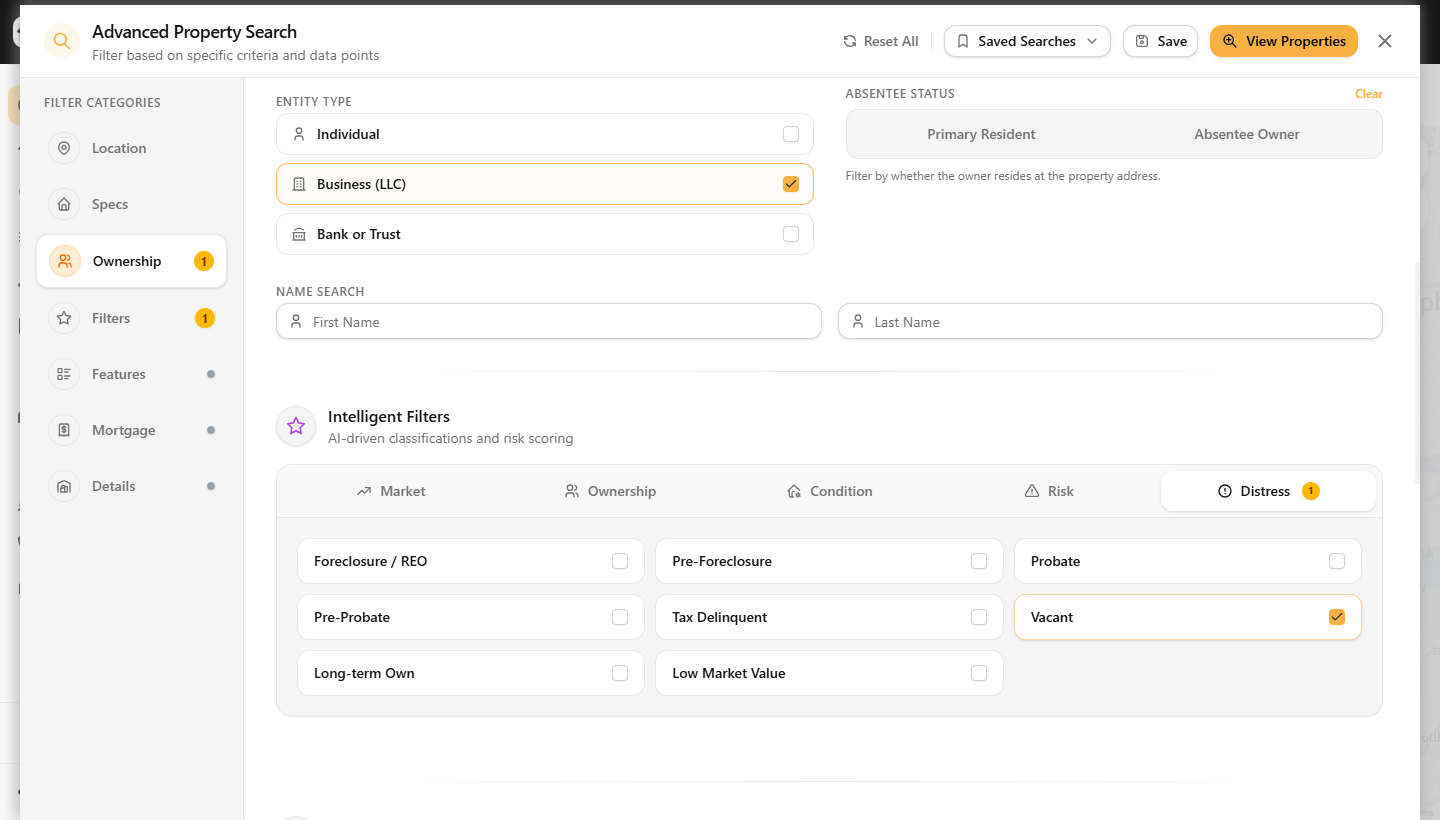
Business ownership — Click Ownership in the left sidebar. Under Entity Type, check Business (LLC). This limits results to properties where the registered owner is a corporate entity.
Click View Properties. The map and list update to show only vacant, business-owned properties in your chosen market.
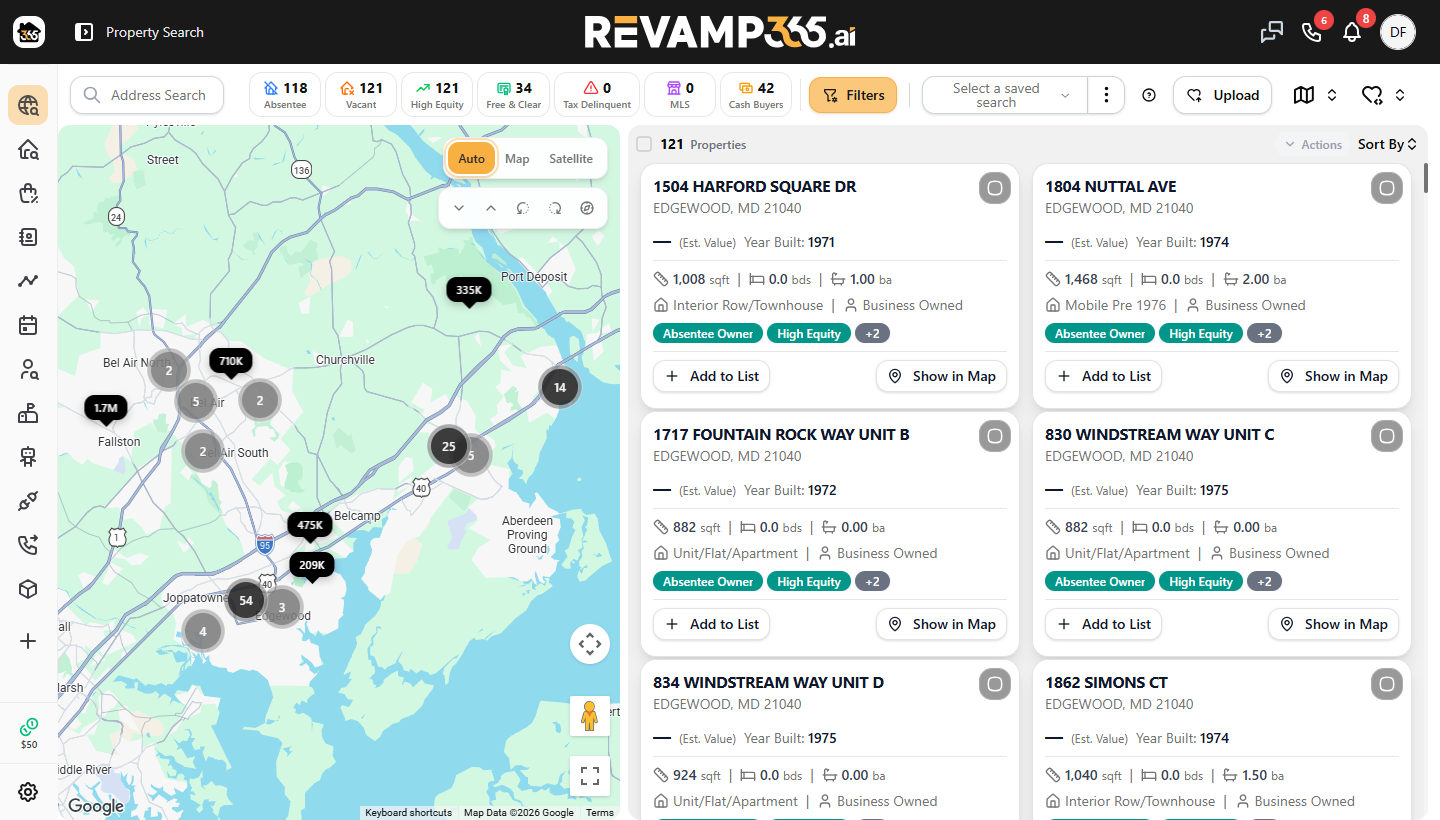
Cards labeled High Equity and Business Owned are the strongest Deep Trace candidates — there is equity to negotiate and a corporate veil to pierce.
Open the property and check the owner type
Click any card to open the full property detail. Scroll to the bottom and click Open Owner Info. The Owner Information dialog shows the entity name, mailing address, entity type, and portfolio snapshot.
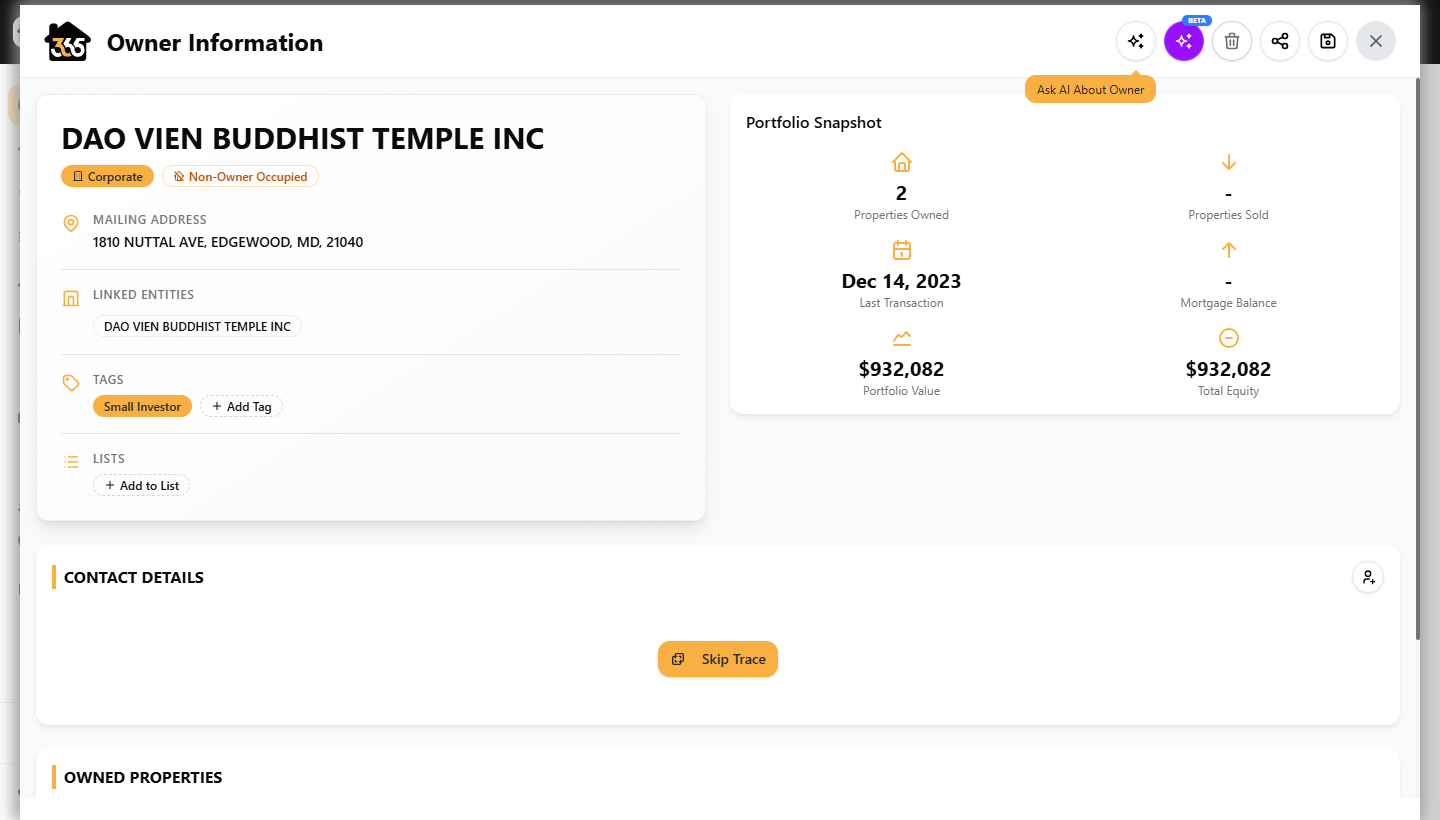
When the Entity Type reads Corporate or LLC, the actual decision-maker is hidden behind the entity name. That is when Deep Trace is worth running.
Run Skip Trace
In the CONTACT DETAILS section of the Owner Information dialog, click the gold Skip Trace button. Results return in seconds.
Skip Trace returns the registered contacts at the mailing address — names, phone numbers, email addresses, and connected people. For a corporate owner it may return employees, registered agents, or associated individuals rather than the principal directly.
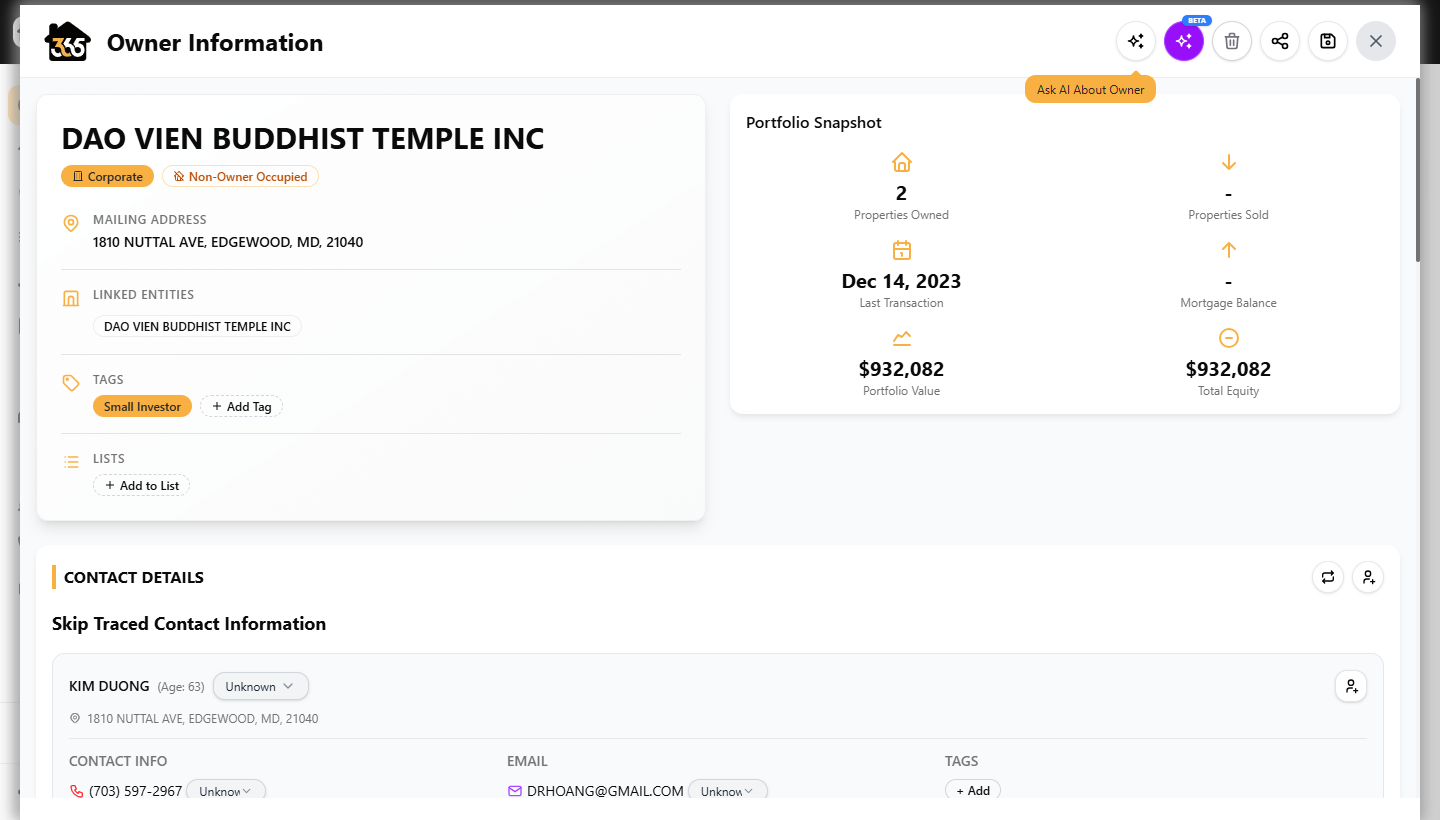
Skip Trace costs $0.15 per successful record. A trace that returns no contact information is not charged. For full details on reading and saving results, see Skip-Trace a Single Contact.
Run Deep Trace BETA
Once Skip Trace has results, click the purple sparkle button in the top-right corner of the Owner Information header. Deep Trace launches immediately and runs in the background.
A terminal panel opens in the Contact Details section showing the investigation in real time. Deep Trace runs up to 17 analysis steps — querying Secretary of State records, searching each skip-traced contact against the entity name, analyzing nonprofit databases, court filings, property deeds, and cross-referencing LinkedIn and business registrations.
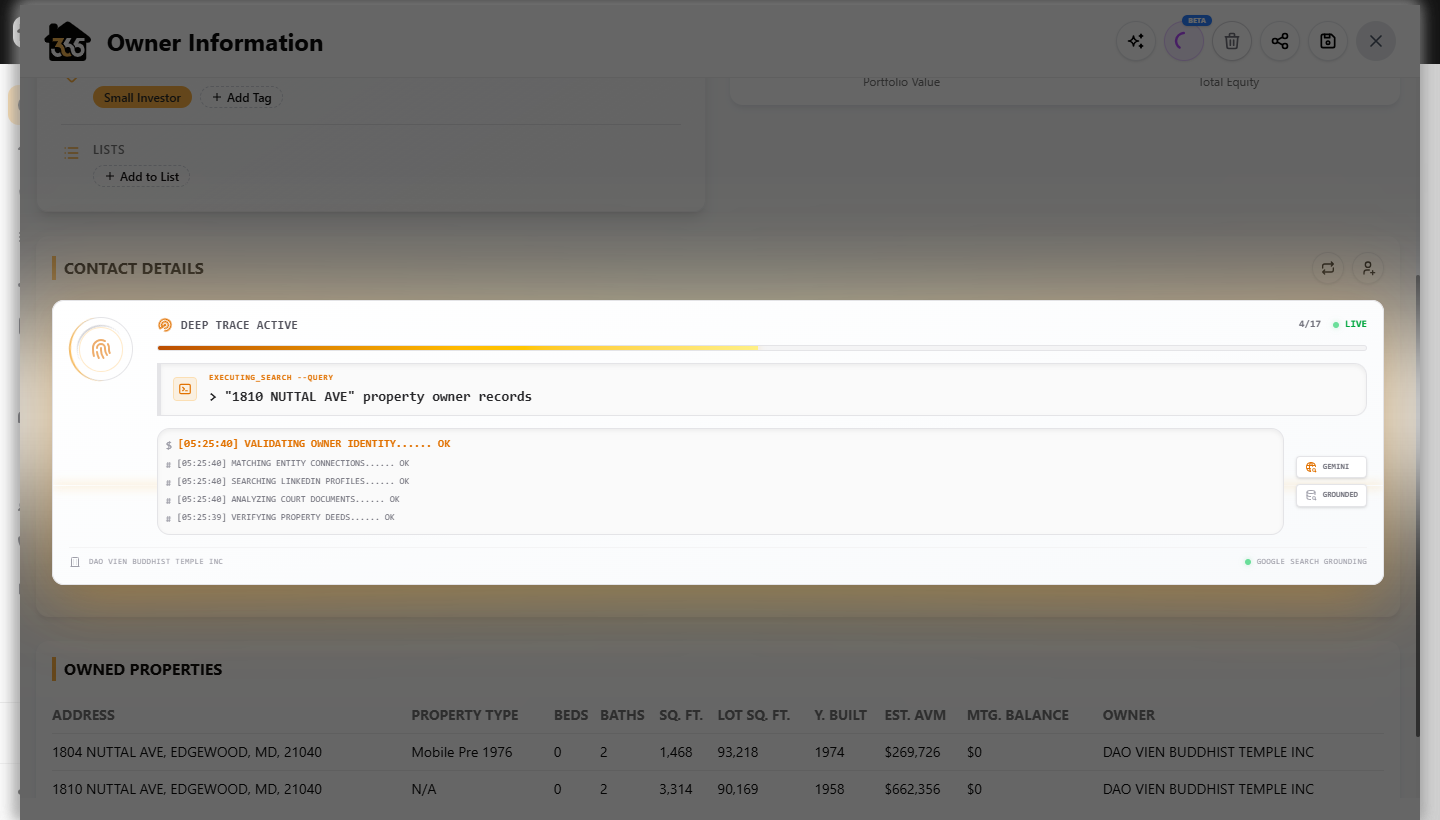
Investigation time is typically 60–120 seconds. Deep Trace costs $1.00 per record on the Free plan. Do not close the dialog while it runs.
Read the Deep Trace report
When the investigation completes, the terminal is replaced by a structured report.
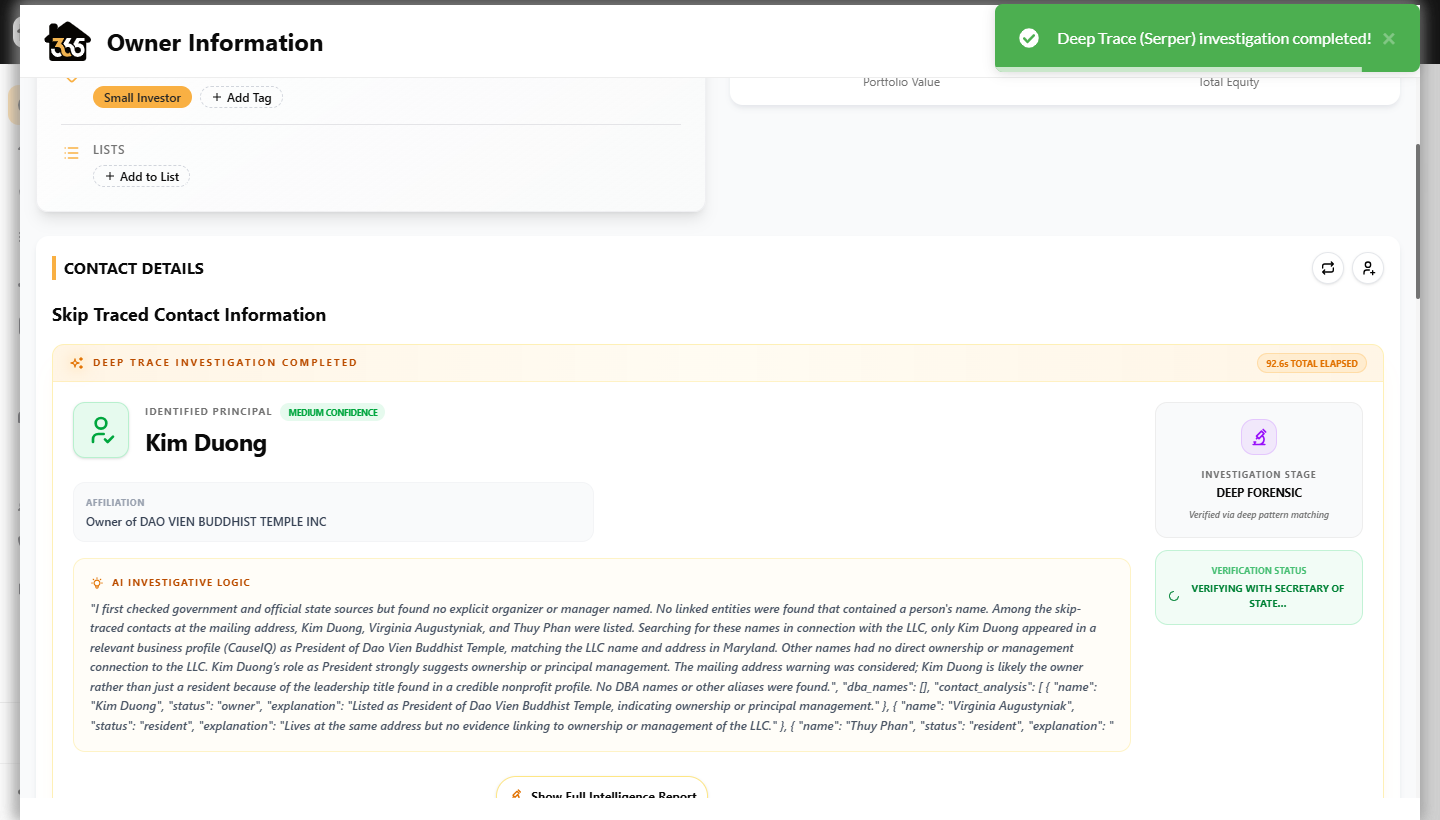
| Field | What it means |
|---|---|
| Identified Principal | The person most likely to be the decision-maker |
| Confidence | High / Medium / Low based on the evidence quality and source count |
| Affiliation | Their role in the entity (President, Manager, Organizer, Registered Agent) |
| AI Investigative Logic | The full chain of reasoning — every source consulted and why each contact was included or excluded |
| Verification Status | Whether the Secretary of State lookup confirmed the name |
After Deep Trace completes, each skip-traced contact is automatically re-labeled:
- OWNER — the identified principal (your primary outreach target)
- FAMILY — family members connected to the owner
- ASSOCIATE — business associates
- RESIDENT — people at the address with no ownership connection
Start with the OWNER-tagged contact. If Deep Trace returns Medium or Low confidence, the AI Investigative Logic section explains the gap — a missing SoS filing or a common name with multiple matches are the most frequent reasons.
Next steps
From the skip-traced contacts, you can:
- Send phones to the Power Dialer for direct outreach
- Enroll the owner-tagged contact in an SMS campaign or Automation
- Click Add all to Contacts to push the owner into your CRM with the property linked