
Why A2P 10DLC matters
U.S. mobile carriers require every business that sends SMS to a U.S. number to register a brand and a messaging campaign through The Campaign Registry. This is called A2P 10DLC ("Application-to-Person, 10-digit long code"). Unregistered traffic gets heavily filtered, throttled, or blocked outright.
Revamp365 routes SMS through Twilio. Twilio exposes the registration flow as the Trust Hub. We surface the same flow inside the app as the Trust Center.
Time to complete: 15 minutes of forms + ~1–3 business days for carrier approval. Result: a registered brand + an approved campaign, linked to a Messaging Service that your numbers send through.
Until your campaign is approved, expect very low SMS deliverability. Don't run a real outreach until the Trust Center shows your campaign as approved.
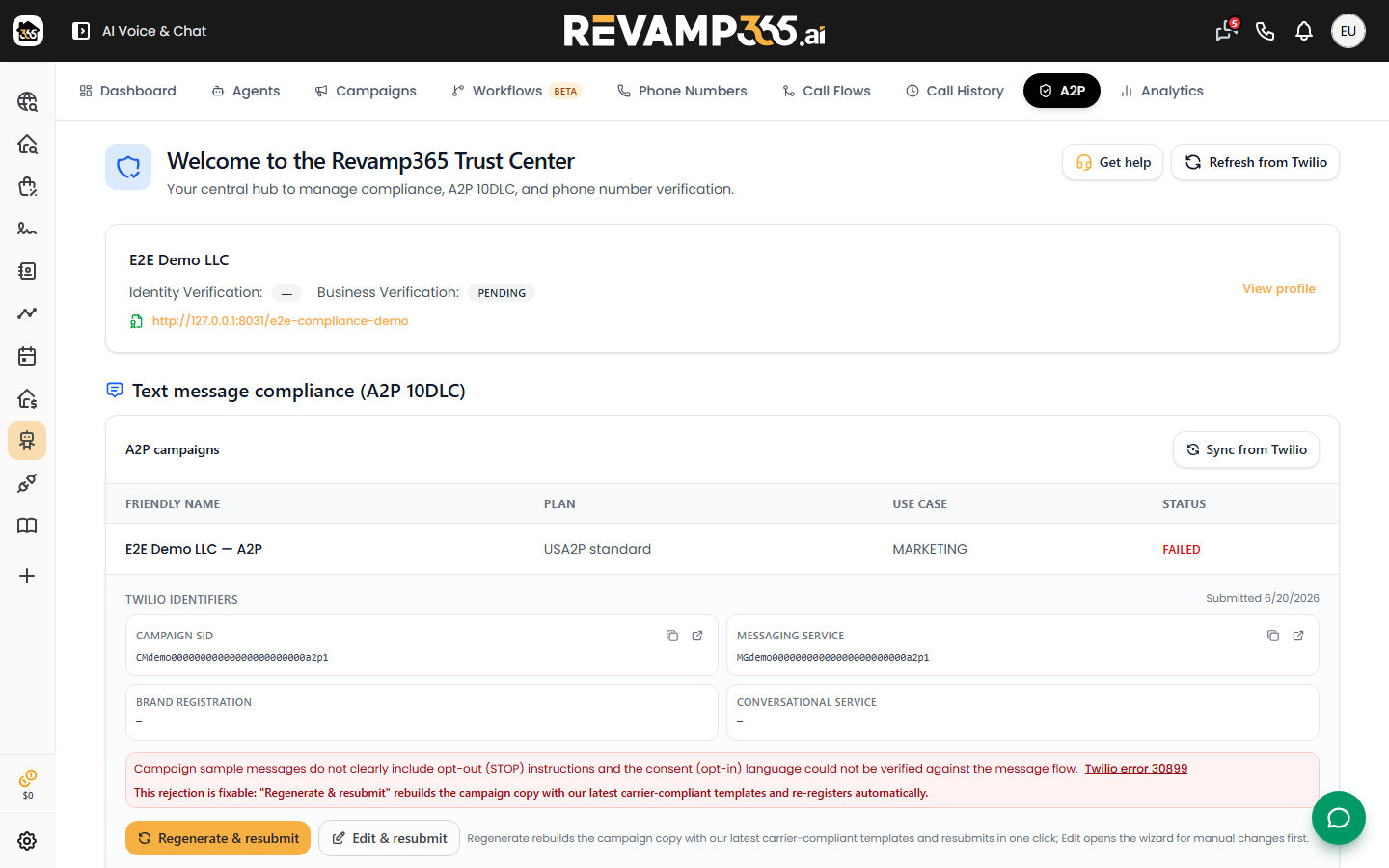
The full registration path
  ┌──────────────────────┐
  │ 1. Trust Hub profile │  business identity (legal name, EIN, address)
  └─────────┬────────────┘
            ▼
  ┌──────────────────────┐
  │ 2. Customer profile  │  who is this for (you, an end-customer, etc.)
  └─────────┬────────────┘
            ▼
  ┌──────────────────────┐
  │ 3. A2P brand         │  identity verification with TCR
  └─────────┬────────────┘
            ▼
  ┌──────────────────────┐
  │ 4. A2P campaign      │  use-case + sample messages
  └─────────┬────────────┘
            ▼
  ┌──────────────────────┐
  │ 5. Messaging Service │  bucket numbers send through
  └──────────────────────┘
Open the Trust Center
- Sidebar → AI Voice & Chat → A2P Registration tab. (Old
/sms?tab=a2pregistrationURLs redirect here.) - You'll see the Trust Center home — a single-page checklist of every step above.
- Click Register Trust Hub profile if you haven't started, or jump into the next pending step if you have.
Step 1 — Trust Hub business profile
Twilio needs the legal identity of the business that owns the SMS traffic.
| Field | What to enter |
|---|---|
| Legal business name | The exact name on your EIN/W-9. Not the doing-business-as. |
| Business type | LLC, S-Corp, Sole prop, Non-profit, etc. |
| EIN (U.S.) | 9 digits, no dashes. |
| Business industry | Pick the closest. "Real Estate" is the right answer for most Revamp customers. |
| Business address | Must match what's on file with the IRS. |
| Authorized representative | A real human at the business — name, title, email, mobile. |
Common reject reason: legal name on Trust Hub doesn't match the EIN's IRS name. Use exactly what appears on a W-9, including punctuation.
Step 2 — A2P brand
The brand is the externally-visible sender identity carriers will associate with your messages. Submitting the brand triggers identity verification at The Campaign Registry; it usually completes within minutes.
Once approved you'll see a brand score — higher scores get higher throughput limits with carriers.
Step 3 — A2P campaign
The campaign describes the use case for your messages: what you'll send, who you'll send to, and the consent path.
- Pick a use case. For most Revamp customers: Mixed (lead alerts + customer care + 2FA), or Marketing (promotional outreach to lists).
- Provide 2–3 sample messages that look like real production sends. Include {{first_name}}-style variables; that's expected.
- Indicate how recipients opted in (web form, paper, in-person, etc.). You'll attach a screenshot or describe it in writing.
- Submit. Carrier review takes 1–3 business days. The Trust Center shows live status.
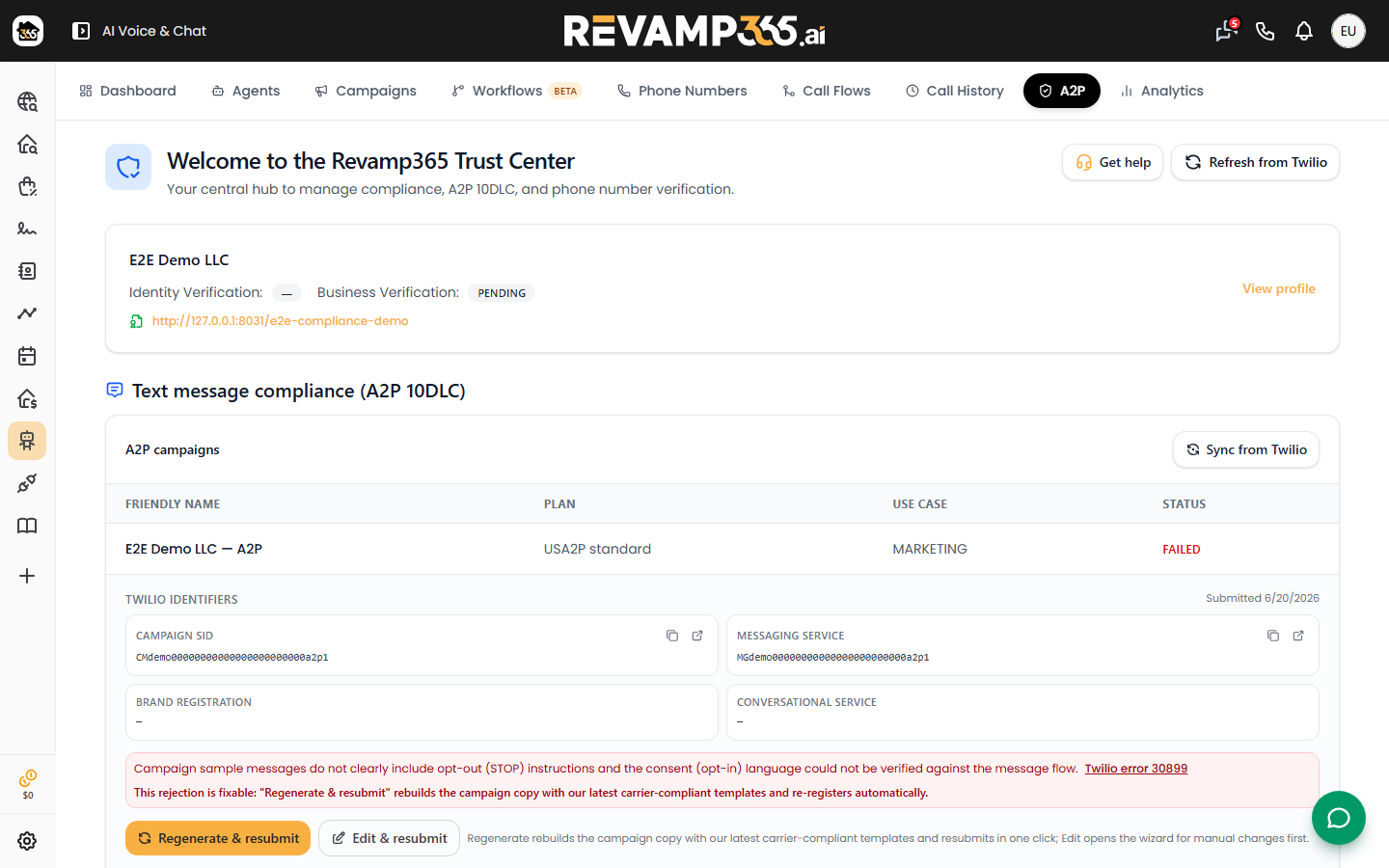
Sample messages must reflect actual traffic. Don't paste placeholder lorem ipsum — campaigns get rejected for it.
Step 4 — Messaging Service link
After your campaign is approved, every SMS-capable number you own must be added to a Twilio Messaging Service attached to the campaign. The Trust Center handles this in one click.
- Open Trust Center → if you see the warning "Approved profile but Messaging Service missing", click Link Messaging Service.
- Confirm which of your numbers should send under this campaign.
- Click Refresh status to verify the bind landed on Twilio's side.
Keeping status fresh
Trust Center caches state so the page loads instantly. If a step shows "pending" for a long time, click Refresh status at the top to force a re-fetch from Twilio's API.
Troubleshooting
| What you see | Meaning | Fix |
|---|---|---|
Brand: FAILED |
Identity didn't match TCR records. | Edit business profile → match EIN/legal name exactly → resubmit. |
Campaign: REJECTED with reason "Sample mismatch" |
Use case picked doesn't match the sample messages. | Either change use case or rewrite samples. |
| Campaign approved but messages still filter | Numbers not yet in the Messaging Service. | Trust Center → Link Messaging Service → Refresh. |
| "Sending failed" error inside Conversations | Number sending without an approved campaign. | Confirm the number is bound to the Messaging Service for an approved campaign. |
| Approved profile, no Messaging Service warning won't clear | The carrier status was cached. | Refresh status. If it persists 1+ hour, contact support. |
FAQ
Do I need A2P if I'm only sending to Canada? Canadian carriers don't run TCR but follow CWTA / CRTC rules. You still need carrier-grade compliance — open a support ticket if you're Canada-only.
Can I send while the campaign is pending review? Yes, but expect heavy filtering. Limit pre-approval traffic to Conversations 1-to-1 replies.
What's the difference between brand score 25 and 75? Higher = higher throughput per second + lower probability of carrier filtering. Keep your Trust Hub identity verification verified to keep the score up.
Do I have to re-register if I switch numbers? No — the brand + campaign stay. Just add the new number to the same Messaging Service.
Where do I see deliverability stats? Open SMS → Conversations. Each thread shows per-message delivery status. For aggregate stats, look at the Dashboard tab.