
A public inbound webhook URL accepts any POST that knows the link. Adding an HMAC-SHA256 signing secret means Revamp365 rejects every request that is not signed with your secret, so spoofed or replayed payloads never become contacts.
Turn on signature verification
- Open Integrations & Apps, then Webhooks (or go straight to
/integrations/webhooks?tab=receive). - Open the Receive Data tab (marked BETA).
- Click New source, or open an existing source with the Edit (pencil) button.
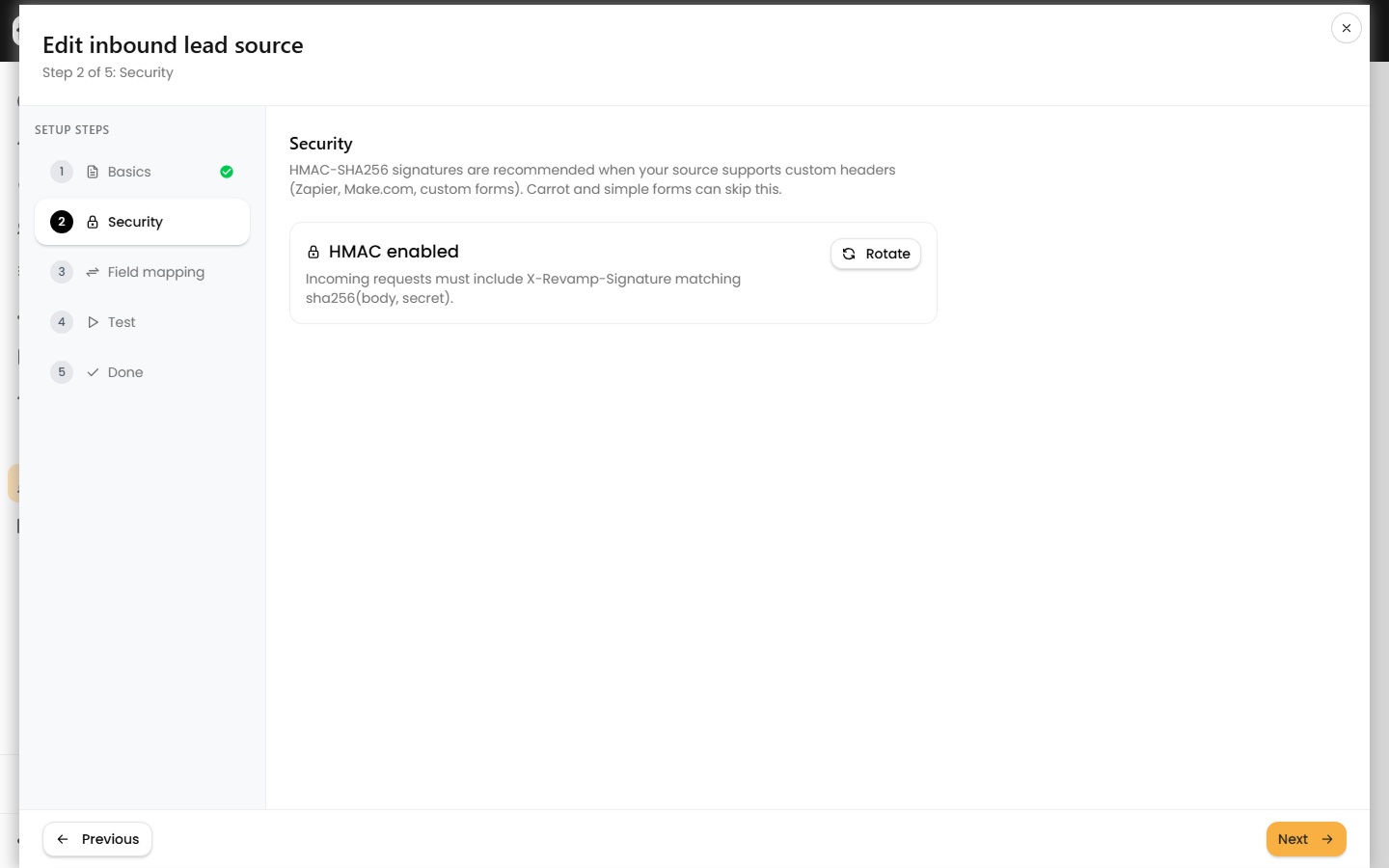
- In the wizard, go to the Security step.
- On a new source, check Require an HMAC signature. On an existing source, click Generate secret.
- Copy the secret immediately. The banner reads "Copy this secret now — it will not be shown again." Revamp365 stores it encrypted and never redisplays it.
Once enabled, the source card shows a blue HMAC badge, and unsigned requests are refused.
How the signature works
Compute a hex HMAC-SHA256 of the exact raw request body using your secret, then send it in the X-Revamp-Signature header.
| Item | Value |
|---|---|
| Algorithm | HMAC-SHA256, lowercase hex |
| Signed content | The raw JSON body, byte-for-byte |
| Header | X-Revamp-Signature |
| Secret | A 64-character hex string |
Server-side pseudocode mirrors what Revamp365 verifies:
signature = hmac_sha256(raw_request_body, secret)   // hex digest
header "X-Revamp-Signature" = signature
Sign the bytes you actually transmit. Re-serializing or pretty-printing the JSON after signing changes the body and breaks the match.
What happens on a bad signature
- A missing or wrong
X-Revamp-Signaturereturns 404 Not found — the same response as an unknown URL, so probers learn nothing. - Other guardrails still apply: the body must be
application/json, stay under 128 KB, and stay within 200 requests per minute per source. - Identical bodies inside a 24-hour window are treated as duplicates and acknowledged without creating a second contact.
Rotate the secret
If a secret leaks, open the source's Security step and click Rotate. The confirmation warns that "the current secret will stop working immediately," so update your sender with the new value first. Rotating does not pause the source or change its URL.
Test before you depend on it
The in-app Test step previews field mapping only and does not check the signature. To prove end-to-end signing works, send one real signed POST from your tool, then read the inbound lead logs: a signed, valid payload lands as Received or Processed, while a signature failure never reaches the log at all.
Configure signing on the sender side in your automation platform, such as Make.com, and keep the secret in that platform's credential store rather than in plain workflow steps.